Desertcart purchases this item on your behalf and handles shipping, customs, and support to Congo.
๐ Upgrade your speed, save your power, and secure your dataโbecause your workflow deserves the best!
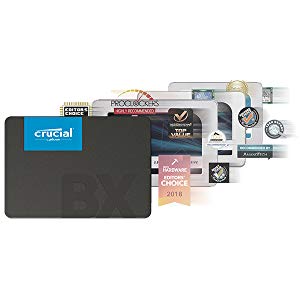
The Crucial BX500 240GB 3D NAND SATA SSD delivers a high-performance storage upgrade with up to 540 MB/s read and 500 MB/s write speeds. Its 2.5-inch SATA interface ensures broad compatibility with laptops and desktops, while its energy-efficient design extends battery life by consuming 45 times less power than traditional hard drives. Featuring advanced data protection against power loss and backed by Micronโs trusted 3D NAND technology, this SSD offers reliable, fast, and durable storage with a 3-year warrantyโperfect for professionals seeking a cost-effective performance boost.


| ASIN | B07G3YNLJB |
| Best Sellers Rank | #1,997 in Computers & Accessories ( See Top 100 in Computers & Accessories ) #10 in Internal Solid State Drives |
| Box Contents | SSD |
| Brand | Crucial |
| Brand Name | Crucial |
| Cache Memory Installed Size | 240 GB |
| Color | Black |
| Compatible Devices | Desktop, Laptop |
| Connectivity Technology | SATA |
| Country of Origin | Malaysia |
| Customer Package Type | Standard Packaging |
| Customer Reviews | 4.5 out of 5 stars 141,514 Reviews |
| Data Transfer Rate | 6 Gigabytes Per Second |
| Digital Storage Capacity | 240 GB |
| Enclosure Material | PLASTIC |
| Form Factor | 2.5-inch |
| Global Trade Identification Number | 00649528787323 |
| Hard Disk Form Factor | 2.5 Inches |
| Hard Disk Interface | Unknown |
| Hard Disk Rotational Speed | 90 RPM |
| Hard Disk Type | Solid State Drive |
| Hard-Drive Size | 240 GB |
| Hardware Connectivity | SATA 6.0 Gb/s |
| Hardware Platform | Mac, PC |
| Importer Contact Information | RASHI PERIPHERALS PRIVATE LIMITED |
| Installation Type | Internal Hard Drive |
| Item Dimensions L x W x Thickness | 10L x 7W x 0.7Th Centimeters |
| Item Type Name | Internal SSD |
| Item Weight | 0.06 Kilograms |
| Manufacturer | Crucial, MICRON CONSUMER PRODUCTS GROUP(SINGAPORE)A DIVISION OF MICRON SEMICONDUCTOR ASIA OPERATIONSPTE. LTD.1 NORTH COAST DRIVE,SINGAPORE 757432 |
| Manufacturer Contact Information | MICRON CONSUMER PRODUCTS GROUP(SINGAPORE)A DIVISION OF MICRON SEMICONDUCTOR ASIA OPERATIONSPTE. LTD.1 NORTH COAST DRIVE,SINGAPORE 757432 |
| Manufacturer Part Number | CT240BX500SSD1 |
| Media Speed | 500 |
| Model Name | BX500 |
| Model Number | CT240BX500SSD1 |
| Network Connectivity Technology | SATA |
| Number of Items | 1 |
| Packer Contact Information | MICRON CONSUMER PRODUCTS GROUP(SINGAPORE)A DIVISION OF MICRON SEMICONDUCTOR ASIA OPERATIONSPTE. LTD.1 NORTH COAST DRIVE,SINGAPORE 757432 |
| Product Features | Multitasking |
| Read Speed | 540 Megabytes Per Second |
| Special Feature | Multitasking |
| Specific Uses For Product | Business GAMIMG |
| UPC | 649528787323 |
| Unit Count | 1 Count |
| Warranty Description | 3 Year Warranty |
S**Y
Best sata SSD for โน2049/-, but there are some things you must know..
Speed: The speed is as expected and can be used as an external SSD with an enclosure. These are the peak read and write speeds, but in practical usage, speeds rarely match these numbers. During data transfer, I achieved around 470 MB/s write and 510 MB/s read speeds, which is very good. Remember, sata ssds don't go above these speeds, the SATA interface itself is limited in its data transfer capabilities. I purchased this SSD for additional storage for my PC, as I donโt have an extra M.2 slot. It can be used for gaming and performs well, though itโs slightly slower than an NVMe SSD. However, the difference is hardly noticeable during regular use or gaming. If youโre building a new PC, opting for an M.2 NVMe SSD would be better. While slightly more expensive, itโs worth the extra cost for the added performance. For older systems, though, this SSD is a great choice for upgrading storage and improving performance. Compatibility: This SSD is widely compatible with all systems and laptops. Simply connect the cables, and itโs ready to use. If it doesnโt appear in File Explorer, don't worry. Just go to Disk Management, create a new volume from the unallocated space, and format it. Durability: With a 120TBW rating, the SSD can write up to 120 terabytes of data. Durability depends on usage. Heavy write operations- like exporting a large video- will degrade it faster, while light useโlike storing a few gamesโprimarily involves read operations, causing minimal wear and extending its lifespan. Price: I managed to get this SSD for โน2,049 during a sale with a โน250 coupon, which I consider a lucky deal. If you find it priced around โน2,199, it's still worth considering. However, if the price is higher, I recommend waiting for discounts, as the price often drops.
M**R
Very Good Product
I bought the Crucial BX500 240GB 3D NAND SATA SSD to upgrade the hard drive in my laptop. I was looking for an SSD that was affordable, reliable, and offered good performance. The BX500 checked all of those boxes. The BX500 is a very easy SSD to install. It comes with everything you need to install it in your computer, including a mounting bracket and screws. The installation process took me about 10 minutes. Once the BX500 was installed, I was immediately impressed with the performance improvement. My laptop booted up in seconds, and applications loaded much faster than they did with the old hard drive. I also noticed that my laptop ran cooler and quieter with the BX500 installed. Overall, I am very happy with the Crucial BX500 240GB 3D NAND SATA SSD. It is an affordable, reliable, and high-performance SSD that is perfect for upgrading any laptop or desktop computer. Here are some specific things that I like about the Crucial BX500 SSD: It is very affordable. It is easy to install. It offers a significant performance improvement over a traditional hard drive. It is reliable and durable. It is backed by a 3-year warranty. I would highly recommend the Crucial BX500 SSD to anyone looking to upgrade their computer to an SSD. It is a great value for the money, and it offers a significant performance boost.
A**B
Solid Performance Boost
I upgraded from an HDD to this Crucial SSD and honestly, it felt like the perfect purchase for my laptop. The boot-up speed was insanely fast, and everyday performance saw a major boost. In terms of compatibility, it fit right in without any issues, and the connectivity was seamless just plug. The ease of use during installation made the whole process hassle-free, even for someone without much tech experience. The build quality feels premium, and the laptop now runs cooler and quieter, which adds to the overall comfort of use. If you're looking for a solid speed upgrade, this drive wonโt disappoint.
P**L
Excellent Quality and Value for Money
M**H
Highly recommended! Bought for โน1,250 2.5 years ago โ worth every paisa.
I bought this Crucial BX500 240GB SSD exactly 2.5 years ago for just โน1,250 โ one of the best budget purchases Iโve ever made. From day one it completely transformed my old PC. Boot time dropped from 1โ2 minutes to under 15 seconds, apps open instantly, and even heavy multitasking feels smooth now. No lag, no freezes, nothing. I use it as my main OS drive + a few games and daily software, and itโs been absolutely flawless. After 2.5 years of daily use (shutdowns, restarts, heavy file transfers, Windows updates, etc.), the performance is still exactly the same as day one. No slowdown, no weird noises, no errors in CrystalDiskInfo โ health is still 100%. Build quality feels solid, and the fact that itโs been this reliable at such a low price is insane. Yes, right now the prices have gone crazy high (1TB models are โน15k+), but the moment they drop again Iโm definitely grabbing a 1TB version without thinking twice. For anyone looking for a trustworthy, no-nonsense budget SATA SSD that punches way above its price โ the Crucial BX500 is still one of the best choices in 2026.
J**H
Performance Improved
I have purchased Crucial 240GB SSD twice. The first one I purchased in Aug 2020. I can surely say that the performance of my laptop just had a J-curve. My laptop became so fast that I don't need to wait for anything. Let me just tell you, my uses. I work in Chrome (the most with more than 20 tabs at the same time), Adobe Photoshop (sometimes), Adobe Illustrator (sometimes), Spotify, MS Office and some small apps. While coming to gaming I was playing games initially but not now. I completed the below list of games after installing SSD: * Tomb Raider (2013) - Run flawlessly * Rise of Tomb Raider - Run smoothly in the low setting with 1080p, and high setting with 720p * Assassins Creed (I don't remember the part, but definitely not the old one, the graphics were good and was able to play in high setting in 1080p) * Just Cause 3 (Worked well in Medium Settings) * 2 more games which I don't remember the name of them. Well, the use of SSD in gaming is reducing the startup time game and smooth transition while playing the game. I guess this SSD does that very well. I also want to highlight a point; my laptop has an I5 8th gen processor with an AMD graphics card and 8GB ram. So, the performance also depends on the other factors too, not SSD alone. Important Note: The second SSD which I purchased now, I installed in my old laptop which is around 8 years old with a very outdated processor and 4GB ram. This laptop gets slow if I update Windows 10 to the latest version and the cursor just stucks while moving. After installing SSD also, I was unable to update Windows 10 latest version, I have to use the 2019 version of Windows 10 and have to disable the auto-updates. The smoothness improved, but again high-end software or games can't be played. It's not the SSD's fault, it has other factors too.
B**P
SSDs are the future, old man
This single piece of hardware breathed new life into my now 10 y/o HP 15 series notebook laptop. I can not stress enough how big a difference a SSD (of any kind - nvme, SATA, etc.) make over a physical hard-drive. The speed is like infinitely faster. I can finally watch 1080p youtube videos without having my system crawl down to mere pixels. I can have multiple apps open at the same time and I can switch between them with ease and swiftness. The boot-up times are insanely quick. I remember previously I would look away from the laptop as it took 90 seconds or more to boot up completely but now it takes under 25 seconds. Every time! This upgrade is worth it for other reasons than speed as well - SSDs do not have any moving mechanical pieces inside them unlike their older HDD cousins. Hence, they do not generate any heat even under bad temps and heavy loads. My laptop has served me way more than it ever needed to, and thanks to this upgrade I got justtt before the mighty RAMAGEDDON that has seemingly thrown electronics of every kind (from smartphones to laptops and so on) into a fake inflation bubble for a few years to come - I sit comfortable and breathe a sigh of relief. If you are contemplating getting an SSD (of any decent brand), and you have a slightly to very old machine - do not think twice and click that BUY button! Your machine will thank you :))
P**R
Value for money
Very nice product ๐
P**R
Great value
This SSD hard drive is perfect for my security cameras! Itโs fast, reliable, and handles continuous recording without any issues. Easy to set up and has plenty of storage space. Highly recommend for surveillance systems!
A**O
Perfect
Works perfect
D**N
Bra produkt
Perfekt
M**D
Love Crucial SSDs
So I have been using a mechanical 2TB hard drive in my bench PC for backing up people's files and storing images for clients until I can restore them. It's been working OK, but a few weeks ago I had to back up files for a client and they had about 500GB of files and pictures and backups on their storage drive. I started doing the backup from a USB 3 dock, and it crawled. It was getting about 40MB/s and varying around that value up and down. Later I tested moving a large amount of data from my boot SSD using the same method and it was in the hundreds of MB/s. So I purchased this Crucial 2TB SSD (for $150) to replace the mechanical drive. (it's gone up $30) I work in a shop, and we sell a lot of SSDs. I have had the best luck with Crucial, Kingston (budget drives), Samsung and Western Digital. We purchased some ADATA 2.5" SSDs, but almost all of them went bad. ADATA replaced them with a different model, and one of those went bad as well (out of ten drives). We stopped purchasing that brand. Western Digital drives have been good too, but my personal 1TB Western Digital drive went bad. It will no longer get SSD speeds, but only transfers files at very slow speeds (slower than USB 2) even after reformatting. Crucial makes excellent drives, and I can rely on them. Highly recommended. I would not hesitate to purchase any of the drives I have mentioned other than maybe ADATA, but I am sure they will correct the problem they were having if they haven't already. I am using a 500GB ADATA NVMe drive in my gaming PC as my Windows drive. I've had it for about 3 or 4 years now and it's been very reliable.
C**N
Bye bye old school hard drive and hello to the solid state
I have owned various PCs in the last 20 years or so and they all had old school mechanical HDDs, and to be honest I never really had many issues with them. All my PCs were either from before SSDs existed or were from when they were still quite expensive and generally came in smaller capacities (my current rig is around 6 or so years old). As I cannot afford to upgrade right now or ideally build my own, I decided to make some tweaks to my existing rig as it is still fairly decent for its age. I upgraded ram a couple of years ago (2x16gb sticks) and last week upgraded from the stock cooler to a much beefier Be Quiet cooler as the CPU was really getting hot under heavy load. While I was at it I thought it was time to finally go over to an SSD seeing as they now have much better capacity for not a lot of money. I decided to go for Crucial as I have always had good experience with them. My PC ram is Crucial and so is the M.2 SSD in my PS5. I felt this had the specs that suited me and as I say, price wise, it was pretty damn cheap. Sadly due to my board being slightly older and being a micro ATX I don't have an M.2 slot, so SATA was the only way to go. I did make one error though as I assumed it would come with a SATA cable, but of course we know what you do if you "assume" anything. It was a simple enough solution, order a cable from Amazon and just fit the drive a day later than planned (I only mention this as I am sure there are others as naive as me who will get caught out too). It was very simple to fit as well. Plugged the SATA cable into the drive and the motherboard and found a spare power plug coming from the power supply that fitted as well and then it was time to test things out. Booted the PC up and while it did take a while to boot (remember this is still booting to my old drive) which is quite normal when installing new parts, but booted as normal. I then opened Acronis True Image (go to the website on the SSD instructions and download the file) and followed the onscreen prompts to clone my old HDD to my new SSD. I had deleted all my music from the HDD before starting this as it took up over 400gb and I felt that would just slow the cloning process down. Even with another 400+ storage still on the drive, it only took about 2 hours to do a full copy. After it was finished I rebooted the PC, went into bios and assigned the SSD as my new boot drive. The PC then booted to Windows so much faster than it normally does and programs loads almost instantly rather than the delayed response of yore. Even web browsers and internet tabs load faster. I also noticed that after the PC logs into Windows I can access programs straight away rather than waiting for Windows to do all its stuff before being allowed to access anything. Seriously loving this piece of kit. The way it works is perfect for me, and is going to make using my PC so much of a better experience than it has been. Factor in the easy installation and the free no issues cloning software, and I think I got an absolute bargain at less than ยฃ40. Oh, and I kept the old HDD in the rig but formatted it to use just as storage for my music which I have already reinstalled. Only one program had an issue, with my copy of Photoshop saying the licence was not on it, but that was easily rectifiable, and every other program seems to have carried the licences over.
Trustpilot
5 days ago
2 weeks ago