

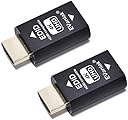
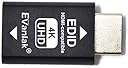
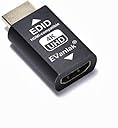
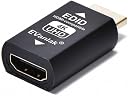

EVanlak 3rd Generrtion Hdmi Edid Emulator Passthrough Eliminated Emulator Adapter Work with Mac Thunderbolt to HDMI Switches/Extender/AV Receiver/Video Splitters 4k- 3840x2160@60Hz-2pack
Product ID: 165568622
Buy anything from 5,000+ international stores. One checkout price. No surprise fees. Join 2M+ shoppers on Desertcart.
Desertcart purchases this item on your behalf and handles shipping, customs, and support to Congo.
Product description With EVanlak’s independent research,product- sales,its core products mainly have the dummg Pulg led by HDMI/ Disport/DVI/VGA/EDID/Mini Disport which focus on remote-control screen of simulator screen power-off disturbed and widely was used to solve the problems of headless Virtual Machine application and other fields! The role of the plug HDMI display emulator connection map Debug resolution And recommended resolution HDMI EDID 3840*2160 resolution up to Full 4K @ 30 Hz resolution(4096×2160)/2160p (4K) Ultra HD. Also, supports 1080p, 720p, 480p and other Aluminum shell More conductive Plugged it into GPU plugged the HDMI cable into it went to the HDMI matrix. No additional setup require BI-Directional EDID Review: 2 monitors with different resolution now work correctly with a matrix switch - I was attempting to use a combination of a 1080 and a 1440 monitor on a 2 output matrix HDMI switch, however the switch (as designed) would mirror the EDID of whatever monitor was plugged into output #1 to all ports. This resulted in different issues depending on which monitor was plugged into which output. Those were: A) When the 1080 monitor was plugged into output 1, my PC would only recognize a max resolution of 1920x1080. B) When the 1440 monitor was plugged into output 1, the 1080 monitor would not display any signal at all as it didn't like the EDID it was being fed, regardless of the input I was attempting to send to it. I bought the 4k version (2 piece) halfway expecting it wouldn't fix my issue. Thankfully after hooking them up to both HDMI outputs on the switch I'm able to use it exactly as I had hoped. I can now select a 2560x1440 resolution on my PC which outputs correctly to my 1440 monitor, and the other inputs that have a 1920x1080 resolution (specifically a Mister FPGA) can be sent to either monitor as desired. Obviously my use case is very specific, but it worked exactly as I was hoping so I'm extremely happy with these. BTW I use headphones with this setup, so all my devices are set to output stereo audio so I cannot comment if surround sound works on these adapters (other reviews seem to indicate it's stereo only). Review: Works on Optoma 4K cinema X projector - Had handshake issues running from projector to Marantz SR 6015 receiver with PS5 and Apple TV. Screen kept on flickering until signal was stable. Up to 3-5 minutes to happen. Purchased two of these and placed them behind the apple TV and another behind the PS5- presto. No more flickering. Ordered 2 more today . AWESOME product.


| ASIN | B07YMS5V7B |
| Best Sellers Rank | #8,440 in Electronics ( See Top 100 in Electronics ) #1,375 in Home Cinema Cables |
| Brand | EVanlak |
| Color | HDMI EDID 4K-2P |
| Compatible Devices | PC |
| Connector Type | HDMI |
| Current Rating | 3 Amps |
| Customer Reviews | 4.2 out of 5 stars 197 Reviews |
| Finish | Hdmi |
| Item Dimensions | 1.6 x 0.8 x 0.5 inches |
| Item Weight | 0.03 Kilograms |
| Item dimensions L x W x H | 1.6 x 0.8 x 0.5 inches |
| Manufacturer | Evanlak |
| Mfr Part Number | EVanlak-E4K-2PCS |
| Model Number | EVanlak-E4K-2PCS |
| Nominal Power | 657.6 Watts |
| Number of Items | 2 |
| Number of Ports | 4 |
| Package Quantity | 1 |
| Power Plug Type | No Plug |
| Specific Uses For Product | Tv,Tv, |
| UPC | 752498099614 |
| Unit Count | 40.0 Count |
| Warranty Type | Limited |
T**S
2 monitors with different resolution now work correctly with a matrix switch
I was attempting to use a combination of a 1080 and a 1440 monitor on a 2 output matrix HDMI switch, however the switch (as designed) would mirror the EDID of whatever monitor was plugged into output #1 to all ports. This resulted in different issues depending on which monitor was plugged into which output. Those were: A) When the 1080 monitor was plugged into output 1, my PC would only recognize a max resolution of 1920x1080. B) When the 1440 monitor was plugged into output 1, the 1080 monitor would not display any signal at all as it didn't like the EDID it was being fed, regardless of the input I was attempting to send to it. I bought the 4k version (2 piece) halfway expecting it wouldn't fix my issue. Thankfully after hooking them up to both HDMI outputs on the switch I'm able to use it exactly as I had hoped. I can now select a 2560x1440 resolution on my PC which outputs correctly to my 1440 monitor, and the other inputs that have a 1920x1080 resolution (specifically a Mister FPGA) can be sent to either monitor as desired. Obviously my use case is very specific, but it worked exactly as I was hoping so I'm extremely happy with these. BTW I use headphones with this setup, so all my devices are set to output stereo audio so I cannot comment if surround sound works on these adapters (other reviews seem to indicate it's stereo only).
R**N
Works on Optoma 4K cinema X projector
Had handshake issues running from projector to Marantz SR 6015 receiver with PS5 and Apple TV. Screen kept on flickering until signal was stable. Up to 3-5 minutes to happen. Purchased two of these and placed them behind the apple TV and another behind the PS5- presto. No more flickering. Ordered 2 more today . AWESOME product.
S**C
Works, but MUST be plugged-in the right direction
First, there were no instructions provided with the product. But, it should have been simple -- just plug it in... I have a KVM switch to share a monitor with two computers. Plugging the EDID unit into the KVM (KVM - EDID - HDMI cable - computer) all I got was a blank monitor. The computer indicated a monitor was connected, but there was no picture. Plugging the EDID into the other end, that is, the computer (KVM - HDMI cable - EDID - computer), it worked! Apparently, the end of the unit marked EDID (male) must go into the computer/console. The other end (female) is labeled with the manufacturer's name (EVanlak) - not helpful. Should be labeled "Monitor" or similar.
W**L
Didn’t Pass Any Video or Sound Through for Me
It didn’t solve my HDMI issues with connecting two TVs to my AVR receiver. It didn’t pass any signal through nor did it isolate the two TVs from each other. I tried connecting it to the receiver and then to the TV. With this in the HDMI signal line, in either direction no video nor audio passes through. Returning.
E**I
Works Great with Linux Mint
Windows isn't the only OS to have problems when a monitor is disconnected. I run Linux Mint Cinnamon on my laptop with two external monitors. One monitor is directly connected to the laptop and the other is connected to the machine through a KVM. Whenever I would switch the KVM to another computer, Mint would detect an unplug event from one monitor and move all windows on BOTH monitors to the laptop's smaller builtin display resizing them to fit that screen. Annoying to say the least. I have plugged the EVanlak directly into the laptop. The HDMI cable from the KVM is plugged into that. Now, when the KVM switches to another computer, Mint no longer sees a disconnect. The remaining monitor and the built in display keep their windows right where they are and when I switch the KVM back, all of the windows on that display are right were I left them. This thing has solved my problem completely. Highly recommended.
Y**K
Must have
Love these things. They work great. If you frequently connecting and disconnecting your hdmi cables and you laptop freaks out, this is what you need to trick it into not noticing.
A**U
Lifesaver
I run 3 monitors off my laptop for work because I usually need a million windows open and one of the monitors swaps over for my home computer. I recently got a new kvm switch and suddenly I have this new problem of the work laptop losing a monitor and all my painstakingly placed windows would get collapsed on to 2 monitors. Was driving me nuts. Work doesn't let us to install software so I couldn't use a software solution. Did some googling and found I needed to get an EDID switch. This one had great reviews so thought it worth a try for the price. I nearly cried in happiness when it worked. =D
C**C
Exactly what I needed
Used this to get 120hz working on cold war on the PS5 on my Alienware monitor. This will work on any monitor that is capable of 120hz or higher.
G**A
Ps5 finalmente a 120hz!!
Ho un monitor da gaming hp mx27 e non riuscivo a sbloccare questa opzione senza capire quale fosse il problema, su internet ho visto diverse guide e indicavano questo emulatore 4k. Funziona correttamente.
C**E
Calidad
Un salvavidas!
R**J
120hz
Worked a treat helping ps5 to output 120hz
H**E
KVM Soloution of my dreams - (work not gaming)
Working from home, I have the need for 2 business laptops and my regular home PC to be connected to my dual 32" 4K displays. I have a kvm switch that did not have edid emulation or passthrough, so daily i when switching to my PC, the screen would turn off and I would have to reboot my home pc (NVIDIA Card GTX 1070) so that the screens would display again. After research online i found out about EDID after that, this became a no brainer. I purchased 2, one for each screen and now switching is a dream. Take note of the resoultion and the frames refresh rate Hz before install and select that option. Mine defaulated to 60Hz but the graphics card only supports 4K at 30Hz. Once set this has been rock solid. Note, I only need on my PC as the laptops extend / refresh edid without issue.
W**.
Tolle Sache
Das war eine Riesenfreude! Monatelang konnte ich mir nicht erklären, warum imeine (mittlerweile betagten) Zotac-PC's nicht mehr in's BIOS-Menü gelangen. Ich betreibe insgesamt 4 PC's über eine ATEN-KVM. Da empfahl mir jemand den EDID-Stick, weil meine KVM keine EDID-Funktion hat. Kurzum: Stick eingesteckt, den PC hochgefahren und in einem Sekundenbruchteil befand sich der PC im BIOS-Menü! Tolle Sache!
Trustpilot
2 months ago
2 weeks ago