Buy anything from 5,000+ international stores. One checkout price. No surprise fees. Join 2M+ shoppers on Desertcart.
Desertcart purchases this item on your behalf and handles shipping, customs, and support to Congo.
โ๏ธ Cool your core, light your build โ stay ahead in the game!
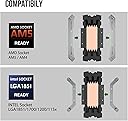
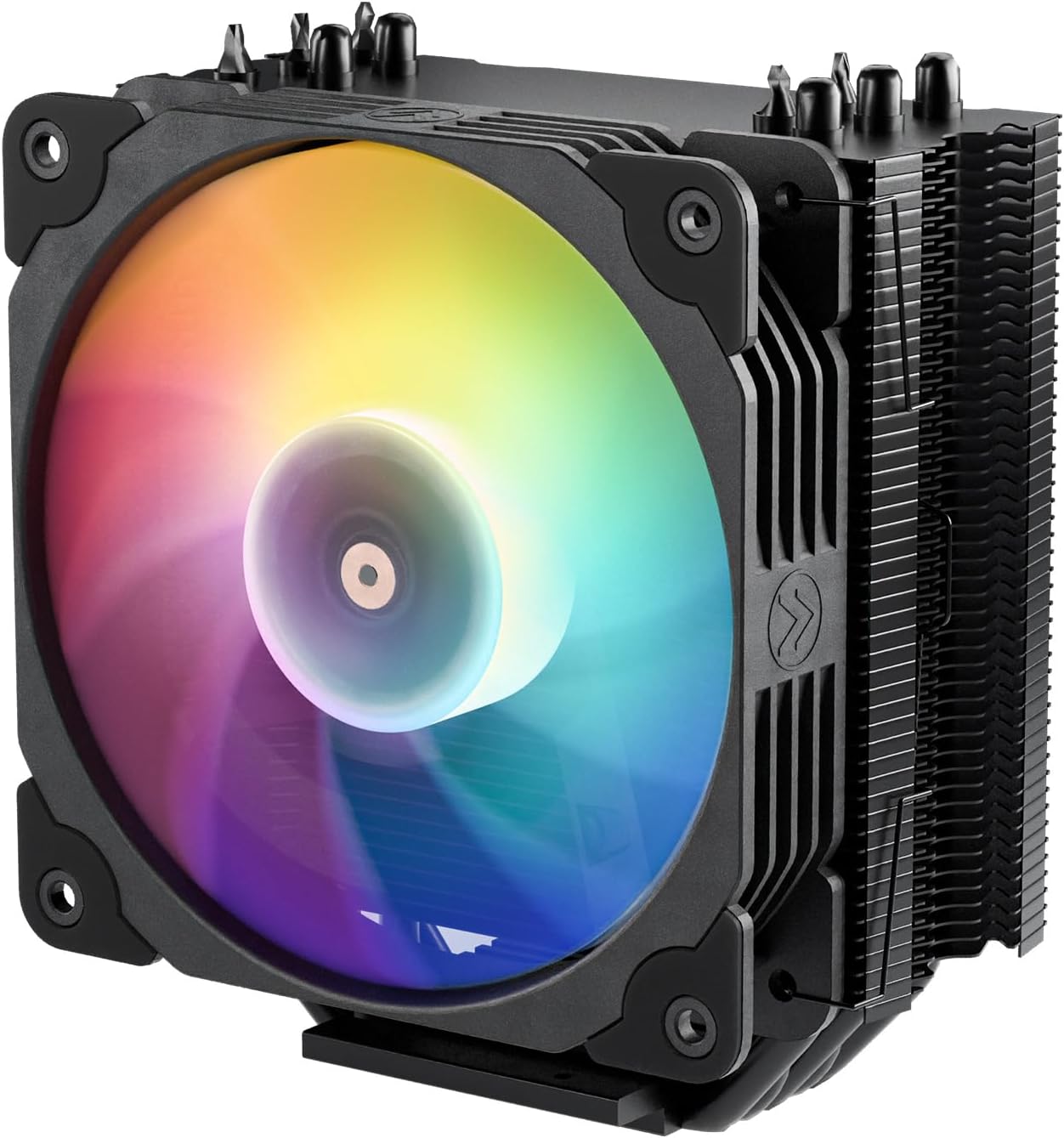
The Vetroo V5 CPU Air Cooler delivers high-performance cooling with five direct-contact heat pipes and a 120mm PWM fan capable of speeds between 800-1700 RPM. Its ARGB lighting syncs with motherboard headers for customizable aesthetics, while vibration-dampening features ensure quiet operation. Compatible with a wide range of Intel and AMD sockets, it offers professional-grade cooling at a budget-friendly price, making it a top choice for millennial pros seeking efficient, stylish, and reliable CPU cooling.


| ASIN | B08F21X2VP |
| Air Flow Capacity | 52 Cubic Feet Per Minute |
| Best Sellers Rank | #59 in Computer CPU Cooling Fans |
| Brand | Vetroo |
| Brand Name | Vetroo |
| Compatible Devices | Gaming Console |
| Cooling Method | Air |
| Customer Reviews | 4.6 out of 5 stars 6,150 Reviews |
| Global Trade Identification Number | 00609015786277 |
| Included Components | Fan, cooling tower, installation brackets |
| Item Dimensions L x W x H | 5.83"L x 5.04"W x 2.95"H |
| Item Weight | 761 Grams |
| Manufacturer | Vetroo |
| Material Type | Aluminum |
| Maximum Rotational Speed | 1700 RPM |
| Model | V5 |
| Noise Level | 30.8 Decibels |
| Number of Items | 1 |
| Part Number | V5 |
| Power Connector Type | 3-Pin / 4-Pin |
| Product Dimensions | 5.83"L x 5.04"W x 2.95"H |
| UPC | 609015786277 |
| Unit Count | 1.0 Count |
| Voltage | 12 |
| Wattage | 150 watts |
V**Y
Very Good Budget Cooler
I've had my (prebuilt) PC since 2018 and the old liquid cooler finally crapped out on me. I know next to nothing about upgrading computers or replacing parts. It was very easy to install, the instructions were clear, I loved the way the fan just snapped on with the clips instead of needing to screw it on. The only thing that was a little fiddly for me was the RGB power, which I ended up leaving off because I didn't want to break something. It fits my tower, no issues getting it next to the RAM. Definitely a good option if you have a midsize tower. It's been holding great temps at idle and have maintained those during gaming - HSR and DRG both kept below 50C. I can't give any long term reviews since I just installed it today, but for a first timer trying to keep my old goblin machine going, I found this to be a great experience. I recommend having one of those extra long screwdrivers if you have one because big hands might struggle, and having an extra pair of hands to hold the bracket on the back is helpful but I managed it on my own all the same.
C**Y
My PC Now Runs Much Cooler
I recently installed the V5 CPU Air Cooler in my Dell XPS 8940, and I wanted to share my feedback on its performance. The cooler fits perfectly as a replacement for the stock pancake unit. Installation was straightforward, with only minor difficulties attaching the fan cable to the motherboard and the fan clips to the cooler. The improvement in cooling is significant. Previously, my idle temperatures averaged 60-70ยฐC, often reaching 100ยฐC and causing thermal throttling or restarts during basic tasks like browsing or using Photoshop. With the V5 installed, my idle temperature is now approximately 32ยฐC, and it has not exceeded 80ยฐC under load. Additionally, the unit is quieter than the original stock cooler. Given the performance gains and the competitive price on Amazon, I highly recommend this upgrade.
J**R
Review of - Vetroo V5 CPU Air Cooler w/ 5 Heat Pipes & 120mm PWM Fan
Review of - Vetroo V5 CPU Air Cooler w/ 5 Heat Pipes & 120mm PWM Fan - EXECUTIVE SUMMARY (2021-May Update) - still working superbly The Vetroo V5 CPU Air cooler is an amazing cooler sold at a competitive price! - As the product description and product photos illustrate the Vetroo V5 CPU Air cooler comes with a great fin stack around five (5) heat pipes, which is more heat pipes than similar products available on amazon. - COOLING PERFORMANCE HAS BEEN EXCELLENT As noted by several well known and reputable youtube computer product reviewers, the Vetroo V5 CPU cooler provides superb CPU cooling. When cooling a little AMD Ryzen 5 3400G, with tuning to run at 4,000mhz, the Vetroo V5 has been providing 31-35C idle temps and 43-50C CPU temps under load, as reported by both the Windows 10 "core temp" software utility, and the Windows 10 HWINFO64 software utility. - GREAT VALUE Since I was looking for cooling for a $99.00 (direct amazon price) AMD Ryzen 3 3200G CPU, or AMD Ryzen 5 3400G the availability of the Vetroo V5, on sale with a coupon, paired well economically with the CPU it is now cooling. - INSTALLATION WAS EASY It was valuable to do a tabletop "dry run" assembly before installing this cooler. The most important thing to get right is that the AMD AM4 brackets MUST be installed with the bracket angles ANGLED INWARD in order for the screws on the bracket to line up with the AMD motherboard backplate. It seems as though reviewers who complained that the Vetroo V5 did not fit their AM4 motherboards probably didn't have the mounting brackets attached in the right direction. Notably, the seller has included an illustration of this, with the brackets angled INWARD, within the product photos right on the amazon product page. The documentation doesn't clarify this however. Note also that it is NOT possible to install the cooler and tighten the brackets onto the AMD motherboard backplate with the fans attached, so attach the fans after installing the fin system. Having a "long neck" screwdriver is also helpful, to extend past the height of the fin stack while tightening the screws in succession. - Since I was doing a build already with NON rgb Arctic brand fans, I was able to set up this cooler with two Arctic P12 PWN non-rgb fans in "push/pull" configuration. However, according to the various youtube testing gurus, using two fans apparently does not significantly increase cooling efficiency even though push/pull fans produce a small efficiency increase. - SUGGESTIONS TO MANUFACTURER EVEN WITH THIS FIVE STAR REVIEW Vetroo should make a second version of the Vetroo V5 cooler that comes with two (2) fans. The Vetroo V5 does come with two (2) fan attachment brackets however. As a result, it is possible to install the Vetroo V5 cooler with "push" and "pull" air flow from two fans. Having an alternate version, even at a slightly higher price, would also be helpful because Vetroo does not currently have fans available for sale separately on amazon (or the Vetroo website) that match the fan provided with Vetroo V5. - CONCLUSION The Vetroo V5 CPU Air cooler provides performance which rivals fans that cost 2, 3, and 4, times as much as the Vetroo V5.
B**.
Improvement over the AMD Stock Cooler, hassle to install
Bought the white version for use on a Ryzen 7 3700x on a MSI MPG X570 GAMING EDGE WIFI AM4 ATX motherboard, Neo Qube ATX case (a copy of a Lian Li 011D XL). Compared to the AMD stock cooler: at ultra settings with full RTX on for Cyberpunk 2077, I was easily hitting 80C for CPU temp. With the Vetroo V5, I was hitting about 62C with the same settings (AMD says 80C-90C is typical for the 3700x under stress loads). Idle temps with the Vetroo V5 as I'm typing this are about 32C, 35% fan speed. It does come with thermal paste and they give you brackets so you can install it on either an Intel or AMD motherboard. The heatsink also pretty tall compared to the AMD stock cooler. Its height cut really close to touching my glass side panel but it managed to fit without touching/scratching it. In terms of clearance alongside the RAM sticks with the included fan clipped on the heatsink: It can cut pretty close. I have 4 ram slots to the right of my CPU but I'm only utilizing 2 slots [ x O x O, (O is slot used, x is empty)] and with the fan on either side, it fits no problem. If I had all 4 slots filled and the fan positioned on the same side as the RAM sticks, it would cut pretty close to touching the RAM sticks. I'd recommend holding it in place prior to screwing anything in just to see if clearance is an issue for you. Because the heatsink is taller/narrower, it might give some leeway for the fan to fit next to the RAM sticks and be no issues. I had a few gripes with the cooler: mainly pertaining to the installation. For the most part, the instructions they provide you are clear in how to install it for either Intel/AMD. For AMD motherboards, when you screw on the two metal brackets onto the heatsink, point the diamonds at the ends so that a majority of it is facing inwards TOWARD THE HEATSINK, NOT AWAY, and orient the coiled covered screws in the proper direction. If anything, I'd recommend aligning the two metal brackets themself with the CPU backplate (if your mobo has it) prior to screwing the brackets onto the heatsink itself. My mistake was mounting the brackets incorrectly so the screws didn't align in a perfect rectangle to the backplate (it was more like a parallelogram). This could be an issue specific to the design of my ATX case, but because my motherboard was positioned vertically for the installation process and gravity wants to pull the heatsink down, that became a problem for me. I could not position my case/motherboard down horizontally as I needed to hold the backplate in place to the back of my motherboard (my case itself could not prop up the backplate nor could I get my hand in a position to hold the plate if i set my case horizontally). Like imagine trying to assemble a sandwich in midair and the bread slices are standing vertically. The heatsink is the left bread slice, the backplate is the right bread slice and the motherboard/case is this gigantic ass piece of hard ham. The only way to hold them together is using toothpicks through the left side where the heatsink is. (I believe only AM4 motherboards have this backplate that detaches behind the CPU/mobo?) Anyways, after a small struggle, I was able to sandwich the heatsink/mobo/backplate together just so the screws slotted onto the top of the backplate, then tilt my case moreso on its side to actually start screwing it together. In addition, because the screws that tighten to the motherboard sit so close to the heatsink, I had to use my screwdriver at an angle instead of just having it straight down. I was afraid of stripping the screw, but it felt like the grooves were big enough so I was able to tighten it a fair amount so it fit securely and not strip the screws. Overall and despite my long rant about the annoying installation issues, I'm satisfied, especially considering price to performance ratio. Noise level is minimal/quieter than the AMD stock cooler even at higher fan speeds. Aesthetics with RGB fan is fine to me and the CPU is running at a lower temperature which was the main thing I cared about. All at a decent price and I couldn't ask for more personally. It's akin assembling IKEA furniture. It might be a bitch to put together but if the end result provides functionality and aesthetics of it, then you may be fine going through the hassle if it is one.
S**R
Highly recommend
Works great, lowered my cpu tems over factory fan. Matches my build. Comes with thermal paste but I used Duronaut. Easy install.
D**O
Quite Possibly the Best Budget CPU Cooler
And that's not hyperbole. I honestly thought all the tech YouTube content creators bragging about this CPU cooler were just being over-the-top (until JayzTwoCents reviewed it, anyway) so when I got a new PC with an i7 9700F I knew I needed to get an aftermarket cooler, fast. The noise level of the stock Intel cooler, under any load at all, honestly sounds like my neighbor's cat in heat. It's horrible. This thing is damn near silent. The fan is incredibly easy to install, using a hook system that's quite literally just a piece of wire that latches onto the tower. As a bonus, they actually give you two sets of hooks (4 in total) so you can use your own fans in a Push Pull configuration and maximize the heat dissipation. I have some EZ-DIY fans that I'm going to mount to the tower since I already have another one acting as an auxiliary exhaust fan, and because my motherboard doesn't have an RGB header. Because of that, I can't really speak to the RGB qualities of the included fan. I can say that it, like the cooler tower, feels pretty solidly built. I'm legally blind, but I had no trouble installing it with my motherboard in the case. That being said my case has a cutout section allowing me to easily get access to it. You MAY have to remove your motherboard to attach the backplate, which is true for basically any cooler, unfortunately. You need a backplate, and although some coolers use the Ryzen stock backplate, many don't. The mounting system is great. Because of the size of the tower, it's fairly easy to get it mounted onto the motherboard provided you read the instructions (or look it up on YouTube - there are tons of videos on this thing). Just DO NOT FORGET to remove the little tab on the bottom before you install it! The brackets are labeled based on Intel or AMD, and the Intel specific backplate has settings for the different socket sizes (ex 1150/1151/1200 would be the middle one) and has very tacky tape to hold it in place while you mount the tower. I've also been told you can use screws to mount it, but because of my vision, when it comes to fiddly things like tiny scew holes, I prefer to just use the path of least resistance (i.e. the tape) and call it done. I'm using my own thermal paste (happened to have a tube of Arctic Silver lying around), so I can't speak to the quality of the included paste, but the reviews I've read put it at least on par with the thermal compound used by OEMs so that's a positive for it. Honestly if you're looking to cool a CPU that isn't an 11850K or Ryzen 9, and thus doesn't really need a Noctua cooler the size of a cinder block, I can recommend this one, especially over the massive pain in the butt that some coolers can be. It could *probably* handle a 5900X, especially with two fans in push pull, but honestly, if you're spending that much money on a CPU, you might as well get a proper liquid cooler with a 240 rad at least, at that point. :)
L**T
Descent cheap cooler
This is a decent cheap air cooler. I replaced my liquid cooler that was dying on a fairly hard working gaming pc and it does the job. Quiet enough, bright leds, and easy to install. I have amd 4.
V**I
Functional and a Nice Option for Pink-PC, Non-Liquid Cooler Lovers.
Installed this for a recent cosmetic face-lift we did for my pre-built PC and so far it functions nicely. Itโs honestly not the best quality and that made installing it a bit annoying, but it came with everything needed including a thermal paste (didnโt use it though) and itโs working properly, so for the price I think its overall a good value. Itโs not the best design-wise, but it is pink, which is solely the reason I went with this. As a pink-lover and someone going for a pink-PC look this was virtually the only option I could find for someone who does NOT prefer liquid cooling for their PC builds. In fact, this is one of the only few pink options for non-liquid-cooling users, which is kind of sad. Regardless, I appreciate this company for offering this product in this color, and I fully recommend it.
Q**H
Good for price
Can't be beaten by price vs performance. Rgb is nice too... was easy to install all good. On am4
B**R
Fantastic little cooler
This is a very cheap but surprisingly well-performing cooler. I ended up installing 2 of these for some friends who had similar pre-built systems both from Asus, one was AMD and one was Intel. The Intel system had chronic throttling issues and idled at 60c and the AMD one's fan was ramped to max permanently and they complained about hearing it even with headphones on. The Vetroo V5 is fairly easy to install but does come with custom mounting brackets so depending on the case and motherboard you have to work with it can be quite difficult to get this installed but that's not really a problem unique to this cooler. Instructions were good, all the included parts were there and the thermal compound was easy to apply and seems to be good quality. It dramatically dropped temps on both systems, is nearly silent and most importantly for their scenarios it is quite a short tower-- this will (just barely!) fit in some very narrow pre-built mid-towers. The tip of the heatpipes actually touch the side panel of one of the systems but that's fine. No other decent air cooler I could find would fit and they didn't have the space for an AIO. Worked fine as a replacement cooler for a 65W TDP CPU (AMD) and a 105W TDP CPU (Intel). Not sure I'd want to throw this on a really power hungry processor but if you want to upgrade a stock cooler this will totally fit the bill and is so cheap it won't break your budget.
L**F
Great value, great performance
Thank you, Jayztwocents for recommending this.
D**I
Perfect
Perfect heatsink unit, very happy with performance, and ARGB light up, price was fantastic very happy with purchase.
J**E
perfect once you get the metal straps on the fan
can be confusing but in the end its worth it its silent and keeps my pc cool as hell well worth the price
Trustpilot
4 days ago
3 weeks ago