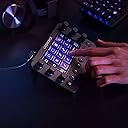
🎥 Elevate your creative flow—control, customize, conquer!
The Loupedeck Live is a compact, aluminum-built control console designed for live streaming, photo, and video editing. Featuring a responsive LED touchscreen, haptic analog dials, and fully customizable buttons, it offers native integration with over 15 professional software platforms including Adobe Creative Cloud, Capture One, and OBS Studio. Its powerful customization software allows users to create complex macros and multi-page control layouts, streamlining workflows and reducing reliance on keyboard shortcuts. Ideal for professionals seeking to accelerate editing speed and unify control across creative and OS functions.


| ASIN | B08F7RJYZV |
| Brand | Loupedeck |
| Brand Name | Loupedeck |
| Colour | Black |
| Controller Type | Touch |
| Customer Reviews | 4.0 out of 5 stars 1,020 Reviews |
| Display Type | LCD |
| Form Factor | Full Size |
| Hardware Interface | USB |
| Included Components | USB Cable |
| Is Assembly Required | No |
| Item Dimensions | 15 x 11 x 3 centimetres |
| Item Dimensions L x W x H | 15L x 11W x 3H centimetres |
| Item Weight | 230 Grams |
| Manufacturer | Loupedeck |
| Manufacturer Part Number | LDD-2001 |
| Material Type | Aluminium |
| Maximum Age Recommendation | 60 |
| Model Number | LOUPEDECK LIVE |
| Number of Players | 1 |
| Number of players | 1 |
| Operation Mode | Manual |
| Platform | Mac, Windows |
| Power Source | Corded Electric |
| Product dimensions | 15L x 11W x 3H centimetres |
| Set Name | 1 |
| Size | 11 x 15 x 3 cm (5.91 x 4.33 x 1.18 inches) |
| Theme | General |
| Unit Count | 1.0 count |
D**K
A real time saver!
I've had the much larger Loupedeck Plus that I use for Lightroom and like very much. I then bought a Loupedeck CT to use on another computer for a mixture of video and photo editing. Now I've bought the Loupedeck Live to use on my laptop while editing on the road. In hindsight, it would have been less expensive to get a crack addiction. The Loupedeck Live is an awesome bit of kit (like all other Loupedeck) that helps shave time off of repetitive tasks. Sure, it's great at editing video and photos. But if you go beyond that, you can have it past text that you need to continually write, run macros to perform complex sequences that saves lots of time. I also use it to open folders that are nested within many other folders, for example - Client Name > Year > Month. Then I have another button setup to create and name multiple folders (pictures, video, drone, 360, deliverables). Doing this for multiple clients each day would take many minutes, which adds up to hours every month, year. The Loupedeck Live is well made and well designed! It might also suit a lot of people over the CT if you use the touch screen, but don't need the wheel or the extra buttons. People complain about the flimsy stand, but I've actually put it on my CT (it fits both) and it's really improved the usability of it. I probably won't use it on the live as I'll be using that in cafe's etc, and couldn't be bothered to constantly take it on and off. I highly recommend this device if you value time!
M**N
Takes a while to love
I have one of these on my main M1 Max MacBook Pro, and when I first got it I was a bit meh. It just seemed another way to achieve what I could do elsewhere anyway - I didn’t really get it. Now, a month in, I really like it. It’s now part of my everyday workflow and I’d miss having it. The initial issue was really around the time investment you need to make to set it up. The obvious things of ‘hit this button and an app opens’ are there, and easy to do - but then it’s easy open stuff isn’t it? The real value for me is in the custom macros. For example I have now configured buttons that open/login to apps for specific customers, and put specific apps on certain screens. Other buttons that pause music and answer Teams or Skype etc. Like I say, takes a while to setup but once it’s there and youv’e customised it, it’s great to use. Any problems? Well on mine I find that the in-built options for brightness control do not work on Thunderbolt connected screens. For example it won’t control the LG 5K UltraFine over Thunderbolt, nor my 4K UltraFine that while HDMI is connected via a Thunderbolt to HDMI cable on a hub. If it’s connected directly to the Mac then the brightness on the 4K works. That’s a little annoying. Is this an essential product? That’s hard to answer - so I guess I’ll ask the question a different way. If it broke, and I had to buy another one, would I? No, no I wouldn’t. It’s a nice to have, and kinda cool, but I wouldn’t miss it if it wasn’t there.
M**N
Works well, but takes some time to set it up
I think this device works really well. I use it with Capture One, but also with other photo editing software like Exposure X6. For Capture One the Loupedeck Live works by mimicking the readily available keyboard shortcuts. This works pretty well in general and the Capture One custom profile is a help in setting this up. Having said that I did have to spend a good few hours setting up the device to be how I want it. I could have used the Capture One custom profile straight out of the box, I would say that it does not integrate with Capture One to it's full potential. I used the custom profile as a start point and modified the dials and buttons to suit my needs. The software looks good, but it is a little unwieldy, although with a bit of patience it is easy enough to setup. The software seems stable in operation. The device itself has a really good build quality, the dials and buttons have a nice feel to them. The touch screen also works very well in my opinion. I have started to set up other applications and over time I am sure I will get all of my most used apps integrated into the Loupedeck. Overall I would say that the the Loupedeck Live has increased the speed of editing dramatically and I don't have to touch my keyboard at all while editing. I spend less time looking at sliders and messing with the user interface and more time looking at the image and the effect the sliders are having. One minor gripe is that it needs a longer USB C cable. A one metre cable is provided, but for my setup a two metre cable would be better for my setup. It's a USB C to USB C cable so easy enough to get hold of. I suppose the take away is that if you expect to receive the Loupedeck Live and start using it with applications like Capture One out of the box then you will be disappointed. If you are willing to put some time in to set the device up as you want it then I would say that the result is surprisingly good. NOTE: Before you buy, check the Loupedeck website to see what extended software profiles are available and if one is not available for the software you are intending to use it with then the functionality that Loupedeck Live is capable of supporting is completely linked to the amount of shortcuts the intended software has. Example, Capture One has an impressive number of shortcuts available for many of the sliders and tools within it, so as you might expect each of these shortcuts can be assigned to buttons and dials with Loupedeck Live. DxO have a very limited amount of shortcuts within the software, so as you can imagine the amount of things that Loupedeck Live can be programmed to mimic will be limited.
L**T
A huge disappointment
A huge disappointment to be honest. I was looking to replace my Loupedeck+ with a smaller device as I didn't use all the functionality of the full board, but unfortunately, this smaller bit once to do a bit of everything and in the end, isn't great at anything. I was primarily looking to use this for Lightroom Classic, for some basic adjustments such as cropping tool, quick exposure, contrast, dehaze etc. I quickly found that while functionality is technically there, it takes too much hassle to configure it for each and every submenu. With the Loupedeck +, exposure or contrast rotary knob is defined and it stays there be it in develop, gallery or crop overly mode, while with this Loupedeck Live, I have to re-assign each input method to EVERY Lightroom module (gallery, develop, crop overly etc.). This is a huge drawback alone, I can't count how many times I'd need to go through submenus in the Loupedeck software, to assign an EXPSORUE function to the bottom right rotary knob, for example. And that's a single function, don't wanna think how much time it would take for me to assign all 6 knobs and 12 touch icons... The complexity of submenus on the deck is too much to tinker about for an average plug and play user, I don't want to spend hours of my time just to get this device half-ready. It needs more pre-defined setup configurations, with some basic function overlays for all Lightroom modules, imitating something like Loupedeck+ is, with locked functionality to the controls when moving through Lightroom. And then it could also have all functionality for a hardcore user who doesn't mind tinkering and memorising a million submenus on the Loupedeck. I gave this device to my mate who does video editing and he also found pretty much the same thing that I did, it's too complex, requires the user to remember too many submenus which result in a bit of pointless device as most of the functions could've been done faster with a keyboard shortcuts then. Unfortunately, while trying hard to adopt this device to my workflow, I eventually missed my returns window and am stuck with it now. So I thought, okay, why not placing it alongside the Loupedeck+ and use this in a fixed window/setup with some pre-defined keys/shortcuts. One custom layout wouldn't be too difficult to assign, right? I was wrong there too, two Loupedecks won't even work together on the same computer, in their software, it says "device not connected" no matter what I do, it's either one or another, both Loupedecks- not an option. Isn't that disappointing? I have to say I am hugely disappointed with this device, it's a nice and well-built piece of hardware, but absolutely unusable software-wise. I wouldn't recommend it for Lightroom Classic, and as my mate said it's not very useful for video editing either. And as it turns out, it can't be paired with a Loupedeck+ too.
P**A
Fantastic Customizable Control for my PC
I had been looking at the Loupedeck Live for a little while now, and after watching many YouTube reviews, decided I would go for it. I was not at all disappointed! I'm not a streamer, but this is so much more than just a tool for streamers and designers. The customization software is fantastic. The Loupedeck Live actually sits in front of my keyboard and is used along with my mouse for full quick control of many functions. I can open apps without having to go to my desktop or start menu. I also have been able to assign the rotary encoders to MIDI values to use with my music software and soft synth. This for me is a massive positive. I had a couple of software bugs so decided to contact the company with a bug report. They came back to me within a couple of days with information which would help me update the software and firmware through their Beta program to iron out these bugs and get even more out of the Loupedeck Live. Highly recommended product.
R**W
Unstable on Windows, software feeling very version 0.9
**Update to review** I've given up trying to get this stable. Switching users or locking the workstation will freeze the unit. Applications that are being controlled by it (Davinci, Teams, Outlook) would crash randomly, but are now stable since I removed the Loupedeck software. I've returned it to Amazon and received a refund (great service, as ever, Amazon!) and have bought a dedicated BlackMagic Design surface for Resolve - it's more expensive, and only works with Resolve, but at least it works. I did want to like the Loupedeck, especially being able to use it with multiple apps, but it's let down by unfinished software. === Original review follows: I bought this to help me with Davinci Resolve video editing software and, as a bonus, to increase productivity in other apps. The supplied software promises a lot but usability and reliability is very poor. First off, trying to understand how to map control inputs to application inputs is extremely cumbersome. You have to jump around the interface and set up several intermediate steps to then create a task that can be attached to a button. There is no simple way to apply labels to buttons or rotary inputs, which seems a really basic miss. Certain capabilities are hidden behind a veiled wall, in that these are available for specific applications in closed "profiles" with no hint how to use this functionality in other applications. The biggest bugbear, though, is reliability. The app *really* doesn't like or understand having multiple profiles or users on the same computer. Hibernating, or even switching users, confuses the app causing it to lose contact with the switchbox. The only solution is to unplug and replug the device, and then restart the app. There are other quality issues, such as adding a function to a control losing the label until you go and edit the label, but these are not as crucial as the app not withstanding a lock, logoff or switch-user action. I want to like this device - it wasn't cheap - and the hardware is great. But it will be so much better when we get a decent support application.
H**O
A well rounded package now
I like this a lot and find it extremely useful. I don't stream but for general productivity (Word, Excel, PowerPoint) and coding (Visual Studio) it is good. In VS being able to use shortcuts easily makes life easier as does being able to easily zoom in and out on code pages. In PowerPoint, for example, having shortcuts to centre text and align text to middle or top (hint- use a macro to key in ALT+H, A, T, T) and change the font size with a rotary knob speeds up creating a presentation considerably. The more I use it the more I realise what it can do. I tend to keep the Loupedeck software open and then - if I'm repeated doing something, or finding a particular function is a pain to implement, I create a shortcut. Many people have criticized the software but in June 2022 the new software is stable and very intuitive. There is a learning curve as it can do so much. A tip would be to download free icons from FlatIcon.com. I like this so much I've preorders The S version which will be released Oct 2022.
P**L
Sadly didn't work for my project (MSFS 2020 FCU)
Firstly this looks & feels like an excellent piece of kit & it installed without issue. However I bought this to use with MS Flight Simulator &, although it has a preset you can use, it kept causing problems within the Simulator by losing keyboard connection. I was using specifically as an auto pilot control & had I had more than one use for it I'd have kept it but it was too expensive just to keep in case I might use it therefore returned.
M**S
Loupedeck Live
Excelente produto ótimo vendedor .
G**D
Great way to program shortcuts. Saves a lot of time
I'm probably not the typical user of a Loupedeck. I bought the Loupedeck about four months ago because it is configurable to whatever you want. It has the functionality that I could define a function or macro for each program I use for the desired buttons, dials etc. OK, I had to spent some time looking up the shortcuts and program them, but now I have all the shortcut available at my fingertips. This is such an improvement to quickly activate something in the programs i use, like start a new document or something else. It feels that some people are making an unfair comparison between doing something through your mouse or looking up the shortcut and programming it in Loupedeck. It takes a little time, but now you can work much faster. It is not clearly stated at the website, but you can program macros for every program you want, which can replicates everything you normally do in a program. You don't have to be a rocket scientist to do this, only a few clicks and you are ready to go. I’m glad I bought the Loupedeck because it makes working with a computer much easier and less intense on using your mouse all day long.
S**E
Great piece of device for my editing needs
Nice, compact and sturdy. Great addition to my editing and 3d needs, hotkeys and macros right in front of you. I love how you can swipe to the right to toggle more commands and group them per workspace. Itd be nice in the future update if they can provide a feature where you can add url links to the buttons, I couldnt figure out how. Other than that, awesome piece of equipment.
M**C
Herramienta perfecta para producción digital a nivel profesional
Producto: En seguida te das cuenta de que estás delante de un producto bien diseñado y con materiales premium. La caja contiene un cable USB-C/USB-C con un adaptador por si el pc no tiene entrada C y un soporte opcional con un ángulo fijo para elevar un poco la posición de la deck. Software: El programa de configuración es intuitivo y permite configurar los botones y diales al gusto de cada uno. Trae de serie un montón de integraciones nativas para distintos programas y ofrece además la opción de añadir perfiles extra que se pueden encontrar en su web o bien crear perfiles propios para cada programa. Tanto en los botones táctiles como en los diales se pueden añadir más paneles a los que se accede deslizando el dedo hacia los laterales, lo que ofrece una infinidad de botones. Los diales también se pueden usar como botones (pulsando en vez de girándolos) y el programa permite asignar una función para cuando se gira y otra para cuando se pulsa. Opinión personal: Me ha ayudado mucho a mejorar la productividad con programas de modelado y texturizado 3D como Maya, Substance Painter, ZBrush o Unreal Engine 4. Teniendo los shortcuts asignados a la Loupedeck puedo olvidarme de tener que recordarlos todos ya que en cada programa hay un montón y a veces para la misma función son combinaciones distintas. Llevaba mucho tiempo buscando algo parecido para asignar macros y agilizar el trabajo y ésta es la herramienta perfecta. Es ideal para trabajar junto con una tableta gráfica ya que prácticamente puedes olvidarte del teclado y el ratón. En las imágenes podéis ver algunas de las configuraciones que tengo para diferentes programas, es una pasada tener un panel físico con las herramientas que mas usas y la opción de poder cambiar el tamaño, opacidad o dureza del pincel con una rueda física da mucha precisión y un feedback increíble. Atención al cliente: Loupedeck tiene un servicio al cliente excepcional, un trato muy atento y están abiertos a recibir feedback y propuestas para añadir nuevas funcionalidades.
A**O
Demasiado útil
Ha sido mas fácil realizar varias tareas en menos tiempo, aunque al inicio es un poco complicado entender el programa después de un rato le agarras la onda.
Trustpilot
1 week ago
2 months ago