🔒 Secure Your Space, Anytime, Anywhere!
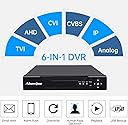
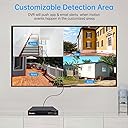
The 16 Channel 2MP 1080P DVR Recorder is a cutting-edge hybrid security solution that supports multiple camera formats and offers advanced features like customizable motion detection, remote access via a free app, and efficient H.265+ video compression for optimal storage. Ideal for both home and business surveillance, this DVR ensures you never miss a moment.


| ASIN | B01AP8NA2G |
| Audio Input | RCA |
| Best Sellers Rank | #244 in Surveillance Video Recorders |
| Brand | Abowone |
| Compatible Devices | Camera |
| Connectivity Technology | Ethernet, USB, VGA |
| Customer Reviews | 3.9 out of 5 stars 567 Reviews |
| Hard Disk Size | 6 TB |
| Hard-Drive Size | 6 TB |
| Item Dimensions L x W x H | 10.24"L x 8.86"W x 1.97"H |
| Item Weight | 3 Pounds |
| Manufacturer | Abowone |
| Media Format Digital Video | HDD |
| Memory Storage Capacity | 6 TB |
| Mfr Part Number | NO-3216T |
| Model Number | NO-3216T |
| Number of Channels | 16 |
| Product Dimensions | 10.24"L x 8.86"W x 1.97"H |
| Total Usb Ports | 2 |
| UPC | 712155186484 |
| Video Input | AHD |
S**.
Top notch customer support
16 Channel 2MP 1080P DVR Recorder Hybrid 6-in-1 DVR H.265+ 16CH Security Digital Video Recorder Support Analog AHD/ IP /TVI/CVBS/CVI Camera (No Hard Drive) For the price point, this combo-format dvr is a good deal. What you cannot derive directly from the instructions you can get support via Amazon messages, in plain English, often with some screen-shot images to support the reply, within 12 hours. I was on the latest firmware but had a time clock drift issue and after a few quick diagnostic messages back and forth, I received a update patch and instructions to install it. Worked perfectly, Had a few other questions about the XMEYE Pro app, and got similarly good answers within 12 hours. All in all, I had functionality to the point of remote viewing by APP set up with less than two hours of labor content, including the hard drive install. In my experience, if you have up to 16 standard bnc terminated cameras, you can set them up plug and play. If you want IP cameras, you have to adjust a system mode setting, and you then can go all IP or some bnc and some IP. I went for the combo, and ended up with 16 analog channels and 4 IP channels, for a 20 panel (20 channel) all system preview display. You need to know a bit about onvif standards to set up the IP cameras, but that can be found easily with a smidge of research, or you can message support. For IP cameras, you do need to know enough about your network to set up some static IP addressing and possibly port forwarding. The app is a bit less than intuitive, but once you find your way around it, I found it to be stable and well featured (and free, Android). As yet, I have not used the PC software, so unable to speak to that. Burn in testing is stable on the dvr, runs cool and quiet, easy to access menus and mouse inputs track well. smtp notifications work smoothly and set up quickly using my own pop account. Playback and searching works well for the way I use it, which is one channel at a time. As time goes by, I am finding new features and shortcuts. Overall, though, I am happy with the unit and it brings me gently into the world of IP cameras from my old comfortable analog camera history (which I do not want to swap out to IP cameras all at once). This unit provides a well priced intermediate step to full digital systems. I give it 5 stars overall with customer support leading the evaluation and close behind is the value of a combo input system at this price point, with basic but ultimately reliable user tools.
M**M
OK, I gotta give this one some credit. 10 years service before quitting.
I began 'surveillance' with an 8-camera....I could tell right away I needed more coverage. I went to the Q-SEE 16 camera (which is IDENTICAL to this unit, and referenced by others), and despite having a short between channel 1 & 9, I made the front door show on both, which was good with me--anyhow, the Q-SEE gave me 10 years of service before quitting. That's good by me....and, I haven't finished diagnosing the actual problem, and it seems that it might just be a faulty power supply, because this new one also didn't work....and, as a 40 year electrical tech/engineer (for excalibur, etc) the final story isn't told yet....if and when I find out this new unit will work, I'll add the final chapter to this review.....but I'm quite happy with the Q-SEE's 10 year performance -- everything must quit eventually. TBC. (continued 110322)--OK, my problem turned out to be the little plug-in power supply, and the NEW unit has now taken over, with it's little plug in power supply.....FINAL CONCLUSON: This unit is bare bones with NO extra memory (or hard drive....although I can remove the still-good 1Tbyte drive from the old Q-SEE and plug it into the newbe. Should work). I've just tested it and it works fine, and so my final judgement on this thing is that it works great -- even though it's NOT wireless. Resolution is good at 1080 still, and the $98.99 price tag is cheap by comparison with most others.....so I say the Q-SEE & this obvious successor has greatly served me well for 10 years and works great still. My only failures over that span has been some cameras, which I have bought replacements for, but haven't been able to climb ladders (doctor's orders) because of back operation.....but I'll get those new cameras up and then all will be well again. Good unit. Buy it (with a hard drive, obviously). Bye.
P**E
Compatible
This works with our Night Owl security cameras. It does not record. You'll have to order that part separately.
H**6
Good hardware - Horrible software
The good news - the DVR works great and recognized all of my existing cameras instantly. The bad news - their internal software, and the interface, is total junk. Worse, their App for use on Windows 10 is worthless. Ratings on their App are all 1's except for one 2. I am an engineer and have several computer certifications. Getting this thing to hook up to the internet and able to access it with phone and desktop was so bad that at one point I threw the whole thing in the trash. Decided I wouldn't let it beat me, so I got it back out and continue to work on it. The DHCP never did work right. I finally entered an available IP address from my router that was not being used and I know it connected because it immediately showed up in my router Device Table. However, that is as far as I have been able to go. I cannot access it through my router. Supposedly, you should be able to enter the IP address into your browser (as long as you are on the same network) and pull up the cameras to view. Tried it with Edge on Windows 10. Got an immediate requirement that I download a plug-in. Did that and it refused to run. My computer diagnosed that it needed to run in compatability mode (which means it is really, really old software) and so I ran it again. The plug-in installed, and reported that it installed properly, but when I went back to try and access the site through the browser, all you get is a demand that you run the same plug-in again. Over and over. Finally gave up. Intend to try it with Chrome or FireFox, or maybe even the old Internet Explorer, but ran out of time. People on the Windows 10 Store for the App reported they had no trouble getting the phone access to work. I was not that lucky. I have been struggling with it and still cannot access it on my phone. My next idea is to try and find other software that might work with the hardware. I have to admit that when I first turned it on, cameras were instantly recognized and popped right up on the attached monitor. I don't think there is anything wrong with the hardware. Their firmware, and their related software is another story entirely. Just junk.
R**Y
The setup was very simple, even the remote access
I am very pleased with the DVR. It worked right out of the box even with the hard drive that I installed without a problem or instructions. The cables were right there waiting to be connected. I had some questions regarding setting up alerts and email notifications and the support team responded quickly with answers as well as a video of exactly how to do the alert setup. This is my third DVR (other vendors) and the best! I would recommend it to anyone, especially a novice like me.
J**B
Would be really nice if they could get some assistance with translation and ...
Previously had Swann, then Lorex, both eventually quit working. Bought the Abownoe 16 Ch unit which appeared a phenomenal bargain. In fact, as others noted, it does what it says. Can record, play back 16 CHs. Backward compatible, it did recognize my mix of cameras. Documentation is dicy, unit of course is Chinese as virtually all are, but the directions are not yet up to anywhere near some other more expensive brands. Much can be figured out by folks who have been using other systems. Would be really nice if they could get some assistance with translation and could expand directions for even simple things like "playback" which can do four channels only at a time. Requesting the viewed channels go fast forward or backward works on one channel but can work on all four if one knows how, etc. Takes time to figure out by clicking around. Good instructions could make all that easy. Never got the system stable, so have no experience with viewing by phone. The three stars are not for disliking the system, not for the sparse and spotty documentation, but that the particular unit I received had a "gremlin." It would randomly drop out a row of cameras, neither showing or recording them. One time it might be the top row, next time maybe the second row, all random, nothing to point at the nature of the problem. Re-booting would bring them all back. That might happen at any time during the day, and I could almost count on it happening over night. Not what you want your DVR to do. Unit is sold, shipped without a hard drive. I used a new Western Digital 3TB "purple" HD. Vendor, unable to suggest a fix, I asked for an exchange and Amazon said we need to do a credit instead, so it was returned and credited. I've replaced the Abowone unit with a Samsung from Amazon.
F**R
Big leap over old/dated NVR Recorder
Had old Watchdog 16Ch recorder, it had a loud fan and the fan quit and the CPU overheated and the whole thing died. This new DVR is MUCH smaller, MUCH lighter, MUCH MUCH faster, and even makes the old cameras look better over HDMI. Settings are easy and well understood. Can be very advanced if you want to dive into it. The app and network setup is a little difficult but took an hour to setup. Download the VMS app from their site! Do not use a port forwarded port to the open world. With their other PC app we can do camera monitoring on all our PCs throughout the restaurant. The "Ai" face detection seemed laughable but it is actually a solid feature. Surprised by the results of this seemingly cheap device. Would definitely recommend to anyone looking to refresh their old camera system 🟢🟢🟢🟢🟢
W**Y
Security Guy
The ABOWONE DVR is an excellent value. My DVR worked perfectly out of the box. It ships with no hard drive, so you can choose your own HD to install. I like Western Digital, so I went with a WD 2TB drive. This DVR has all of the options you would expect with the very expensive DVRs. I like the VGA & HDMI outputs. That allowed me to have one monitor in my security closet with the DVR, and a second monitor in a public place where it is visible to all. (And hence is a deterrent.) I bought the ABOWONE DVR to replace a four year old $1200 DVR that had failed. It cost just a fraction of the old DVR but has all the same functionality and performance. Also and very importantly, ABOWONE's customer support has been fantastic. They have been in constant contact with me to make sure I got set up and was a happy customer. Highly recommended! The unit has a 1 year warranty. The DVR can be accessed via your LAN or across the internet. At this price, you can set up all the camera's you want!
Trustpilot
1 month ago
3 days ago