Buy anything from 5,000+ international stores. One checkout price. No surprise fees. Join 2M+ shoppers on Desertcart.
Desertcart purchases this item on your behalf and handles shipping, customs, and support to Congo.
🚀 Work, play, and create anywhere — the future of mobile computing is here!
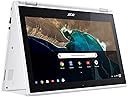
The Acer Chromebook R11 is a stylish, lightweight 11.6-inch convertible laptop featuring a responsive HD touchscreen, Intel Celeron N3150 Quad-Core processor, 4GB DDR3L RAM, and 32GB eMMC storage. Running Chrome OS, it offers fast boot times, built-in virus protection, and seamless integration with Google apps and the Play Store. With up to 10 hours of battery life and versatile 360° hinge design, it’s perfect for professionals seeking a flexible, reliable device for productivity and entertainment on the move.


| ASIN | B01J42JPJG |
| Audio Output Type | Headphones |
| Audio Recording | Yes |
| Automatic Backup Software Included | Google Drive, Google Play, Microsoft Office 365, Webcam |
| Battery Average Life Standby | 10 Hours |
| Battery Cell Type | Lithium Ion |
| Battery Life | 10 Hours |
| Best Sellers Rank | #12,151 in Computers & Accessories ( See Top 100 in Computers & Accessories ) #1,725 in Traditional Laptop Computers |
| Bluetooth Version | 4.2 |
| Bluetooth support? | No |
| Brand | Acer |
| Built-In Media | Chromebook^AC Adapter^Power Cord |
| CPU Codename | Braswell |
| CPU Model | Celeron |
| CPU Model Generation | 14nm |
| CPU Model Number | Celeron N3150 |
| CPU Model Speed Maximum | 1.6 GHz |
| Camera Description | Front |
| Chipset Type | Braswell |
| Color | Denim White |
| Compatible Devices | Chromebooks and other devices supporting Chrome OS |
| Connectivity Technology | USB, Wi-Fi |
| Control Method | Touch |
| Customer Reviews | 4.4 out of 5 stars 2,062 Reviews |
| Display Resolution Maximum | 1366x768 Pixels |
| Display Technology | LED |
| Display Type | LED |
| Form Factor | Laptop |
| Global Trade Identification Number | 00888863334391 |
| Graphics Card Ram | 4 GB |
| Graphics Coprocessor | Intel HD Graphics |
| Graphics Description | Integrated |
| Graphics Ram Type | DDR3 SDRAM |
| Hard Disk Description | Solid State Drive |
| Hard Disk Interface | Solid State |
| Hard Disk Size | 32 GB |
| Hard-Drive Size | 32 GB |
| Hardware Interface | HDMI, USB 2.0, USB 3.0 |
| Has Color Screen | Yes |
| Human-Interface Input | Touchscreen |
| Item Dimensions L x W x Thickness | 11.57"L x 8.03"W x 0.76"Th |
| Item Type Name | Acer Chromebook R 11 Convertible, 11.6-inch HD Touch, Intel Celeron N3150, 4GB DDR3L, 32GB, Chrome, CB5-132T-C1LK |
| Item Weight | 2.8 Pounds |
| Keyboard Description | Chiclet |
| Keyboard Layout | QWERTY |
| Lithium-Battery Energy Content | 32 Watt Hours |
| Manufacturer | Acer |
| Memory Clock Speed | 1.6 GHz |
| Microphone Form Factor | Built-In |
| Model Name | CB5-132T |
| Model Number | CB5-132T-C1LK |
| Model Year | 2019 |
| Native Resolution | 1366 x 768 pixels |
| Number Of Cells | 3 |
| Number of Ports | 2 |
| Operating System | Chrome OS |
| Optical Storage Device | No Optical Drive |
| Other Special Features of the Product | Touchscreen |
| Power Device | AC Adapter |
| Processor Brand | Intel |
| Processor Count | 1 |
| Processor Series | Celeron |
| Processor Speed | 1.6 GHz |
| RAM Memory Installed | 4 GB |
| RAM Memory Technology | DDR3L, DDR4 |
| RAM Type | DDR3 SDRAM |
| Ram Memory Maximum Size | 4 GB |
| Resolution | 720p |
| Screen Size | 11.6 Inches |
| Speaker Description | Built-in stereo speakers |
| Specific Uses For Product | business, personal |
| Supported Monitor Maximum Quantity | 1 |
| Total Usb Ports | 2 |
| Touch Screen Type | Touch Screen |
| Touchpad Feature | true |
| UPC | 888863334391 |
| Unit Count | 1.0 Count |
| Video Output | HDMI |
| Video Processor | Intel |
| Virtual Reality Ready | No |
| Voltage | 240 Volts |
| Warranty Description | One-year International Travelers Limited Warranty (ITW) |
| Warranty Type | Manufacturer Warranty |
| Webcam Capability | Yes |
| Wi-Fi Generation | Wi-Fi 5 |
| Wireless Compability | 802.11ac |
| Wireless Technology | Wireless |
A**R
This is what I came to the future for
I've been EXTREMELY impressed by this device. I was initially a little nervous as the system was somewhat glitchy for the first couple of weeks, seemed to be a problem with the Chrome OS because it was fixed by the next update. I previously had an Acer Chromebook c720 which I LOVED--had it for 3 1/2 years and traveled with it all over the world before the keyboard finally died. Here are my favorite things about the R11: -Touchscreen: hey, it's not an iPad, but it works great for what I need it to do (reading and annotating e-books and pdfs through Amazon Kindle and a great app called Xodo). If you're an artist, probably not responsive enough, but if you just want to play games and underline the occasional text, this is awesome. -360 degree rotation: LOVE the ability to watch movies in tent mode, turn it into a (slightly heavy, thick) tablet. Switching back and forth is seamless once you get used to it. I was super worried that touching the keyboard when it was in tablet mode would cause it to switch back to laptop mode, but it looks like once you move the screen back past like 180 degrees, it goes into full touchscreen. Took a week or so to get used to, but love it now. Screen stays in whatever position you put it solidly enough to use the touchscreen. Processor: I currently have 4 windows with a total of 18 tabs open. I streamed an HD movie on Netflix with all those open, no pauses or buffering. Unreal. Battery: SOLID. Seems to have a slightly shorter life than my Acer c720 (which literally went for days), but probably because of the aforementioned dozens of tabs and Netflix. The promised 8-9 hours definitely holds true, and will last longer if brightness is turned down/you're only web browsing, etc. Price. I mean, come on $300 is unbeatable if what you want is email, Netflix, and books. I feel like I have a tablet and super mobile laptop rolled into one. The bad: - speakers are a little tinny (though the volume is AWESOME) and it's not possible to customize the equalizer on the Chrome OS right now :( - though it's a super light laptop, the chromebook is a little heavy as a tablet, not super practical for holding, but if it's resting on something, it's golden. I mean, if you want a true tablet, buy a true tablet--this did honestly keep me from investing in a kindle as I was planning to. Overall: I'm super happy with this product. So far, I feel like my expectations have been not only met, but exceeded. If you purchase this product, go into it with realistic expectations and patience getting familiar with the setup and you'll probably love it, too! :)
R**E
The hidden Holy Grail of the tablet/laptop market.
I rarely write reviews. I mostly do video reviews, but never of specific products. That may change here soon. This this is awesome and has quickly replaced many of my gizmos and gadgets, some that have cost me upwards of thousands of dollars. People who complain that Chromebooks are useless without internet access clearly are narrow minded and simply not thinking outside the box. Allow me to explain: Let me begin by saying I take tech seriously. Since beginning a journey into a lifelong passion of filmmaking and screenplay writing I have invested tens of thousands of dollars of my own money into PC's that can keep up with the demands of 4k video editing and post processessing. I have amassed a couple of decent PC's, one a custom desktop (still being built; $3K~) and another an ASUS 970m ROG Laptop ($1300~) that are great for exactly what I need them for. My desktop runs all my video editing software for my bigger and most demanding projects and my laptop is great for editing video and running PC games in places other than my home (like school!). Recently, I've really gotten into writing more and I've found myself coming up with ideas on the go and wanted something a bit lighter than a 10lb ASUS Laptop (that thing is a monster). So mind you I really ONLY purchased to type down ideas as I had them, Seriously. I wanted something I could work on my writing projects on the go, so I paid the $250 for this thing. I just wanted a mobile typewriter. But oh my... I had no idea how far the rabbit hole went, When I recieved the item I was amazed at the quality of it. I've had my fairshare of "eBay Special" aka Cheap Chinese iPad knockoffs (seriously, I've owned atleast 8 I think over the past 8 years) and have found each one to be a complete waste of money. Either they were so slow I couldn't get any work done or they just flat out broke after a couple months. I even broke bad and bought an $350 iPad and returned it not too long afterwards (I grew to dislike Apple products as they don't play nicely - or cheap - with just about anything else I own.) I was weary about paying this much for another iPad wanna-be tablet, which has an OS that doesnt go with anything, from a company that specializes in WalMart consumer PCs. But just at first glance, this thing is top quality. Nothing on it feels cheap at all. Not the glass, the display, the aluminum cover, the plastic. All of it feels very strudy (within reason) and has a nice, modern look and feel to it. I feel like this will look good in any decade. Very futuristic. I boot it up and notice quickly the display seems to be 720p (or something close) but for what I need this thing to do... who cares? I just want to type words on it. The touchscreen and the hotkeys along the top take some getting used to but I was quickly in the Google Play Store, downloading all the apps I have on my phone and linking them to my accounts. "This thing is neat." I thought to myself as I was scrolling through Facebook, listening to Pandora and playing my cloud save of Falloiut Shelters. I became a wizard, learning to use the touchscreen, keyboard, and touchpad all in tandem. I prop the thing up to watch a Youtube video. "This thing is really neat." But oh yah! I was supposed to use this to write! So I went to install my favorite screenwriting app, Trelby, only to find its not available. Darn. I use some other apps but nothing is quite the same for my workflow. So I got desperate and booted up Linux on it. After some headaches and code learning, I quickly abandoned the stupid idea when it became more trouble than it was worth and factory reset. I thought the gizmo was neat but I was disappointed that I couldn't really use it the way I wanted to it that regards. This is where the R11 gets interesting. I quickly realized that I could use the Google Remote Desktop app to access my desktop computer. BAM! I was writing on my scripts at home! I was using my whole $3k desktop on this little $250 laptop and it ran flawlessly! I could even watch videos and game from the laptop itself (to an extent). THIS IS AMAZING! But... If i wanted to use it on the go... I would NEED that internet connection to access the files. Man... maybe those negative reviews are right. Maybe this thing does suck without an internet connection.... Except everyone in 2017 is carrying a little WiFi router in their pockets. It's called a cell phone and even my cheap $30 ALCATEL has a tethering option. And just like that, I realized that I can use my studio desktop wherever I want, whenever I want. That is just incredible. For $250 I can control my $3000 PC anywhere. She's got a USB for a tactical mouse and external keyboard, an SD slot and an external HDMI output. This thing is the ultimate mobile workhorse. Sure, it wont completely replace my ROG Laptop is terms of what it can do on its own but the ability alone to access my own desktop and use it as a touchscreen laptop is just amazing. This is the ultimate tablet. This thing is amazing. As a matter of fact, I wrote this whole review on it. Buy it for school, buy it for home, buy on for the grandkids. Cant go wrong on this one.
D**D
My all time favorite laptop
I am very old computer geek and have owned a great many laptops since the 1980s. I bought this for my wife, and liked it so much I bought one for myself. The Acer R11 is my favorite computer of all time. Its rugged, trouble-free, and totally reliable. Never freezes up, never makes me wait more than a few seconds for updates, runs all day on a battery charge, and doesn't take long to recharge. It has a nice, bright display, excellent touchpad and keyboard, and works well in the tablet mode. Even though it has only a Celeron processor, it's remarkably speedy on the net and can run several Chrome tabs without bogging down. I can't imagine why anyone would need a Chromebook with a faster processor. Unless you are doing something really unusual, like running movies in several different windows, you wouldn't notice much difference in performance. In a side-by-side comparison, my son's $2K i7 computer and my R11 appeared so evenly matched when rendering a complex web page it was hard to tell which computer won, I still keep a windows laptop around for running specialized windows apps, such as PCB design software and controlling milling and 3d printing machines, but otherwise I can go months without ever touching the windows machine. And that suits me fine After experiencing the Chrome OS I have no further desire to deal with Windows unless I absolutely have to. Windows is so annoying, I have talked three other friends and family members into switching to R11's and they are all very happy they did. The R11 runs most Android apps I have tried, but since Chromebook apps pretty much handle everything I need to do, I don't use the R11 to run android apps.
A**R
Cute little portable side-kick for your every day needs.
I've only had this little guy for about a week, so here are my first impressions. I bought this chromebook mainly to use for class, since I have been wanting to digitize my notes and start using evernote to organize my class material. Thus I got the model with the touch screen, so I could do simple doodles, annotate powerpoint slides, and write math notation w/o using tex in my notes. However, the touch screen has been useful for so much more, especially scrolling and tabbing around the screen, and being able to prop up the screen in tent mode is very useful for group projects and studying. Another good reason for the touch screen is that the track pad is only okay. I'm not ever really excited to use it, but then again I have been spoiled by the track pad on my macbook for years. However, since the touch screen exists, that's not a good reason not to buy this chromebook. On that note, the keyboard rocks (I even bought a silicon keyboard protector for it which somehow never falls off, even in tablet mode). If you are able to learn all of the keyboard shortcuts for the chrome OS, your productivity will rise 500%. The 4gb of RAM is a must have for a chromebook. This r11 hasn't gotten too slow on me as of yet. It can handle a good amount of browsing, and there are plenty of good extensions that help save your memory usage. If this machine had 8gb of RAM and a slightly better processor, it would be that much closer to being the perfect portable laptop. Still, for the money, what you get is sufficient. The power cord is a mess. I would really like a more simple and easy to wrap/organize (i.e. more portable) cord, and maybe something such as usb that is compatible with other things. Luckily, I don't have to use it very often because the power usage on this chromebook is so low that my battery lasts all day with frequent use. This is probably one of my favorite things about the r11. The speakers and screen resolution are okay, good enough for my purposes. A Bluetooth speaker remedies some of that, if needed. Oh and I should mention that using the Chrome Remote Desktop is a breeze to connect to my more powerful macbook pro back at home when I'm on campus, if I need matlab or any files or anything like that. I have yet to test how well steam works through this remote connection... Overall, this is a great, portable, pretty gosh dang cute little chromebook that does what you need it to do when your on the go. Could it be better? Yeah. It could use a good glass track pad, a command key (for when ssh'ing to unix servers), a more universal and portable power cable, slightly better screen resolution, and a power button that is NOT on the side of the case. Throw in water resistance and shock proofing, and I'm sold. Maybe someday. I don't think this will be my last chromebook. Pretty soon I'll be booting ubuntu linux on my r11 to have some real fun (another great upside of the chromebooks).
T**D
Finally the perfect tool.
As a former laptop repairman, I was a little leary of the flip-over screen. But design advances seem to be in play here. This one feels really solid. The screen is Gorilla Glass and is readable at much grater angles than the C720. the touch sensitivity is top noch. I use this mostly, right now, for gaming and reading. With the keyboard flipped over, it makes a slightly bulky tablet that displays a full page in color beautifully. finally the perfect tool to read some of my larger volumes and magazines. I can even rotate to view single page full screen. And yes, connect to wifi and run the first update. After that, you'll have nearly full access to the android store. I think it registers as a tablet, so the games that limit or restrict tablet use (like Pokemon Go) will also restrict this device. But the influx of options from the google play store add some very powerful tools to the slowly growing, but still thin chromeos options. Oh, and the nicest change from the c720 is the SD reader. Now, instead of thecard sticking out all the time, it click-inserts fully and flush. So, now you can leave the card in all the time and still zip into a tight neoprene case. Also, the AUX jack has been moved to the other side to help reduce the accidental power cord plug in failures. I've never been this excited about a laptop before. And I used to build and repair them. One year update:. With a little care, I've managed to keep this in good condition. just discovered today however that this model is part of the Linux beta program. I installed Linux with very little difficulty, and then a couple of applications. tried to install Minecraft but had some problems could be me. I'll go for some standard apps like Gimp, LibreOffice and civ Free. Linux runs in a pocket like any emulator, but any folder you put at the top level appears in the downloads folder under a special Linux section. you can pop files in and out of the Linux experience as simply as dropping them into the downloads. I'm also been doing some collaboration via Google Hangouts. The built-in mic and video cam make that a beautiful transition I've had no problems with it at all.
B**L
A Great Multi-Use Device for the Price
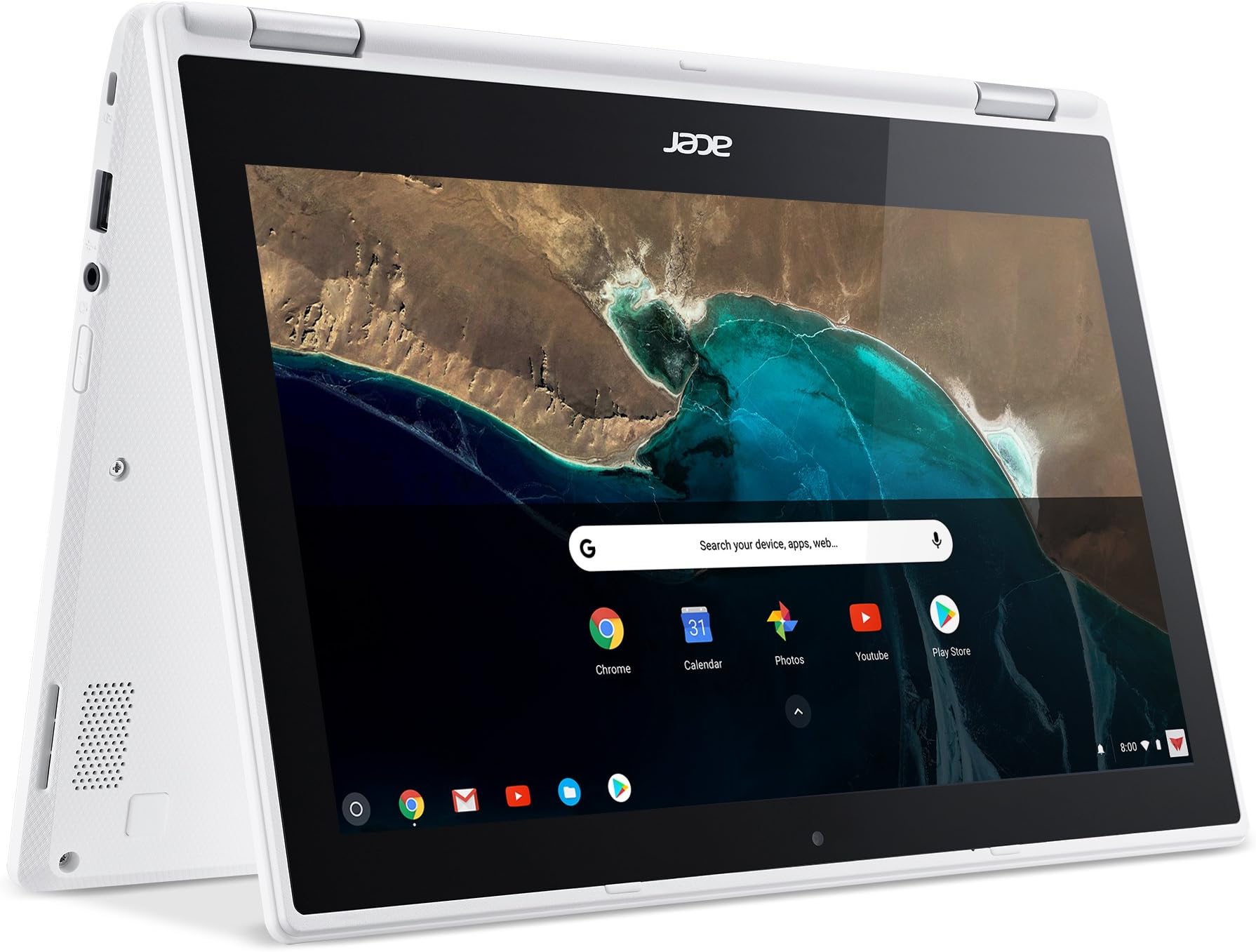
I've had my R11 Chromebook convertible for about two weeks. I use it as a light, additional device to take to and from work, and it also replaces my 7'' tablet. I'm a bit of a different user based on reading other reviews. I use my device about 70% in presentation/stand/tablet mode and about 30% as a regular laptop. I switch between the two modes A LOT, and the hinges feel solid as I open/close and switch it into tablet mode. The keyboard is great and doesn't feel cramped at all. The only small negative is the touch pad doesn't seem as responsive as other notebooks I use, but this isn't enough of a problem to give it 4 stars. I'm incredibly impressed I was able to get such a multi-functional device that performs well at such a great price. The BIG plus in buying a Chromebook now is the ability to run many Android apps from the Google Play Store. You do have to enable it in Settings, but then you can install almost any Android app. I have replaced Hangouts and Sheets in the browser with the Android app versions, and I also run plenty of other apps like news readers, etc. The ability to install Android apps greatly influenced my decision to finally purchase a Chromebook. I used it recently on a flight to read my e-books through the Kindle app! I have the 4GB RAM with 32GB SSD hard drive version. I wouldn't recommend a 2GB RAM Chromebook, especially if you plan on installing plenty of Android apps.
D**E
The best there is... in the budget category
First off, I have to say that after using this laptop for about two weeks I really love it. It took a little time to grow on me, it has a few quirks and design decisions that are... questionable. And I'll be up front and say that I haven't tested the microphone, so I don't know if it has any flaws. I don't usually use my laptop for video chatting. But overall, I'm very satisfied with this laptop. Form Factor: The first thing that really struck me about this Chromebook is it's kind of heavy, for a Chromebook. Most other models are designed to be sleek and light, but Acer has traditionally favored heavier designs that have plenty of ports and battery life at the cost of aesthetics and this laptop is no exception. While the hinge joint on the back cost this model the backpanel real estate that the previous 7xx series of Acer Chromebooks enjoyed, it still found space for two USB ports, an SD card slot, a 3.5mm jack, and an HDMI port which is enough for most things. If you need to connect more devices, the bluetooth connectivity works fairly well. It's still lighter than most other dedicated laptops though, and is a comfortable weight to carry in a single hand if necessary. Say, if you're using it in tablet mode. Speaking of tablet mode, one of the main draws of this particular Chromebook is the hinge joint on the back. The hinge is designed well, giving strong resistance when you start to push against it but yielding easily once it's moving so it's easy to get it into a particular orientation and keep it there. I've actually been very fond of display mode, where you fold the laptop so the screen is closer to you and it rests on the keyboard. I find it to be very convenient for browsing and gets around the traditional "gorilla arms" issue with touch screens nicely. Tablet mode (keyboard folded around the back) also works very well for using it while on the move. The tent mode (hinge on top, edges on bottom) is useful if you don't have a lot of desk space to commit to it but still want to use it for media. Overall, the flip aspects of this Chromebook are well developed and seem to have been the focus of a lot of commendable design work. It's very easy to switch to one layout for browsing, then quickly switch back to type a response without any real slowdown. My only real issues with the physical layout is the questionable decision to remove some keys (replaced with alt combos). Most of the keys they removed weren't commonly used, so people may not notice (home, end, page up, and page down were always a bit specialized), but caps lock was replaced with a dedicated search key, while alt+search is now caps lock, and delete is now alt+backspace. These are all small gripes though, on the whole the design is excellent and it only takes a few days to get used to the laptops idiosyncrasies. The replacement combinations still show a level of thoughtfulness though, as it's easy to hit those combos with both hands, so you don't have to contort your hands into weird shapes to hit them if they're an important part of your workflow. Performance: Performance is a mixed bag. Because Chromebooks tend to run lower powered hardware, websites that abuse public trust by loading dozens of tracking scripts (which load dozens of their own tracking scripts) are particularly crippling. Once I installed and configured my usual tracking and ad blocking scripts performance went back to smooth like I've come to expect from Chrome powered laptops. On the flipside, gaming is incredibly smooth right out of the box, running browser based games powered by Javascript, Flash based games, and games run through the native Android support incredibly well. Video playback is smooth and the video is surprisingly crisp given the lower resolution of the screen. While I'm not exactly a display fanatic, I've had no real issues with the display except having to occasionally wipe away smudges from pawing at the touchscreen. Of course, one of the big reasons I picked this laptop as an upgrade is because the R11 series was among the first Chromebooks to get native support for Android apps. I don't want to go too in depth on this as it's still in beta and it's hard to judge it as a final product. Unfortunately, Google has been running behind on getting these features enabled and many functions, such as apps seeing external storage devices like SD cards, are not yet implemented. This can cause many apps to not run, or to crash when certain functions are invoked. However, for the games that do run (which I'd say is probably about 80% or so) the performance is phenomenal. This solves many of the traditional issues with Chromebooks not being very useful offline as you can install Android apps to replace much of the missing functionality, as well as filling in gaps in productivity software support making this a viable lightweight enterprise option for companies worried about security but who still need first party apps that might have Android support but not web based clients. Overall, for the price point I'm extremely satisfied with this product. While obviously Chrome laptops are niche products that require some adjustments to get around their lack of traditional software usage, for those who are already adjusted to the environment and looking to upgrade an existing Chromebook or those who are looking to jump ship from heavier, more expensive Windows or Macintosh powered laptops, this is a fine offering.
B**R
Wi-NOT instead of Wi-Fi
This unit is "pretty" and stylish, so my high school daughter was attracted to it for that reason. I would have purchased a rugged military grade ASUS C202SA-YS02 but it was not as pretty as this Acer, so, in order to please her I bought this Acer. Being a girl, I figured she would be gentle with it and she was. However, with in the first few months the Wi-Fi stopped working and it was repaired under warranty which got her through the rest of the school year; when I spoke to the repair technician they confessed this unit has a history of Wi-Fi receiver problems. Then it rested some over the summer (in other words, not much use). It has been about 2 months into the school year and the Wi-Fi has stopped working again, only a few days after the warranty expired. Acer wants $170 to just look at it then add the repair cost on top of that. The unit cost $275 to start with, so it is not worth repairing. Buyer-beware! UPDATE: I repaired it myself for $12. I had nothing to lose since it was a paper weight otherwise. Upon taking off the bottom cover I spotted the wireless communications chip (pictured) and googled the model number to find resellers. compupartsolutions.com had the best price but yours maybe different. The shame of it is knowing it took me 15 minutes and $12 to fix it and Acer wanted to rob me of $170 just to look at it. UPDATE 2: Anyone remember the end of the 1960’s Batman TV show? “See you next time! Same Bat Time, Same Bat Channel!” Jan 7, 2020, It is about 15 months since the last repair, I sure am glad I bought two replacement chips last time and taped the spare inside the housing of the computer because the WiFi failed again! Of course, it was during school where I could not be of immediate assistance. Acer should have a recall and insist that Intel create a better chip to fix this problem.
A**O
Muy buena opción
Apenas llevo una semana, pero es fácil aclimatarte al sistema operativo, y el equipo funciona perfecto. Ideal para viajar y poder trabajar o ver películas descargadas de netflix o amazon prime durante vuelos.
S**T
Delivered on time and it perfect condition. Charger plug not suitable for my location
Was good but had a differer charger than expected, the plug to the wall was not a Uk/uae plug so that needed changing
B**K
Great purchase
Loving this computer. So easy to set up, enjoying the stripped back laptop as I only use for gmail and Google suite and web browsing watching Netflix etc. I am finding the battery seems to not be lasting as long already though after only a few months.
B**O
Muy buena
Es más pequeña de lo que pensé, pero es práctica, de fácil movilidad
R**Y
Its not same model as mentioned
Its mentioned model is r11 but actually its a different model which cannot be updated to later chrome os its only support web store…
Trustpilot
2 weeks ago
2 months ago