Buy anything from 5,000+ international stores. One checkout price. No surprise fees. Join 2M+ shoppers on Desertcart.
Desertcart purchases this item on your behalf and handles shipping, customs, and support to Congo.
🚀 Elevate your network game with Cisco RV340 — where speed meets security in style!
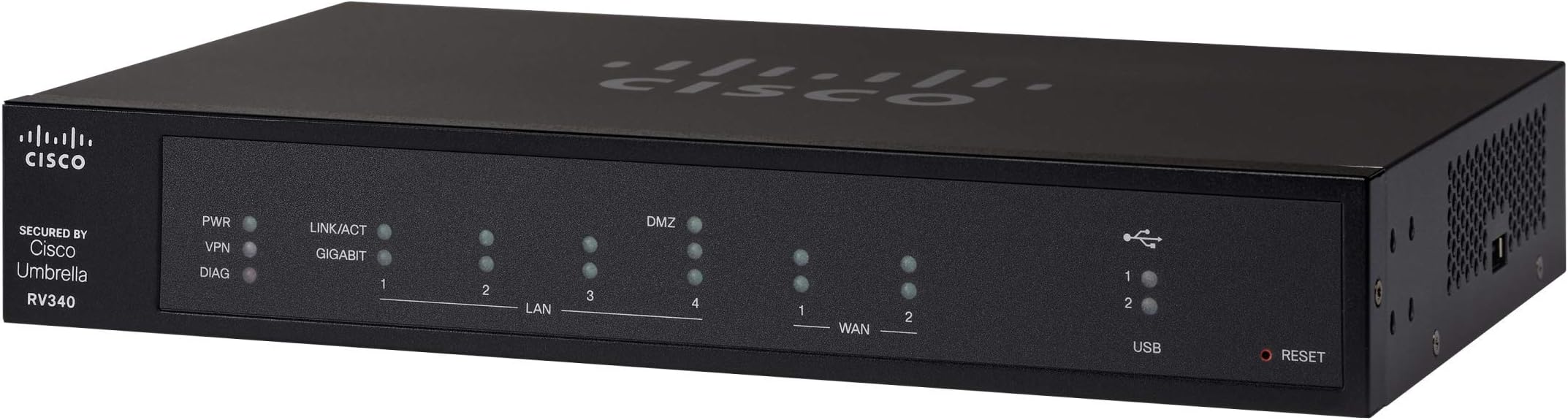
The Cisco RV340 VPN Router is a powerhouse designed for professionals and small businesses, featuring 4 Gigabit Ethernet ports, dual WAN for reliable internet failover, and advanced VPN security protocols. It supports VLANs for secure guest access and remote connectivity via Cisco AnyConnect. With a limited lifetime warranty and continuous firmware updates, it offers a scalable, secure, and high-performance networking solution that keeps your digital workspace ahead of the curve.


| ASIN | B06Y1FFX53 |
| Antenna Location | Security |
| Best Sellers Rank | #71,134 in Computers & Accessories ( See Top 100 in Computers & Accessories ) #1,677 in Computer Routers |
| Brand | Cisco |
| Built-In Media | RV340 |
| Color | Black |
| Compatible Devices | Printer |
| Connectivity Protocol | Ethernet, Wi-Fi |
| Connectivity Technology | WIRED |
| Control Method | Touch |
| Controller Type | Switch |
| Coverage | Manufacturing defects for 1 year |
| Customer Reviews | 4.2 out of 5 stars 207 Reviews |
| Data Transfer Rate | 900 Megabits Per Second |
| Frequency | 1 GHz |
| Frequency Band Class | Single-Band |
| Global Trade Identification Number | 00882658864797 |
| Has Internet Connectivity | Yes |
| Has Security Updates | Yes |
| Is Modem Compatible | No |
| Item Type Name | Dual WAN Gigabit VPN Router |
| Item Weight | 2.6 Pounds |
| LAN Port Bandwidth | 1000 Mbps |
| Manufacturer | CISCO SYSTEMS - ENTERPRISE |
| Maximum Upstream Data Transfer Rate | 45 Megabits Per Second |
| Mfr Part Number | RV340-K9-NA |
| Model Name | RV340 |
| Model Number | RV340 |
| Number of Ports | 4 |
| Operating System | Cisco IOS |
| Other Special Features of the Product | WPS |
| RAM Memory Installed | 1024 MB |
| Router Network Type | hybrid |
| Security Protocol | WPA, WPA2 |
| Smart Home Compatibility | Not Smart Home Compatible |
| Special Feature | WPS |
| UPC | 882658864797 |
| Voltage | 12 Volts (DC) |
| Warranty Description | Cisco Limited Lifetime Warranty |
| Wireless Communication Standard | 802.11ac |
| Wireless Compability | 802.11ac |
C**N
RV340 is easy to setup, fast, web security, VPN, VLAN at the best price in the market.
Over the last 4 weeks, I have been and testing routers and wifi access point from many top vendors, (Unifi Alien, Orbi RB743, Linksys AX4200, Unifi Dream Machine router, Netgear AX1800 Access Point, Cisco RV260P, Cisco RV340, and Cisco 9117AXI) I have decided to go with the following setup for my site-to-site and client-to-site setup: 1. Cisco RV340 VPN security router (main gateway to the internet service provider, ISP) 2. TD-Link TL-GS1008P 8-port unmanaged GE/PoE switch 3. Cisco Business 240AC Wi-Fi Access Point 4X4 CBW240AC-B (2 pack) 4. Cisco Business 143ACM Wi-Fi Mesh Extender (1 pack) The Cisco RV340 VPN took me about 5 minutes to set up with internet ready, it comes with all the VLAN, VPN, and web security features anyone would want for a home office or small business network and protection. Why this RV340 router? a. It is cost-effective, at only $200, It gives me all the features of the professional IT setup such as VLAN, Web Filter/Security, VPN site-to-site, and client-to-site that I need but can't get from consumer home router like Netgear Orbi RB753, Amplifi Alien or even the Unifi Dream machine router at over $400, but they come with software that looks, feel and function like they are still in under development. b. All the features are well designed and work flawlessly after configured c. It allows much flexibility when dealing with any part of the network, for example, if I need to upgrade the WiFi access point for WiFi 6 in the future, I don't have to throw out the entire network to upgrade, basically the Ethernet wired network can stay up and running, replacing just the WiFi access point is much less expensive compare to replacing the whole home mesh router set. Why the TD-Link TL-GS1008P 8-port unmanaged GE/PoE switch? a. Cost-effective, at only $59 I can get 4 GE ports for my wired printer, NAS file storage, some desktop computers, and 4 GE/PoE ports for the WiFi Access points. b. The RV340 VPN router comes with all lay 2, and 3 switching/routing features so you don't need to buy the lay 2 or 3 switches. Why the Cisco Business 240AC Wi-Fi Access Point 4X4 CBW240AC-B (2 pack) and the Cisco Business 143ACM Wi-Fi Mesh Extender (1 pack) a. These three access points allow me to cover up to 9000 sqft WiFi signal at over 800Mbps - 1770Mbps, up to 600 wireless devices connected at the same time, all the IoT and laptop connectivities. b. After testing some Wifi 6 Access point from Netgear, Unifi and Cisco, I found that cisco Wifi Access Point is absolutely feature-rich, well design software UI, hardware built with quality and easy to set up, also networking features from layer 2 up are well intergraded and work well together, so for ease of management I think it best to go with all cisco products. In the process of testing Netgear Wifi 6 AP, I found that the operating temperature was so hot that I am worried that they could cause a fire in my office. Unifi products on the other hand are also good, but their software networking concept is confusing and rush to market. It seems that if you don't mind waiting for features to get into future software releases then Unifi AP or router is ok. Overall, I feel that Cisco's products are normally built with super quality, advanced features, and stability. They are well known in the networking industry and building products for the business environment so their product reliability and scaleability is something I can always trust and it is hard to get the same features and quality from other brands.
C**C
Fast and versatile router - now working with latest firmware
I've updated this review - updates are chronological with latest at the end. As received, my RV340 required a firmware update to bring it to Cisco's current release level. I then proceeded with the setup process. My use case is a SOHO internet gateway and firewall with full support for IPv6 (delegated prefix from the ISP). My main points of experience worth pointing out so far are as follows: (1) Upon reboot (or power cycle) the RV340 reliably fails to update the WAN port MAC address with the customized value (i.e. MAC address powers up as the factory default). Both WAN1 and WAN2 are affected. At first, this looked like a serious problem since I thought my ISP requires a specific MAC address on my end to work. However, by power cycling my cable modem, the default MAC address of the RV340's WAN port was accepted and is now working. (2) The WAN port must be connected to the ISP (cable modem in my case) in order to complete the IPv6 configuration. There is a place in the WAN configuration to assign a name to the IPv6 delegated prefix supplied by the ISP, but the LAN port configuration (for stateless autoconfiguration of the client IPv6 addresses) does not have any place to enter this name. Instead, you must identify the active WAN port (with a valid IPv6 prefix). That of course requires the ISP connection to be hooked up and running. (3) Unlike routers I've used the past few years, the RV340 does NOT provide an NTP service to the local LAN clients. This required me to modify NTP server addresses in a number of connected devices from the local gateway IP address to an actual NTP server out on the internet. (4) I discovered on the Licenses page that the router is running in Evaluation Mode. In addition, the two 90-day (evaluation period) security feature licenses are not activated by default. To get out of evaluation mode, you must log in to your Cisco Smart Account. With considerable effort I eventually got this sorted out so it's no longer an issue. In summary, the RV340 is currently working well supporting a busy network with a lot of devices. (24-Dec-2017) Alas, I've taken the RV340 out of service and re-installed my previous gateway/router. It took about a month but I finally associated several application-level performance issues with the RV340. The specific problems are: (1) very slow access to gmail inbox both with POP3 and IMAP; (2) long delay from clicking a selection to actual start of playback for iTunes Music; and (3) long delay and frequently a timeout while opening the Solitaire, News, and other Microsoft apps under Windows 10. How could the router (with no extra security modules enabled) have such specific impacts while other applications are just fine? I have no idea. But these issues all disappeared when I reinstalled my previous gateway/router. (20-Apr-2018) - I noticed the new firmware release v1.0.01.18 (issued March 2018) and updated my RV340. I ran through a couple of the application performance issues noted above and the unexplained delays no longer appeared. Updated my star rating although I haven't put the RV340 back into service yet. (10-Nov-2018) - Noticed new firmware release v1.0.01.20 and decided it was time to give the RV340 another try. Updated the firmware, plugged in the WAN and completed the IPv4 and IPv6 configuration with no issues. The application-specific performance issues noted above are also gone. I am leaving the RV340 in service. The speedtest downlink measurement is now the expected 194Mbps (with a change to the server at the other end) so I have finally updated my star rating to five stars. (20-Nov-2019) The RV340 continues to work great - I am quite pleased with it now. A cautionary note: browsing the router configuration pages I noticed the router was back in "Evaluation" mode. It appears that Cisco Smart Licensing had "expired" the router license token originally generated about a year ago. However, my Cisco Smart Licensing account was still in order so it was easy to generate a new license token for the router (no cost, thanks Cisco!). I believe the token will expire again and necessitate another trip back to Smart Licensing. (3-Jan-2019) I noticed that a new firmware update, to version 1.0.02.16, was available and I went ahead and updated the Cisco RV340. I'm not sure if any functional issues were fixed with the update (I hadn't noticed any), but the update also revamped the entire GUI. It changed from the classic Cisco blue-background no-nonsense design to a modern split-tone look (white text on dark background to the left, black text on light background in the main edit window). At first I didn't like the change but now I'm used to it and it seems "normal". (12-Feb-2019) - I noticed that IPv6 was no longer working -- it may have been my fault due to some errant settings update. However, I wasn't sure and as part of the troubleshooting I downgraded back to the previous working firmware (v1.0.01.20). There I did clear up the problem (it was my own misunderstanding of the proper settings for my ISP). However, when I tried to re-upgrade back to v1.0.02.16 by changing the Active Image under the Reboot menu, the router initially came up NOT upgraded but with a non-responsive web GUI. When I nervously used the paperclip method to RESET the router to factory configuration (holding the button for more than 10 seconds), I found the RESET button must be pressed and held BEFORE powering up the router. When the router came up this time, the newer firmware (v1.0.02.16) was then active and the router configuration settings had been converted for the new firmware's format (although I had expected the factory default configuration). Best of all, the web GUI was fully operational and IPv6 was working once again. If there's any conclusion from all this, I'd hazard a guess that it's best to always upload a firmware upgrade to the router (rather than relying on changing the Active Image under the Reboot menu) so that the router gets fair warning that the configuration settings are to be converted to the new firmware's format. (Note that downgrading from v1.0.02.16 to v1.0.01.20 always gives you a factory default configuration since there is no built-in "reverse" settings format conversion utility.)
P**G
Seems to be a solid device, not very easy to configure
After about a month of use, I am overall happy with this router. But I can't justify a 5 star rating. I bought this to upgrade a small business that was switching to SIP trunks for their phone service. The consumer grade router they had before did not have the firewall features needed to support the service. I am not a network engineer, but I have been working in the IT support industry for over 30 years. I am somewhat familiar with Cisco's enterprise equipment, and I didn't expect that from this little $200 device. The web interface that this uses for configuration is OK, but I think it could be a little better. The documentation available is not great. The tutorial videos they have available are better. I was a little surprised at how long this router takes to reboot. Seems to be about 4-5 minutes. As is always the case with Cisco, from a hardware perspective, it's very well built. All metal case, no plastic. The rack mount was everything it should be.
F**D
Reliable internet service
If your life/work revolves around internet access , AND you can have/afford 2 different ISP service providers, THEN this is a must have.. Granted that the configuration will require some networking knowledge but once configured IT WORKS very well. I currently have ATT Fiber and Spectrum for internet providers and regardless of whichever one is out of service, I am still surfing. It automatically and seamlessly switches to the "working" internet provider-instanteneous switch of about 2-25 milliseconds of delay--(hardly noticeable). On the technical side, it offers VPN configuration, and very decent firewall security. Several youtube videos are available for configuration help. If you work from home, or your business requires 24hr online access, then this is a winner. This Cisco dual-WAN VPN Router, will not fail you.
D**T
There are much better options for much less money
I bought this mainly due to brand and also the dual WAN capability. Supposedly they also offer WAN though USB and WiFi for backup but it was impossible to find supported options for adding this capability. The support from Cisco is very poor for this type of device. You may get better support if you pay for it since this is considered a SMB device. Youtube is your best bet if you are using this at home. After 2 years from purchase the device starting having problems. I decided to try switching both WAN and LAN ports since I've seen ports go bad on switches and routers before. That did help and it worked fine for almost a day and then it started to fail again. The replacement I just purchased is the TP-Link ER605 v2 which is less than one quarter of the price of the Cisco RV340. I don't know if it will last longer but the performance is great and it supports up to 3 WAN connections.
M**O
Great basic router for SMB
We were looking for a network router in order to replace Ubiquiti ER-10X, which had become corrupt after power failure. We do not need all the latest features such as cloud-based management, and instead we opted for simplicity in both features and operation. And most critical was reliability. The installation was a breeze, and it has all the features we need. And it is rack mountable, which was a big plus to us. To judge the last criteria, reliability, requires more time, but for the last 4 weeks since the installation, never have we encountered any issues.
D**7
Great Router
I upgraded my RV320 to this RV340, and I could not be happier, I am not using VPN and I know a lot of people are upset with the VPN features and fees. I however use it for my primary router in my SOHO, I am a very heavy Internet user as I do online game streaming. This router is rock solid, my NAT is OPEN on all of my XBOX's. (I have 3) I use OTT TV and it works flawlessly, everything is fast. I have not had to reboot this router since I installed it, as it is performing just as good today as it did on day one! If you have a SOHO, or are an extremely heavy internet user and you want a fast and secure router this is a great choice.
S**Y
Argh!
Transitioned to the RV340 after relying on an SRX5308 (a tank!) for many years. The RV340 does just about everything well (and faster and quieter and cheaper!) except: no apparent support for multiple static IPs (multi-homing) on a single WAN port*; dynamic DNS does not update on failover to the new WAN address; no apparent support for allowing/restricting incoming ICMP pings from specific remote networks/addresses; no command line interface(!); maximum of 45 entries supported in the MAC->IP binding table(!!!). Activating traffic monitoring QoS incurs ~10% hit on throughput of a 150 Mbps line, compared to roughly 40% for the SRX5308. VPN configuration is dreadfully obtuse and, while I've got it working with iOS clients, my concern is that it won't work for Mac clients without paying for a Cisco AnyConnect license. (The RV32X series of routers doesn't require such a license, but VPN configuration of the RV340 is different enough that I sense a license will be needed.) I greatly appreciate the automated email notifications of WAN failure and restoration and firmware update availability. I wish the status lights were on the same side of the unit as the ethernet ports--almost bought the RV345 just for this. *I found a way to route incoming traffic directed at alternate WAN IPs to different hosts behind the firewall, but still no way to configure outgoing traffic to emanate from different WAN IPs. UPDATE 2017-12-03: *IGNORE THIS ISSUE... IT WAS MY CABLE COMPANY (CHARTER'S) LINE PROBLEM* No general problem with stability, BUT my Internet speed has varied widely for weeks now--much of the time being very slow since transitioning to the RV340. (No such issue with the SRX5308.) Log files contain numerous "CPU at 100%" messages, as well as reports of failure to resolve 0.us.pool.ntp.org and 1.us.pool.ntp.org addresses and unacceptably slow responses from NTP servers. No way to identify the processes causing the high CPU usage without a command line. The datasheet says CLI available via ssh, but I see no way in the documentation to activate it. Fortunately, router reboots do seem to eliminate the runaway process(es) and restore broadband consistency/speed. ISP says my modem and connectivity look good, btw. UPDATE 2018-04-01 (not a joke): (1) Recently discovered that, when operating in primary WAN mode (with a secondary fall-back WAN), the fields for indicating the individual WAN up/down connection speeds are not ignored but actually cause the router to throttle the connection speeds to meet the indicated limits. I had indicated 5 Mbps upload on my cable broadband and the router throttled it to 5 Mbps, even though the ISP was providing 10 Mbps. I could see this behavior being appropriate for load-balancing across multiple WANs, but I wasn't using that mode. (2) The release notes accompanying firmware updates are only a little vague about this but they seem to suggest that even for a point-point-point upgrade, the settings should be reset to factory defaults and the router reconfigured from scratch. Is that annoying/inconsiderate/irresponsible or what?! Through a few updates, though, I've not seen any issue with just using the existing configuration. Failover has been working great... except that much of the time, WAN failures aren't true WAN failures but are the result of the remote host used to test WAN viability being inaccessible. The option for two test conditions per WAN should be provided. btw: these comments would apply to all RV34X models, as they all run the same firmware.
B**R
routr
muy buen equipo
N**K
Great Features and Support!
Great security features, no licensing required. The 1 free year of support is incredible. I had not used a Cisco router before so I called them up and they helped me set it up, including VLANs. Best customer support I’ve ever received for a product, their tech spent hours with me setting things up. The web GUI is easy to use and full of features. I do not think you can go in via CLI though. Also, I can’t say anything about its VPN functionality as I have not used it.
T**T
Works as expected ! A plus in this tech world
I have been using various Cisco VPN routers over the years, this one has a fast response time on the built-in website used for configuration (as opposed to a rotten response time on the RV220W it is replacing and some previous ones). Carries all security features I expected for my own VPN setup (site-to-site and IPsec client access). It's been up a few months without any problems. Great gigabit VPN router. However, you need to be familiar with VPN technology to use such a product.
D**.
Excelente router y funcionalidad adecuada
El Producto llegó en tiempo y forma, muy fácil de configurar, el funcionamiento es perfecto 0 problemas
M**K
Cisco licensing from hell
I am an experienced network administrator, I have setup multiple network devices, Cisco, Sonicwall, etc. I know what I am doing. This product is advertised as a VPN capable router but to use Cisco SSL VPN you will be required to purchase annual access licenses. Well, I can live with this as they are not that expensive. What they DON'T tell you is that to get those licenses you have to go to hell and back. The licensing process is so convoluted and one can hardly imagine anything more complicated. You will be going through countless Cisco websites only to learn that nothing can be done on-line and and have to find an authorized Cisco re seller. Once you find one, you will have to wait days before they will get back you and then, via email or on the phone, you will have have to explain to them what you need. If you lucky, and they actually happen to know what you are talking about, after waiting another few days, you will get a confirmation email referring you to a Cisco website where you have to download the license. Once you have the license file, you will find out that you have to register the product first and to do that you have to setup an account. Once you setup an account, you will find out that there is no way to actually add your product there. You will be puling your hair, going thought pages and pages on Cisco website (half of which do not work) .... At the end, once you actually find out how to add a product to the list of your Cisco authorized product ... you may find out, as I did, that the product serial number is invalid. The whole process will take you days, possibly less than a week if you lucky. Once you manage to somehow license the product, you will still need to download AnyConnect Cisco VPN client, and this is yet another adventure. I have never succeeded to download the client as Cisco website kept telling me I was not authorized ... Just for comparison, if you buy for instance a Sonicwall router/firewall, the license acquisition and cllient download process takes about 5 minutes and you can purchase them directly from the router interface. I will not write here about challenger one has to face to accomplish the simplest tasks on the router itself, like for instance instance changing vlan ip range ... Just google "rv340 change vlan ip range" and you will see what I am talking about. Enough said. Thank you Cisco for all my time wasted.
Trustpilot
2 weeks ago
2 months ago