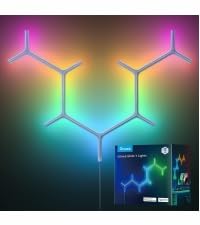
🌈 Level up your setup with pro-grade RGBIC glow — because your monitor deserves the spotlight!
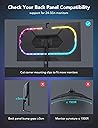
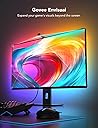
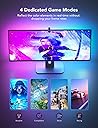
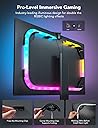
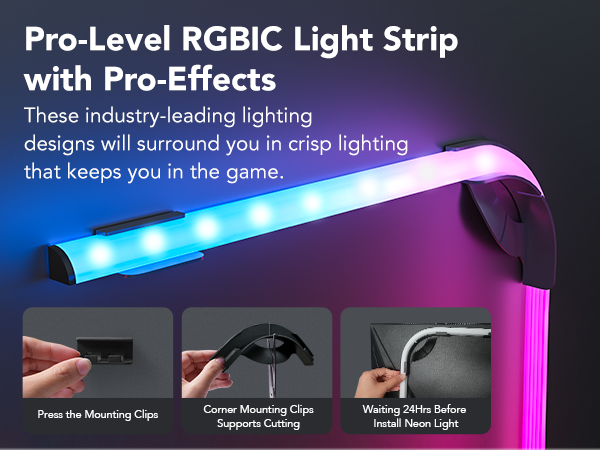
The Govee RGBIC Monitor Backlight DreamView G1 is a 55-inch LED neon strip designed for 24"-32" monitors, featuring 84 RGBIC LEDs that deliver vivid, real-time color matching with your screen. Equipped with 4 specialized game modes and audio-reactive lighting, it enhances immersion without impacting performance. Controlled via a smart app supporting DreamView syncing and voice commands, this 24W AC-powered light strip is tailored for gamers seeking a dynamic, customizable ambiance.


| ASIN | B09S5RX435 |
| Batteries are Included | No |
| Best Sellers Rank | #3,317,610 in Tools & Home Improvement ( See Top 100 in Tools & Home Improvement ) #9,596 in LED Strip Lights |
| Brand Name | Govee |
| Bulb Shape Size | B17 |
| Color | White |
| Customer Reviews | 4.4 out of 5 stars 254 Reviews |
| Finish Type | Plastic |
| Finish Types | Plastic |
| Included Components | 1*Gaming Camera, 1*Headphone Linking Cable, 1*Neon Strip(55.1 in), 1*Power Adapter, 4*Corner Mounting Clips, 5*Straight Mounting Clips |
| Item Weight | 2 Pounds |
| Light Source Special Features | Dimmable |
| Light Source Type | LED |
| Manufacturer | Govee |
| Manufacturer Part Number | B604B111 |
| Material | Plastic |
| Material Type | Plastic |
| Model Number | H604B |
| Mounting Type | Panel Mount |
| Number of Light Sources | 84 |
| Power Source | AC |
| Set Name | DreamView G1 |
| Shade Material | Plastic |
| Shape | Rectangular |
| Style Name | Gaming Lights |
| Unit Count | 1.0 Count |
| Voltage | 120 Volts (AC) |
| Wattage | 24 watts |
K**D
Great value and easy to use/install!
I had purchased these backlights b/c we love the ones we installed on our tv (which is the same brand) so I wanted some for my computer monitor, and I was not disappointed! Installation was easy and quick, and it’s super easy to customize/change the light settings via their app. The camera does not need to be connected to a computer, so there’s no worrying about taking power away from your pc either. I will say that the colors aren’t always 100% accurate to the scene that’s on screen when used in video mode, but it doesn’t really bother me when playing games. Very satisfied with the quality of this product for the price I paid!
K**.
Best ambient light
Very bright and saturated, I'm very pleased with its performance. Tried Corsair LS100 before and it's night and day performance wise. I was able to attach it to Samsung Neo G7 with 1000R curvature and it holds! But there is a weird design flaw - Gover used a very strong spring between the camera parts and it's as strong as a garage door one. Due to that the camera constantly pulls it off from adhesive and I kept re-installing it every day. Eventually I was fed up and removed the spring completely. Not sure why that is needed there at all. At least with curved monitor it doesn't work well.
A**R
Got it to work with my 34in ultrawide, a few caveats
Pros: - Doesn't require video passthrough so no worrying about framerate/color degradation - Works with multiple sources since it doesn't need video passthrough - Works with DRM protected content - Relatively cheap compared to the competition - Fairly flexible setup that'll even work on monitors that they claim it doen't support Cons: - White balance impossible to get spot on due to reflections on screen. - Easily affected by ambient lighting causing splotches of color when there shouldn't be anything - Does not work with glass desks because light reflecting off will mess with color accuracy - Requires a camera that may take away from a minimal setup. Even though this says it only supports up to 29in and flat displays, I was able to get this to work on my LG Ultragear 34in ultrawide. I used the 21:9 template as a rough estimate and then installed the mounting brackets. You can't bring the light strip closer to the edges of your monitor as there's not enough length, so you'll have to use the template and mount it in the center. The camera is a bit trickier because my monitor is too thick, but there's just enough contact with the adhesive to let it work. The calibration process wasn't difficult, although I would recommend making virtual squares instead of using the included square foam cubes. With an image editor, you can draw out squares onto a canvas that's the same size as your monitor. That way you don't have to stick anything onto your monitor and it's much more accurate as you know exactly where the middle squares would go. There's a few gotchas with using the camera for bias lighting. If you have a glass top like I do, then it's going to mess up the camera because it's going to reflect ambient light onto the screen. I've had a spare desk mat that I've put underneath which solves this, but I wish I didn't have to do that. I think a monitor stand would be a better solution if you have this issue. Another issue is the bottom of your screen will appear brighter to the camera than the top even if there's only one solid color being displayed. It's not too noticeable, but something to keep in mind. In certain modes the lights will flicker. I think this is due to the camera refresh rate not matching up with your monitor refresh rate. This happens for me in "shoot" mode. If your lights are flickering, try changing the mode in the app. Overall, this is a pretty good solution for bias lighting despite some of the limitations. Compared to the competition which is a subscription-based service and requires proprietary LED strips, this is much more affordable
P**M
Awesome backlighting for your monitor!
Super easy installation with futuristic design on the camera, and color capturing is super quick - highly recommended!
L**R
So cool
Color options, functionality, brightness, durability, value for the money
S**A
Meh
Accuracy flat out sucks. I ran the calibration for the camera and the strip several times and the end result was less than satisfactory. I could have for example the entire 25% of a the lower corner of the screen be blue, with the light being green. Take a look at the picture - as you can see the colors don’t seem to match up to what’s on the screen at all and this was after a few rounds of calibration. Also the actual range of color of the light bar seems very narrow, like literally just a few basic colors. For the cost, not worth it.
R**S
Absolutely stunning
I have a 75inch TV that I originally planned on getting this strip for but decided to go with smaller version for my monitor... To test drive. And let me tell you... It is amazing! The colors and brightness are incredible. Check the video (if interested, the song is Shimigami eyes by Grimes) to see for yourself. There is just one small minus: when there is nothing on screen but the screen is on it perceives it as... White? (yellowish white). shouldn't the lights be completely off or dimmed to the minimum? Could it be the angle at which the camera is seeing the screen? Might be something to consider for a newer version. Also, a recommendation for getting the best color reproduction for when watching movies: in the app, when in video->movie mode (as in the video) make sure you select "partial" and not "full" (see the picture) I will definitely be getting this for all my tvs and recommend everyone to get one.
B**D
Very colorful
They’re bright and very colorful. They’re particularly good at vivid bright neon colors. Less good at subtlety, and a couple of notable limitations: they can’t do black (ie they don’t turn down/off when the screen is dark) and they can’t do white (you end up with a light blue or pink depending on your color balance). They’re quite mislead by a reflective or bright surface below the monitor, and they recommend draping a cloth over anything like that, but really, that seems like a stretch. I have some curves on the back of my monitor and one of the corners has peeled off. That’s on me though, I knew that was a risk and the instructions are very clear about it. And it really makes no difference since it’s behind the monitor. At the end of the day though, despite the limitations above, they still look really cool. There’s a lot to play with in the app too. A near unlimited number of effects to try from the community. That’s a pretty neat feature.
Trustpilot
1 month ago
1 month ago