🖼️ Bring your past to life with a tap—scan, save, and share nostalgia like a pro!
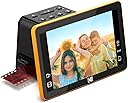
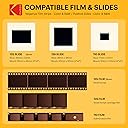
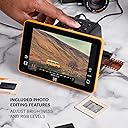
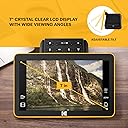
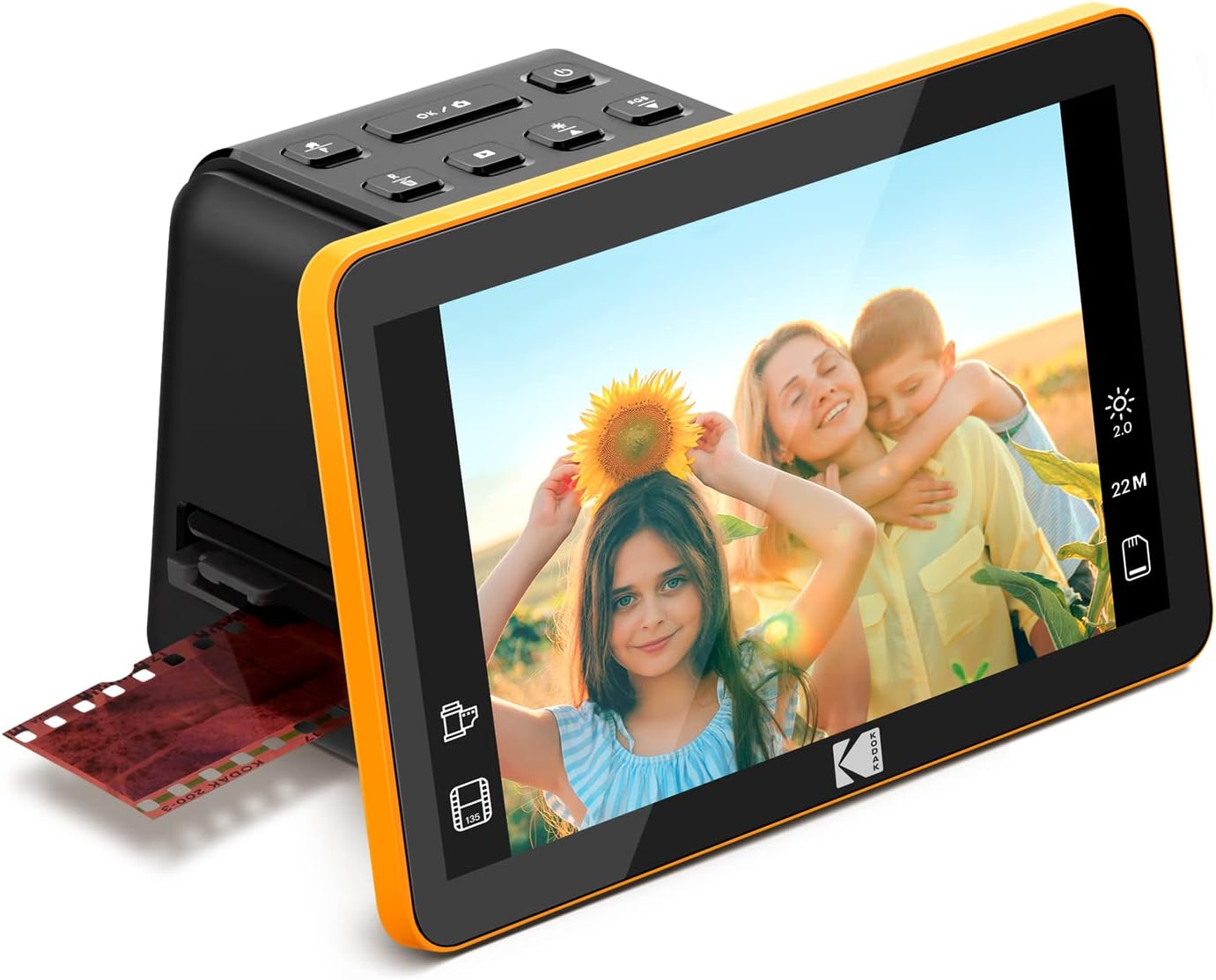
The KODAK RODFS70 is a versatile digital film scanner featuring a large 7-inch LCD for easy previewing and editing of 22MP high-resolution scans. It supports multiple film formats (35mm, 110, 126, 50mm) with quick-load trays and adapters, enabling fast, continuous scanning. Equipped with one-touch editing software and USB-C connectivity, it’s designed to effortlessly convert your old slides and negatives into digital memories, perfect for sharing or archiving.


| Asin | B0B3F6KJJ2 |
| Best Sellers Rank | 21,787 in Computers & Accessories (See Top 100 in Computers & Accessories) 21 in Film Scanners |
| Brand Name | KODAK |
| Color Depth | 24 bits |
| Customer Reviews | 4.4 4.4 out of 5 stars (1,730) 4.4 out of 5 stars |
| Item Dimensions D X W X H | 17D x 13.6W x 11.3H centimetres |
| Item Weight | 454 g |
| Light Source Type | LED |
| Manufacturer | Kodak |
| Media Type | ['Film', 'ScannedImage'] |
| Minimum System Requirements | Windows 7 |
| Model Name | SLIDE N SCAN |
| Network Connectivity Technology | USB |
| Optical Sensor Technology | CMOS |
| Product Warranty | 1 Year Limited |
| Resolution | 22MP |
| Scanner Type | Film |
| Standard Sheet Capacity | 100 |
| Unit Count | 1.0 count |
| Upc | 843812167529 |
| Wattage | 50 watts |
User
Ease of use - Great results
Good scanner, easy to use , just put in an SD card and scan one frame at a time, each frame only takes a few seconds. iI have now scanned and digitised, in JPG format, hundreds of 40 year old black & white and colour negatives. Afterwards I just transferred them from the SD card to my PC. Amazing results, good enough to print a good photo up to A4. As they are digitised into JPG format you can edit them afterwards using a photo editing software. I can recommend it.
User
great bit of kit well worth the effort
This a great bit of kit, very easy to set up. gives easy to follow instructions. Copies the negatives perfectly which you can store on to a card or straight to the computer. Brought some fun memories back, found it relaxing to spend time looking at the negatives once again.
User
Poorly positioned screen makes operation awkward but otherwise does a decent job of copying.
Just copied over 3000 negatives to SDcard, simple to use and transfer to computer.Screen is situated in front which means one is reaching behind to locate the slot for negative strips, it gave me terrible back ache constantly leaning and twisting for access !!Screen ideally should be situated higher and further back to allow access to controls and film carrier. But hey ho it is done now and I will recover!!
User
Does the job
Just right for making those old slides accessible.The process is easy enough and speedy once you get a rhythm going.Annoying that it can't handle portrait orientation but I just rotated in photo editing.I had 1500 1960's slides to preserve and it took me 4 sessions to do them all, onto a 32gb SD card.Then put the card in a card reader, connected to my phone and uploaded to Google photos, in batches of 100, at 5 minutes per batch.Then a quick bit of rotating/cropping/filter editing and I shared the album with my family.They were delighted with the quality and memories.Quality wise, they were fine for viewing on phones/monitors but to be honest, we were more interested in the memory than in the sharpness.Overall, an excellent purchase and would definitely recommend for use as a way of preserving what might be lost - I doubt it would meet the needs of a serious photographer, but I don't think that's it's market.
User
Simple to use, good results, great value for all the memories it brings to life
Worth purchasing. Really read around before selecting this Kodak slide scanner over other makes or the alternative of sending off slides to a professional service. The largest Kodak Slide & Scan screen allowed my father (late 80s) to be actively involved in the scanning of over 1000 of his slides dating back over 50yrs. We had a wonderful time together looking through them all - I wouldn’t have swapped that for anything. The adjustments you can make to the scans is basic, but enough to enable further tweaking later on any phone or laptop. The big enemy is dust - make sure you are diligent to watch out for dust & filaments, it will save you a lot of post-scanning touch ups. We used a makeup brush to remove anything obvious on the slides themselves before feeding them into the machine for scanning & fortunately the Kodak Slide & Scan comes with a nifty slim brushing device to ensure it’s scanning surface is kept clean.
User
Great home device for digitisation of film or slides
Great product for anyone wanting to digitise old memories from slides or film negatives. Easy to use and the 7 inch screen gives good viewing. No software required, and easy to transfer scanned images to computer.
User
Easy to use
So far so good. I like the fact slides can be entered singly, with a clear screen. If you have old Kodachrome slides in cardboard mounts, they can be a bit fiddly. One thing that puzzles me is that once pictures are on an SD card they don’t load in order to my PC.
User
Expensive, limited functionality, but easy to use.
Easy to use as it actually has very limited functionality. The UI is very basic, but I suppose that can be seen as plus as my 80 year old mum got to grips with it very quickly.Well built with a clear screen, but probably only worth £80, not £180 rrp. It does the job, but I wouldn’t buy again, or recommend. This will now do the rounds with the family so that we can all digitise negatives and slides.
User
Prosty szybki w obsłudze
Prosty i szybki w obsłudze. Zdjęcie po obróbce dobra jakość cyfrowa . Polecam
User
Excellent
Pour avoir utilisé le KODAK Slide N Scan Scanner de Film numérique Max 7 avec quelques 500 diapositives ou plus, j’ai trouvé son fonctionnement et son rendu simplement excellent.La mise en route et la prise en main sont très simples. Les réglages d’appoint de la luminosité et de la couleur sont efficaces et le rendu final assez bluffant. Avec l’habitude rapidement prise, on peut enchaîner la numérisation des diapositives à grande vitesse. Le grand écran de contrôle de 7’’ est clair et offre une très belle image au couleur naturelle. Le transfert des photos numérisées sur l’ordinateur est au départ en peu surprenant. En effet, il n’y a pas de réel transfert, l’action de transfert permet simplement de faire apparaître la carte mémoire de notre Kodak dans l’explorateur Windows et ainsi permettre de copier ou transférer les photos sur notre ordinateur.Kodak pourrait fournir un dispositif pour évacuer la dernière diapositive scannée. En effet en fonctionnement, l’insertion de la nouvelle diapositive pousse la ou les précédentes qui après avancement tombent au bout de la glissière très simple et efficace. Mais quand la dernière diapositive est en place, on ne peut plus la faire avancer. Kodak aurait pu fournir un petit gadget tout simple du format d’une diapositive avec un petit manche à son extrémité pour pousser la dernière diapositive jusqu’à sa sortie de glissière.De même l’entrée de la glissière pour diapositive aurait pu être un petit peu évasée pour faciliter l’entrée de la diapositive.Mais le KODAK Slide N Scan Scanner de Film numérique Max 7 est un excellent appareil et je ne regrette pas mon achat même s’il n’est pas donné.
User
Quick and Easy Amateur Slide & Negative Viewer/Scanner
Though maybe not the highest quality or fullest-featured transparency scanner, this product is GREAT for quickly and easily reviewing and scanning old family slides and negatives. The native 13MP image sensor is fine for the amateur family slides and snapshots from old cameras, in my opinion. 35mm negatives and slides produce 4320 x 2880 pixel image files, which seem to be about as clear as I would expect the old film to produce, if the original photo was sharp and clear (largely a function of the camera quality).Reviewing and scanning color negatives is especially nice, as it is very difficult to post-process color negatives in software - you can't just "invert" a color negative accurately with most photo editing software. With this viewer, you can just select "Color Negative" and view (and scan) your negative strips as if they were positive slides! Very handy and useful, something you can't do with just a light box and a magnifying glass.I also really appreciate the auto-exposure feature. It automatically compensates for over- and under-exposure in the slide or negative, making it quick and easy to correct and scan amateur shots. It seems to do quite well with compensating for a wide range of over- and under-exposed shots. The color correction feature, if needed, also seems to do a decent job with some fiddling - sometimes saving the extra step of post-processing some color corrections in photo editing software.I do wish they had a mode for over-scanning some slides and negatives, to reduce the auto-cropping of slides and negative frames. As other reviews have described, the scanner crops the images a little from what is usually available on the film. This is handy for most images, since it cleans up the edges by cropping off the "fuzzy" edges and rounded corners on slides and some negatives - but sometimes you need to capture the very edges of amateur shots for some critical details. With this scanner, you sometimes need to make small sacrifices over what might have been possible if you could scan more of each film frame, and do your own edge clean-up when needed.The only other issue I had was with some old non-35mm square negatives (127 format film, 40mm x 40mm image sizes). I WAS able to scan most of these negatives in a 35mm form by NOT using a film adapter (just the slide carrier), and selectively cropping a fair amount from the top and bottom, and a little from the sides. But it would be nice to be able to better handle more of the 40mm square negatives that seemed to be popular in the 50s and 60s or later.And REALLY, Kodak - not allowing the date to be set earlier than 1980?? Come on! Those old negatives and slides from our parents and grand-parents are still relevant today! My photo editing software allows the date and time "Taken" on digital images to be changed (EXIF "DateTimeOriginal"), but apparently the scanned date (EXIF "DateTimeDigitized") from the Kodak scanner is still retained in the image meta data. This causes issues with some handling in my photo organization software (Photoshop Elements Organizer).Overall, I am very satisfied with this scanner for my main purpose of easily viewing and digitizing old slides and negatives!
User
Snabb skanning
Snabb, enkel skanning av dina diabilder. Glöm ej att beställa minneskort
User
Great product, fast feed and fast scan - just get a mini HDMI converter.
Delivers perfectly - fast and easy. Only issue is it does not come with a mini HDMI adapter - lucky I had one to push up to my TV for shared viewing. Great display and auto-corrects brightness so is generally pretty close to perfect on slides and film. Really impressed and super happy with the speed of feeding slides and film - way quicker than scanning!
Trustpilot
3 weeks ago
1 month ago