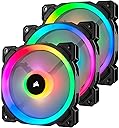
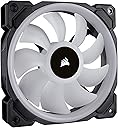
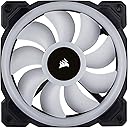
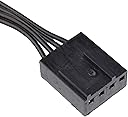
🌟 Light up your build, silence the noise, and own the airflow game!
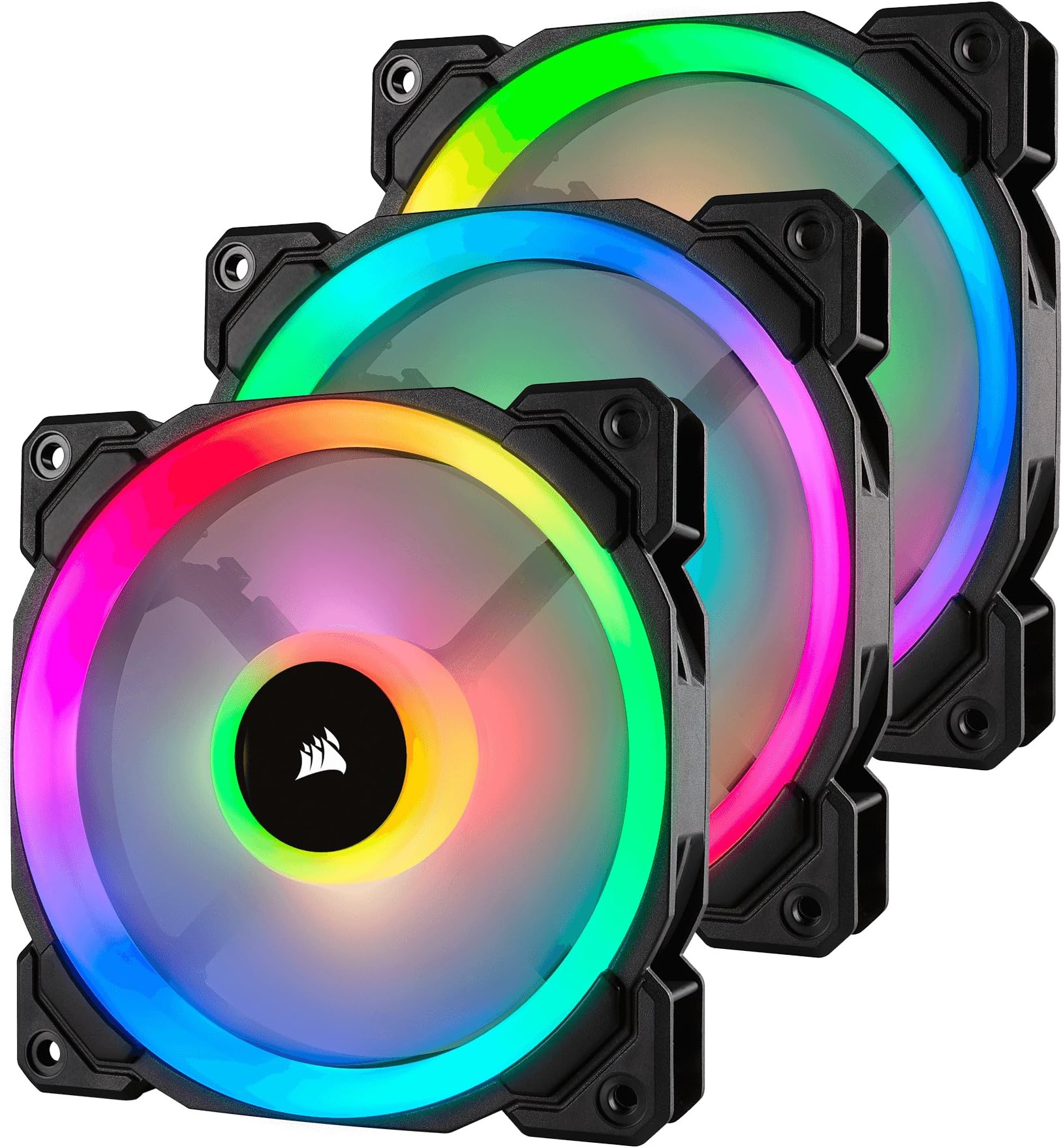
The Corsair LL120 RGB PWM fan pack features 16 independent RGB LEDs per fan with dual light loops, delivering stunning customizable lighting effects via the included Lighting Node Pro. With a powerful 43.25 CFM airflow and ultra-quiet 24.8 dB noise level, its 120mm hydraulic bearing fans offer precise PWM speed control from 600 to 1500 RPM, balancing cooling performance and silence. Designed for professionals and enthusiasts seeking both aesthetic brilliance and efficient cooling, this 3-fan pack elevates any PC build with vibrant lighting and reliable airflow.


| ASIN | B075VGN4M1 |
| Air Flow Capacity | 43.25 Cubic Feet Per Minute |
| Best Sellers Rank | #861 in Computer Case Fans |
| Brand | Corsair |
| Brand Name | Corsair |
| Compatible Devices | Desktop |
| Cooling Method | Fan |
| Customer Reviews | 4.7 out of 5 stars 12,281 Reviews |
| Global Trade Identification Number | 00843591032438 |
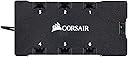
| Included Components | 3 Fans, 1 RGB Lighting Hub, 1 CORSAIR Lighting Node PRO |
| Item Dimensions L x W x H | 4.72"L x 4.72"W x 0.98"H |
| Item Type Name | Corsair LL Series, LL120 RGB, 120mm Dual Light Loop RGB LED PWM Fan, 3 Fan Pack with Lighting Node PRO |
| Item Weight | 1.1 Pounds |
| Manufacturer | Corsair |
| Material Type | Copper |
| Maximum Rotational Speed | 1500 RPM |
| Model | CO-9050072-WW |
| Noise Level | 24.8 Decibels |
| Number of Items | 1 |
| Part Number | CO-9050072-WW |
| Power Connector Type | 3-Pin |
| Product Dimensions | 4.72"L x 4.72"W x 0.98"H |
| UPC | 843591032438 |
| Unit Count | 3.0 Count |
| Voltage | 13.2 Volts |
| Warranty Description | 2 Years |
L**R
Great If You're Looking for Fully Customizable Case Fans
I am seriously in awe at how vibrant these fans actually are. The LED brightness is definitely there. Upon buying anything RGB related I try to find something in the same company, because it is way easier to have all of your RGB linked to one program than to have several different ones open. This review goes out also to the Corsair H100i RGB Pro XT, which is our dual fan AIO. Anything really Corsair is going to act exaclty how you expected and this is exactly how I expected these fans to function. Corsair's iCue program makes these fans really sparkle. It is awesome how well they can synchronize and work off of each other to create spectacular experience in which every single LED is customizable to even get a specific color hash code. There are multiple lighting presets and you can create your own color settings if you would like which can change your PC's entire look just by clicking once. The fans overall are pretty quiet, they are like any other case fan in terms of PWM. They can be controlled through AI in your BIOS settings and while idling are pretty quiet. Haven't noticed any sort of vibrating coming from them. As a gamer, who likes to have customizable features in his PC, these are a good buy. On the question of how good they cool, I have no idea. Case fans cooling ability is really as good as any other, but regardless, these fans are worth every penny! Vibrant Colors to Use: #e92efb #ff2079 #440bd4 #04005e #24275f PS: If are building a new PC and are looking at an AIO for coolant, the H100i RGB Pro XT is the way to go. The performance is there and will keep your CPU at a temperature under 60C. If you do plan on buying that use the following performance setting: 30C - 10% 40C - 15% 50C - 25% 60C - 40% 65C - 65% 70C - 100% And set it to follow the sensor of your CPU Package.
D**.
Solid Fans
Solid fans with easy installation, good movement of air, and vibrant LED lighting. The wires are of good length to where one can mount these anywhere they like in their case. I've always preferred Corsair LED fans as their white light is more pure whereas others have white light that have a blue tint.
K**T
Pros and Cons of the Corsair LL120 fans
I enjoy these fans immensely and I hope this review helps others with their decision on computer fans. If you want a slick looking computer with great cooling performance this is the way to go. I bought there for $90 a pack cause I got a deal from the U.K. Amazon. Great price for some pretty great fans. Pros: There are a ton of awesome lighting features. They cool very well. It's a ton of fun to show them off. Cons: The're pretty pricey. They are difficult to install because you have to pre drill the screw holes. This wasn't nearly as hard as it was for my Noctua fans though. Another reason it was hard was because I have a really big CPU fan that I had to take out and put back in several times. Depending on how well you want your computer cooled, for instance max speed on all fans, they can be loud (I don't really care about this but some people do). Final comments: One last note is that there are two wires per fan. An RGB and a fan power connector. I have six fans. Lots of wires means lots of cleanup. This can take a while, but I also bought the Corsair Commander Pro. This piece keeps all of the wires in one spot and it looks very clean in the front of the computer. All you need extra for the Commander Pro is an RGB hub which comes with the three pack of ll120 fans. Thanks for reading, hope this helps!
R**N
Great fans, confusing install for newbies.
LL120s are top of the line RGB fans, they're quiet and move a good amount of air in and out of your case. The only thing that actually sucks about them is the non direct install. Each fan comes with two headers, one for the RGB lights in the fan, and the other is 4 pin pwm for the fan itself. To get the RGB working you'll need to run all the RGB headers to the included RGB header...and that plugs into the included Link, both require SATA power, while the Link requires an additional USB 2.0 header so you can actually control the RGB. If you're buying these fans I HIGHLY recommend a PWM fan splitter or hub. Wiring these fans to the board and the RGB to the link would be incredibly difficult without a central hub or splitter. Luckily those are fairly cheap and work great. Overall, great fans, add a good amount of personality and cool gameryness to your build.
D**W
Clean looking fans
Fans were easy to install, however, each individual fan was individually wired for power and rgb control - meaning two decently long wires out of each fan (I bought the pack of 3). It comes with everything needed to hook up the fans including the node pro, and was plug and play. Only thing that bothered me was all the extra wiring in the backside of the tower I needed to worry about due to all the extra wires. Other than that small complaint, the fans are phenomenal. They are quiet, smooth, and of course, the rgb is gorgeous, which is probably why you’re looking at these fans. At first I was a bit concerned with switching over to a lower rpm fan (previous fans was 2200 and these are 1700 I believe), but haven’t noticed any difference in cpu/gpu temps. Not really sure what the other reviews are having trouble with as far as rgb controls, mine literally was plug and play, opened up the iCue panel, and customized my lights from there.. I know everyone’s system is different though. Will be buying these again!
A**5
These absolutely give you the best light output by far!
Over the years I've built many computers and lighting in the last 15 years has gotten much better! More complicated in the software aspect but good results if you're willing to invest the time. These are immediately eye catching if even if you're trying to avoid looking at them LOL. They're bright, vibrant do a great job of aesthetically blending the colors but still making them stand out. In regards to the color and the ability to manage it, very impressive but again time consuming. I just wish that Corsair would do a better job of letting people know which controller you need to do what. Lights alone for case interior are one controller, for the fans a different controller, then you have the XT Master controller I believe for both and now there is even a newer master control? WTH Corsair? Some fans are 3 pin and some fans are 4 pin PWM VS RGB or a combination of both ugh. You're going to have to spend some time researching this if you plan to use any. These fans are incredibly quiet though. If your case is closed you can't even hear them, I give them that! If you max them out you may hear the typical spin up and whining but that's in any fan but these are still much quieter even then. Would I recommend them? If you want your build to stand out, definitely yes. But be aware you are going to spend some time figuring out the controller situation and time doing cable management as well as figuring out the software. In the end you'll get there but point A to point C also involves going through point B. That IS the nicest way for me to explain it.
A**S
Brightest RGB fans you can get!
These fans are BRIGHT! I was about to buy the NZXT AER fan kit, and these dropped just as I was building my new rig. I'm very glad these popped up, because honestly they are the brightest RGB fans I've ever seen. These are wayyyy better than the NZXT ones, the corsair HD series, and the thermaltake riing series too. They integrate well with Corsair Link 4, and the lightning controller that comes with it is very capable. I have 6 fans off it, 3 140mm and 3 120mm, and have 4 corsair lightning strips off the 2nd port of the controller. The biggest hassle is the dual cables coming off each fan - one for the lightning controller, one PWM for a fan header. I was able to use a 2 way splitter for the 6 fans and run them as 3 off a motherboard fan extension header no problem, but adding the other cable to the lightning node created a cable mess in my case that was only easy to hide due to my Carbide air 540 case. If you get a lot of these, make sure you have decent room behind your rear panel (and pray if you have a full tempered glass case). One tip I can add is, when you add in your fans, mark down which one is 1, 2, 3, etc. Then attach them to the lighting node in that order, or you can have fans that run out of sequence if you want a "chasing" effect. Speaking of effects, the ones programmable in CL4 are great - there's about 14, with a few being just small variants of one. Pong is pretty cool, and rainbow wave really shows off the full RGBness of them. Only downside to CL4 is that when you go to apply the settings, you have to click "copy to..." then make sure all the fans are clicked on the right side and click ok. It's kind of a pain to do every time, but there's a lot of creation here, and the fans are BRIGHT. They overshadow almost everything, but they're fantastic and totally awesome. They are pretty expensive though. Worth it to me, may not be to you, I wanted an RGB insanity case long before this craze came along so I'm happy with it.
J**K
Love these lights
Great addition to my white tower between the lights and the colors and compliments very well
B**0
Eyecandy-Lüfter
Vorwort: Habe mir kürzlich 2x das 3er Pack (120mm) bestellt, für 90€ das Pack. Ist für ein 3er Pack 120mm Lüfter sicherlich nicht wenig Geld und etwas kostspielig. Man muss aber dazu das sie von der Qualität und dem mitgeliefertem Zubehör sehr gut sind. Kenne keine Lüfter die qualitätiv besser - deutlich besser sind. Die verschiedenen Lüfterelemente wie Rahmen, Motor und Rotoren machen einen hochwertigen Eindruck und fühlen sich dementsprechend an. Beim mitgeliefertem Zugehör handelt es sich um 12x Schrauben, ein Lightning Node Pro und das Lüfter-LED-Steuerelement + Verbindungskabel zum Node Pro (Natürlich noch die SATA-Stromanschlüsse). Installaion: Die Installation der Lüfter geht gut von der Hand. Die Lüfter haben jeweils 2 Kabel, einen 4 PIN PWM-Anschluss zu Lüftersteuerung und einen 3 Pin LED-Control-Anschluss. Wie sich vermuten lässt, muss der PWM-Anschluss auf einen 4 PIN-Stecker auf dem Mainboard und der 3 Pin Stecker in das Corsair LED-Steuerelement, welches wiederrum mit den Lightning Node Pro verbunden wird. Das Lightning Node Pro wird mit einem USB2.0-Anschluss (intern) auf den USB2.0 Header auf dem Mainboard angeschlossen. Wenn alle Kabel richtig gesteckt sind, laufen die Lüfter und die Beleuchtung ist über die Corsair Software ICUE oder LINK4 steuerbar. An diesem Abschnitt gibt es die einzige Kritik. Da jeweils 2 Kabel von jedem Lüfter abgehen und alle 3 Pin-Stecker in das Steuerelement gesteckt werden müssen, ist das Thema Kabel-Management echt nicht leicht Die Kabel kommen, je nach Position der Lüfter aus allen Ecken des Gehäuses, da ist es schwierig die Kabel passend zu verlegen. Es gibt andere Herrsteller die nur 1 Kabel am Lüfter benötigen. Das macht das Verlegen der Kabel zwar einfacher, aber dafür geht dann meist die Lüftersteuerung via Mainboard flöten. Daher gibt es keinen Stern-Abzug. Bedienung: Die Bedienung der Lüfter ist kinderleicht. RPM wird über das Mainboard (oder dedizierte Steuerung) gesteuert und für die Beleuchtung gibt es die erwähnten Softwares. Ich persönlich nutze die ICUE-Software und diese ist echt großartig. Jede LED ist einzeln ansprechbar. Auch die "Reihenschaltfunktion" ist ein Augenschmaus. Näher möchte ich nicht auf das Thema eingehen. Wer mehr wissen will, Youtube ist da sehr behilflich :D Fazit: Wie man schon erahnen kann fällt das Fazit mehr als positiv aus. Die Lüfter sind sehr performant, haben eine gute Kühlleistung bei relativ leiser Geräuschkulisse und sind mit Abstand die am best aussehensden Lüfter auf dem Markt. Die einzigen Lüfter die da ernsthaft Konkurenz machen können sind die Thermaltake Trios, welche aber rund 30% teurer sind und die eine wesentlich schlechtere Steuer-Software haben (Habe die Thermaltake Riing Plus und nutze die Software halt auch). Der einzige Kritikpunkt sind halt die 2 mittellangen Kabel je Lüfter, aber dies ist mit etwas Hirnschmalz auch lösbar. Von mir also eine klare Kaufempfehlung :D Danke fürs Lesen PS.: Kann gerne bei Bedarf Fotos und Videos hochladen.
♏**И
beau et bon refroidissement
Très beau ventilateur, fonctionne bien, j'en ai au total 8 dans ma tour (Lian-Li PC-O11) pas de mauvais bruit, j'ai créé une courbe de ventilation à partir de certains paliers de température donc ils ne me dérangent pas le moins du monde avec le casque sur les oreilles, je ne les entends pas et sans le casque très peu, j'en suis globalement très content juste niveau prix, je les trouve un peu chers, mais je recommande les corsair LL 120 RGB si vous voulez avoir de la couleur dans votre boitier et de bonne performance de refroidissement :p
R**X
Mmmmmmm
Retiré les mousses noir sur du blanc. Passé d'un cablage noir à blanc Mais sinon il font LARGEMENT leur travail ! 4,7 étoiles
S**E
Matige rgb en zeker voor de prijs
Heb deze fans vele malen gezien in YouTube video’s en op het internet en had hoge verwachtingen. Was erg teleurgesteld toen ik de fans kreeg. Ze zien er even goed uit als een rgb fan pack die ik voor €25 van AliExpress een keer heb gekocht. Je kan de individuele leds duidelijk zien en die witte kleur heeft een duidelijk blauwe tint. Met de software heb ik dit enigszins kunnen aanpassen naar onmogelijk om een mooie witte kleur te krijgen. Performance is verder wel goed en software is ook handig maar de verlichting valt mij erg zwaar tegen en vind ik €150 voor 6 fans toch wat aan de hoge kant. Gelukkig bestaat het herroepingsrecht.
K**K
Corsair LL Series LL120 RGB easily installed and worked beautifully!
Oh, my! What sensational spirals, beautiful and bright RGB colors they are. Added wows and ahs to an otherwise dull and boring user experience to a pitch-dark PC casing! Allowed me to view all the components of the PC clearly especially at night! Enjoyed watching the colors for hours as if like looking into a brightly-lit aquarium with beautiful fishes swimming in the water! Haha...10/10 for aesthetics and functionality!
Trustpilot
2 days ago
2 weeks ago