Buy anything from 5,000+ international stores. One checkout price. No surprise fees. Join 2M+ shoppers on Desertcart.
Desertcart purchases this item on your behalf and handles shipping, customs, and support to Congo.
๐ฑ Touch the Future of Displays!
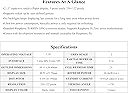
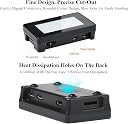
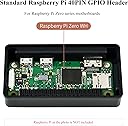
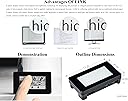
The 2.13-inch Touch e-Paper Display by Waveshare is a cutting-edge display solution designed for Raspberry Pi Zero models. With a resolution of 250x122 pixels and a capacitive touch interface, it offers a unique paper-like effect that remains visible even when powered down. This display is not only energy-efficient, consuming minimal power, but also features quick refresh rates, making it ideal for various applications. Its compact design and compatibility with Raspberry Pi make it a must-have for tech enthusiasts and developers.
| Brand | Waveshare |
| Package Dimensions | 10.62 x 8.1 x 3.1 cm; 50 Grams |
| Item model number | H-2.13"Touch e-Paper+Case-P |
| Manufacturer | Waveshare |
| Colour | 2.13" Touch e-Paper with Case |
| Standing screen display size | 2.13 Inches |
| Screen Resolution | 250 x 122 |
| Processor Brand | Raspberry Pi |
| Wireless Type | Infrared |
| Number of HDMI Ports | 1 |
| Operating System | Raspberry Pi OS |
| Are Batteries Included | No |
| Item Weight | 50 g |
| Guaranteed software updates until | unknown |
T**N
Great Finished Project Enclosure
Worked great for a fun little project I did, a pretty popular I imagine of your landing here too. However, do not expect to use a Pi Sugar with this as itโs a fantastic enclosure, but obviously wonโt work with pogo pins
F**E
Works well but can be frustrating
I bought this as a test unit after I thought I destroyed one I was trying to hardwire. Contrary to what the manufacturer will tell you, the solders pads are NOT connected to the header. So if you want to hardwire you need to pull connections directly off the header. Also, the reason I bought this one is because after hardwiring I lost access to the touchscreen so I thought I broke something. Turns out the manufacturer's cabling diagram is missing one significant piece - you also need to bring power across in order for the touchscreen to work! I'm using the 5v pin but 3.3v would probably also work (not tested). Overall, nice little screen but getting it hardwired was seriously frustrating and I'm a more than a little annoyed with Waveshare for not providing accurate documentation.
S**I
great addon
easy to use and great for mini projects
R**.
Perfect for my need
Does exactly what I want. If you know, you know. ui.display.enabled = true ui.display.type = "waveshare_3" ui.invert = false
C**R
Worthless non-working screen with no support and HORRIBLE ONLINE ONLY documentation.
The documentation with the screen is NON-EXISTENT. The documentation on their website is worthless. It is not for a specific screen but for several screens, all of which could be the one you purchased because they don't label them properly (it might have a V4 sticker on the screen but it's a V3 or something else entirely). They have NO support, supposed e-mail form on their site just errors out when you try to submit. Their code examples are YEARS OLD AND OUT-OF-DATE. AVOID AT ALL COSTS! DO NOT THROW AWAY YOUR MONEY ON THESE.
Trustpilot
2 months ago
1 week ago