Desertcart purchases this item on your behalf and handles shipping, customs, and support to Congo.
🔍 Test Smarter, Stay Connected—Don’t Let Faulty Cables Slow You Down!
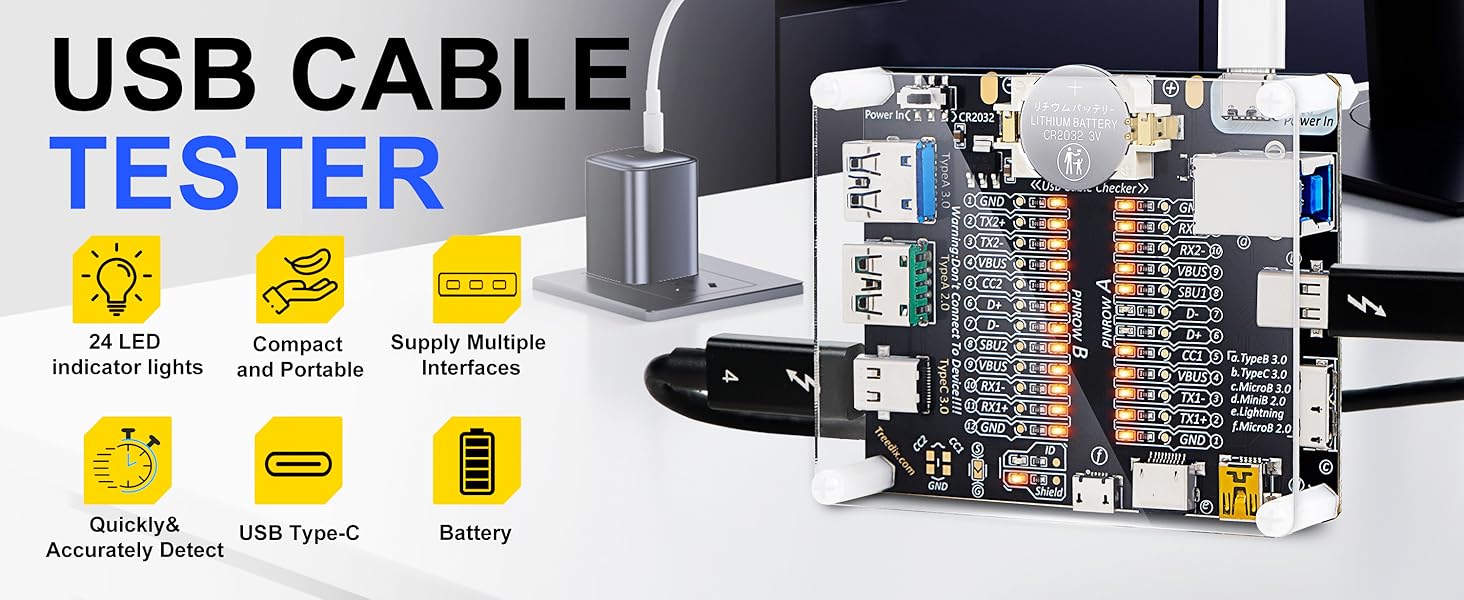
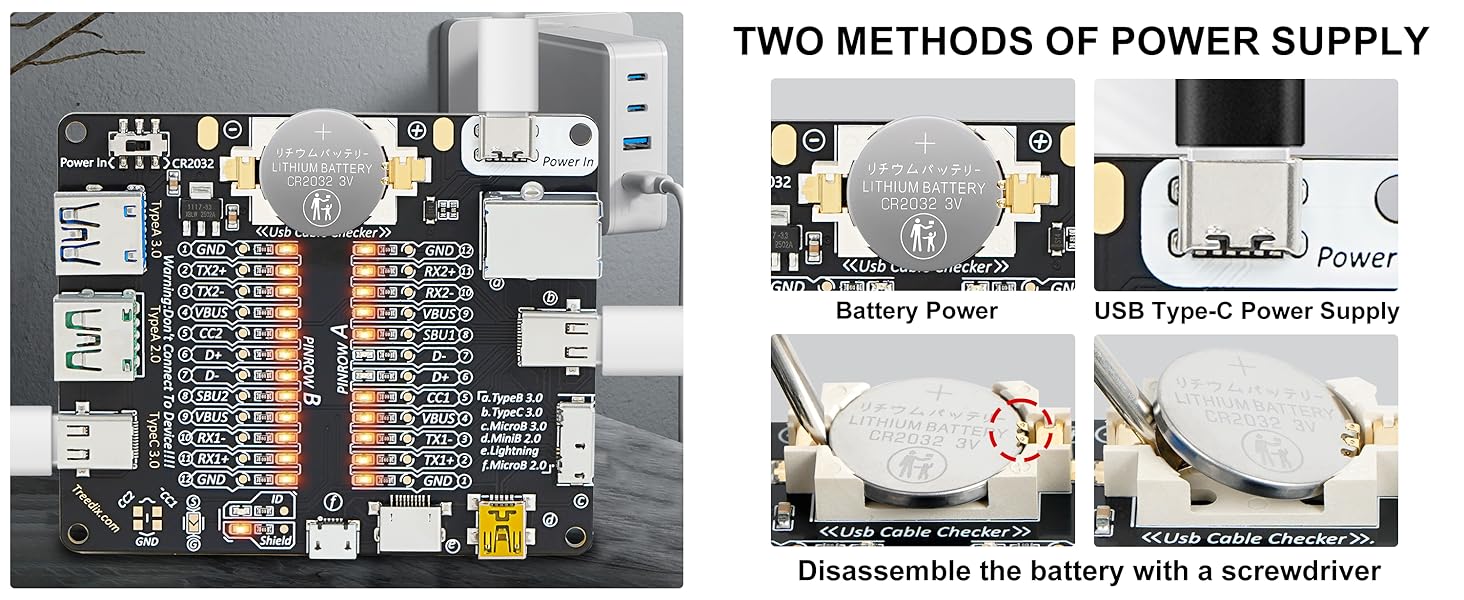
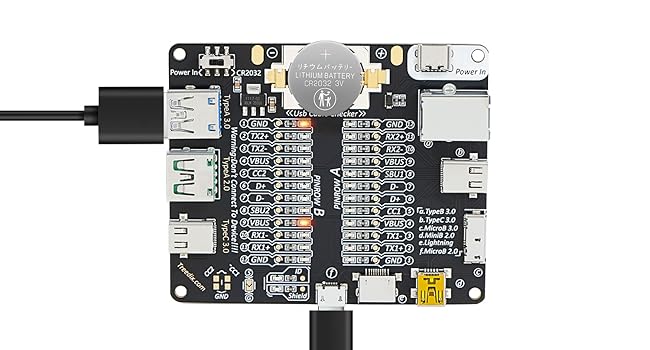
The Treedix USB Cable Tester Board is a compact, versatile tool designed for professionals to quickly and accurately test a wide range of USB cables including USB-C, Lightning, Micro USB, and Type A/B. Featuring 24 LED indicators for detailed pin diagnostics, dual power options (CR2032 battery or USB-C 5V), and a protective acrylic case, it ensures reliable detection of wiring faults and shorts to maintain optimal device performance.


| Asin | B0CF95VL2Y |
| Best Sellers Rank | #18,294 in Industrial & Scientific (See Top 100 in Industrial & Scientific) #29 in Network & Cable Testers |
| Brand Name | Treedix |
| Color | Transparent |
| Compatible Devices | USB devices with TypeB 3.0, TypeB 2.0, TypeC 3.0, MicroB 3.0, MicroB 2.0, MiniB 2.0, and Lightning connectors |
| Customer Reviews | 4.5 4.5 out of 5 stars (847) 4.5 out of 5 stars |
| Item Highlight | USB Cable Checker with Acrylic Case Continuity Short Circuits and Wiring Faults by Checking the LEDs |
| Item Weight | 9.07 g |
| Manufacturer | Treedix |
| Minimum Operating Voltage | 3 volts |
| Model | USB Cable Tester with Acrylic Case |
| Number Of Items | 1 |
| Number Of Packs | 1 |
| Part Number | TRX5-0575 |
| Power Source | Battery Powered |
| Specification Met | Ul 61010-1, Ce Marked |
| Style Name | USB Cable Checker with Acrylic Case |
| Unit Count | 1 Count |
| Upc | 644197770089 |
User
Essential Bench Tool for Sorting Charging and Data Cables.
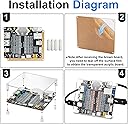
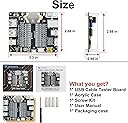
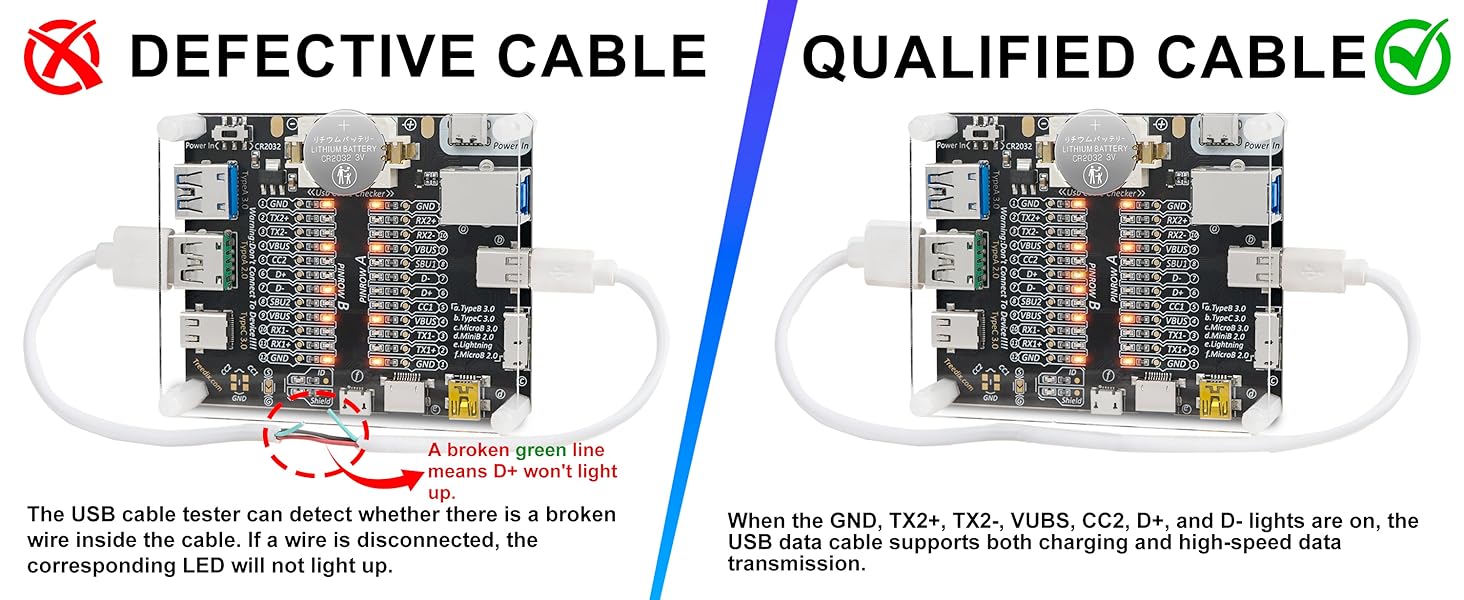
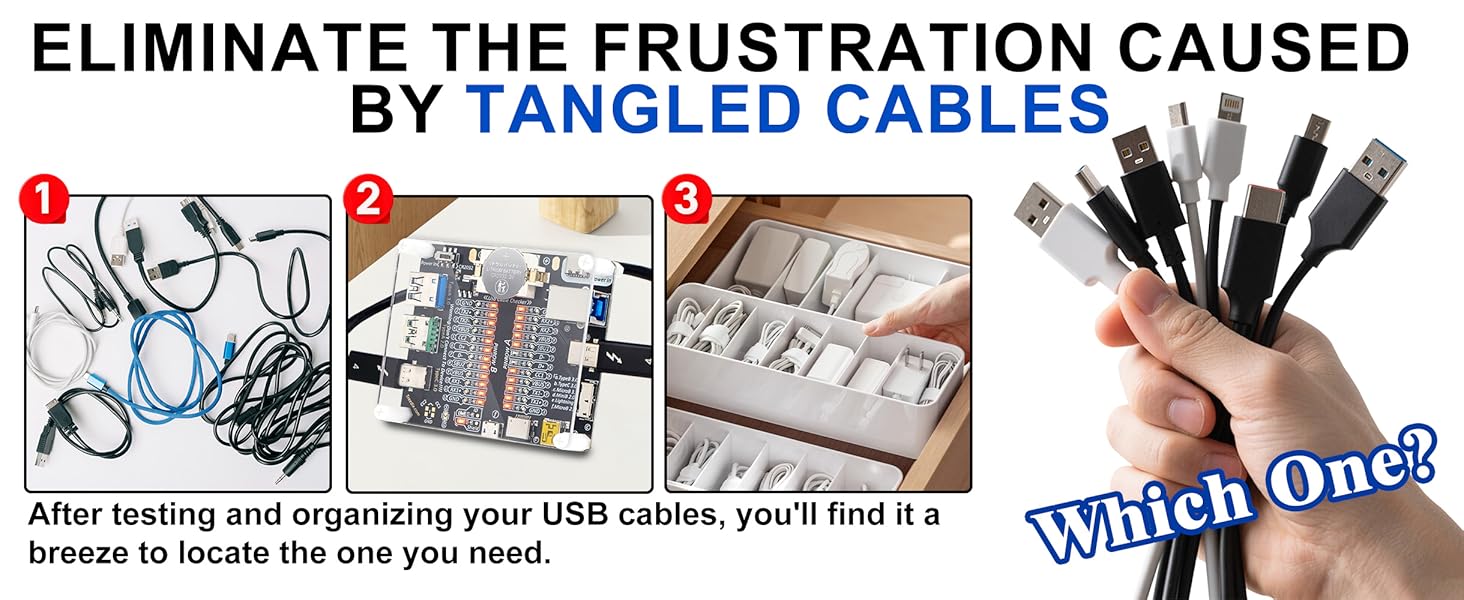
As someone who frequently manages a large inventory of electronics and charging accessories, the USB Cable Tester is a practical solution to a common problem. We all have a drawer full of "mystery" cables, and this board provides an immediate, visual way to distinguish between high-quality data cables and "charge-only" versions.Functional VersatilityThe board is impressively comprehensive for its size. It features input and output ports for almost every common USB standard:USB Type-A and Type-BUSB Type-CMicro-USBMini-USB (found on some older peripherals)By plugging a cable into the corresponding ports, the LED indicators tell you exactly which internal wires are functional. If only the VCC and GND lights illuminate, you know it’s a power-only cable. If the D+ and D- lights also light up, you’ve confirmed it can handle data transfers.Build Quality and ProtectionAt the $15.99 price point, I was pleased to see the inclusion of a clear acrylic protective case.Durability: It gives the board a bit of heft and protection from dust and physical damage while still allowing you to see the silk-screened labels on the PCB clearly.Assembly: The case arrives as a kit with protective film on the pieces. Assembly is straightforward and takes only a few minutes with the included standoffs and screws.Ease of UseThe operation is purely plug-and-play. There is no complicated software or screen to navigate. You simply provide power to the board via a dedicated Type-C or Micro-USB power port (not the cable being tested), and then plug in your test cable. The results are instant. It is a much faster workflow than plugging cables into a computer and checking the Device Manager to see if they are recognized.Pros:Dual power, battery, or USB-CWide Compatibility: Supports Type-C, Micro, Mini, and Type-A/B.Clear Indicators: LEDs provide an instant pass/fail for power and data lines.Protective Case: The included acrylic shell is a significant value-add for bench safety.Excellent Value: At $15.99, it pays for itself by helping you identify and discard faulty or substandard cables.Cons:NoneFinal Verdict: This is a must-have for anyone who tinkers with electronics or simply wants to organize their home cable collection. It is a reliable, well-built, and inexpensive diagnostic tool that does exactly what it's supposed to do. For the price, it is a highly recommended addition to any toolbox or tech desk.
User
Basic operation, multi-USB compatibility, low cost
This is a relatively basic USB cable tester. It mainly tests for active connector pins, as well as electrical continuity between the connectors, so it can detect fractures wires, as well damaged or dirty pins. It is conveniently powered by a user replaceable CR2032 Lithium battery, but it can also be powered by an external source using a cable with USB-C connector. It tests USB cables with several types of USB connectors (USB-A, USB-B, USB-C, mini & micro USB, etc.), as well as the Apple lightning connector. It does NOT have an E-marker chip reader, so it cannot test type of PD (Power Delivery), data transmission rate, or VBUS resistance.Newer versions of this USB cable tester use different LED light colors for the different function pins (power, data, etc.) instead of using the same orange color for all LEDs.
User
Mostly pros but a few cons
Pros:Make no mistake, this is a well-made, inexpensive, and useful gizmo for checking USB cables since manufacturers don't seem to be willing to clearly identify how much of the USB spec a given cable covers in its wiring (i.e., is it charge only, data and charge, for video and audio, etc). I actually endorse the plexiglass cover you get for an extra $2. It's easy to put on or leave off, with threaded stand-offs that lift the circuit board's bottom off of a table surface. The components are surface mounted except for the USB connectors, so there's little to be gained by adding more to the case (although you could, since the underside stand-offs are threaded for a screw insert to allow mounting an underside cover should you wish to do so (I wouldn't bother) I should note that the plexiglass is protected by a brown paper contact sheet you peel off to get the beautiful clear plexiglass you expect. Amusingly a small bladed screwdriver is included that doesn't fit the Phillips head nylon mounting screws.Cons:The instruction manual is minimal, failing to explain how to interpret the results for a typical cable or even how to hook it up (while for me it's pretty obvious, it might not be so for others). It's also an annoyance that the box isn't big enough to hold the gizmo with the plexiglass cover installed. My real quibble is the use of a JST PH2 power supply connector should you want to bypass the battery (or if it is dead). There is (unexplained) a switch to channel power from the battery or from the power supply input (Vin). A JST PH2 plug is a type not found in most if any plug adapter kit; i.e., you would have to acquire a plug and wire it up to a power supply since it's unlikely you already have that kind of plug on hand. At least Vin is not voltage specific (3V < Vin <12V) so you could just use one of those old 5V cell phone chargers you have lying around to convert to a JST PH2 plug (doing whatever is necessary to identify +/-).I really like the thing for weeding out bad cables and separating by type (which I diligently label using an old label maker I have on hand). The cons are annoyances rather than deal breakers. I recommend the gizmo.
User
For a low price - Provides the cable pins connection you need to know to determine functions
Updates on some of the 'cons' in older reviews:1) The external power supply connector is now a type-c plug, so any USB charger with a male 'C' plug will work as a power supply2) The micro power switch is not an on-off switch. It is to select the power source, when push toward the battery, the battery is the source of power. When the knob is pushed away from the battery, the source is the external source if one is connected. If external source is not connected, you can think of it as it is in the off mode. There is no need for an on-off switch. If no test cable is inserted, no power is utilized.If you don't have external power source, the switch needs to be slide toward the battery.3) The external source 'Vin' outlet (type-c) is located at the top right position on the board. It is labeled, 'power in'. Do NOT confuse it for the test outlet for your type-C cable plug. I noticed one reviewer using it to connect his test cable and stating that the device was DOA when his test cable was plugged into the 'Vin' outlet and not the test cable port.4) To test a cable, one end must be inserted on the left side (typle-A or C). The other end must be plugged in one of the 6 types located on the right or bottom edge. The type-c on the top is for external power, it's not a test port.This is a low cost test tool that provides information on which pins are being used in your cable. From the diagrams in the online documentation, you can determined most of the functions the cable is wired for.For $30+ more you can get an upgraded model that will display all the functions that are embedded in the cable, a reading of the E-marker if one is embedded, and the internal resistance of the connection pairs.The model # is TRX5-0816
User
If you ahve any cables like HDMI or modem cables, take a look at this.
This review is for the Treedix USB Cable Tester with LED for Type-C, Micro Type A, Type B | USB Cable CheckerThis tool is just one of those things that should be around the house if you have internet, or like service that requires a cable. It saved me a lot of time by being able to find out instantly if a cable was good or not. Kind of cheaply made case, but, it's not like it gets used everyday, at least it doesn't around here. But when you need it, it's nice to have on hand. Worked very well the few times that it did get used. Buy again, no, but I do not need another one. Good deal? It's alright.
User
Highly Recommend!
Easy to assemble and use. It really helped me determine which cable allows data transfer and which ones only charge equipment. This tester tells me which cables are safe to use at an airport charging station, so I don't have to worry about whether my data is being breached.Highly recommend!
User
Very Useful
I purchased 2 of these and they work quite well. They are very useful for testing all types of USB cables and also for distinguishing full data cables from charge only cables. You have to work with it a bit to get the knack of using this.
User
Good value for technically savvy non-frequent users.
This is a cool device for technically savvy, who can decipher the meaning of these signals. One big issue: The device has an almost invisible switch of the power source, which is set to the external power. I have not spotted this, and replaced the batteries in assumption that the battery was dead. To no avail. So I already prepared a package to send it back, but than as an experiment I plugged in USB-C cable into the power in socket, and... Success! It worked. And indeed, the terse manual section 1.1 "Usage method" says to move "the switch to CR2032 or to Power-In position." But it does not show where the switch is. However a diagram on another page "-1" I guess, ahead of the content page, indicate this switch indeed. So remember to move the switch for the battery powered usage!One common dilemma in these manuals from China is the microscopic size of letters being used. To read it I photographed the pages 9 and 10 and printed them in a reasonable size.The device itself is clearly a compromise: Much lower price at the cost of a very technical indication. If you understand the details and meaning of these signals and barely every use it, this is the way to go. Otherwise, if your job entail frequent cable testing I would clearly recommend to get a more expensive device with a status display. The 9 sockets in this gadget cover most legacy USB standards, incl. mini-USB, USB-B and Micro-USB-3.
User
Amazing
Amazing part very useful to check the USB cables
User
Sort out unknown usb cables
I bought the option with cover so some assembly required. Works as advertised. It’s helped me organise my usb cables.
User
Recomendable
De facil uso, permite rápidamente determinar si el cable funciona adecuadamente y que tipo de cable es
User
Excellent
USB cables come in all kinds of capacities. This lets you quickly know if a cable is for power only (apple Vision Pro for example) or whether it has data capabilities and so onIt’s interesting to use
User
Does the job but cheap manufacture. If you intend using it a lot it may break.
Has an on board connector for power - but nothing to mate to it and actually provide that power. Quite ridiculous. I have seen reviews saying the button cell battery cannot be removed - but actually it can and quite easily so.My main gripe is flux on the printed circuit board because it hasn't been washed off during manufacturing so if you see greasy spots on the circuit board and /or the soldered joints it is flux. To add to this the leads of the components don't pass through the holes far enough so can't be properly soldered to the board. You can buy a device off a well known Asian supplier for a fraction of the cost and sure it's quality isn't much worse but there is a big difference in price. With plenty use I can see one or more of the connectors coming off the Treedix board - probably taking some track with it and for all intents and purposes (except for the die hard DIY repairers) rendering it scrap. At least with the alternative suppliers in Asia they are a fraction of the cost and the loss is much easier to take.
Trustpilot
4 days ago
3 weeks ago