Buy anything from 5,000+ international stores. One checkout price. No surprise fees. Join 2M+ shoppers on Desertcart.
Desertcart purchases this item on your behalf and handles shipping, customs, and support to Congo.
๐ Upgrade Your Wired Devices to WiFi 6 SpeedโBecause Buffering is So Last Decade!
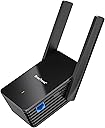
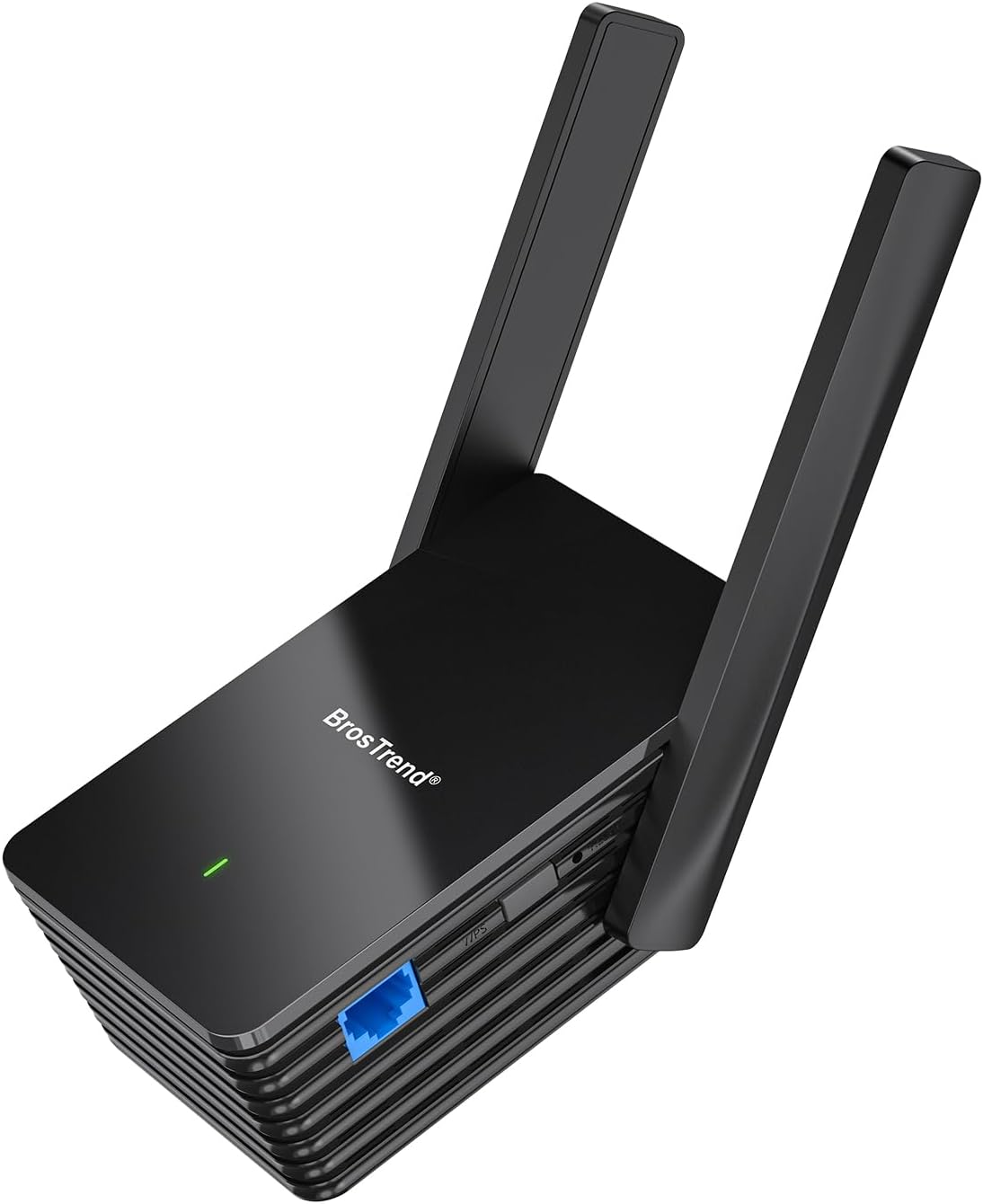
The BrosTrend AX1500 WiFi 6 Universal Adapter converts any wired device into a high-speed WiFi 6 client via a 1Gbps Gigabit Ethernet port. Supporting dual-band connectivity with a 5GHz link speed of 1201Mbps, it ensures faster, more reliable wireless bridging for PCs, printers, smart TVs, and gaming consoles. Featuring easy WPS setup and broad compatibility, itโs designed to bring next-gen wireless performance to legacy wired devices with minimal effort.


| Asin | B0C4DKZVCM |
| Best Sellers Rank | #95 in USB Computer Network Adapters |
| Brand | BrosTrend |
| Built In Media | 1 x Ethernet Cable of 5 Feet, 1 x Quick Installation Guide, 1 x WiFi to Gigabit Ethernet Adapter |
| Color | black |
| Compatible Devices | Works with a variety of wired devices, including TVs, computers, game consoles, network switches, printers, VoIP phones and Much More |
| Customer Reviews | 4.2 4.2 out of 5 stars (1,046) 4.2 out of 5 stars |
| Data Link Protocol | Gigabit Ethernet (1Gbps), IEEE 802.11ax/ac/n/a 5GHz, IEEE 802.11/n/g/b 2.4GHz |
| Data Transfer Rate | 1500 Megabits Per Second |
| Hardware Interface | Ethernet |
| Item Dimensions L X W X H | 3.5"L x 2.6"W x 8.4"H |
| Item Type Name | WiFi to Gigabit Ethernet Adapter |
| Item Weight | 230 Grams |
| Manufacturer | BrosTrend Technology LLC |
| Mfr Part Number | WiFi to Gigabit Ethernet Adapter |
| Model Number | WiFi to Gigabit Ethernet Adapter |
| Warranty Description | 2-Year Warranty |
User
Works as described
Easy to setup and works as described.
User
Bumpy setup, but after settings took it's been reliable for a few months so far
I had to reset the device a few times to make the right settings stick... but after those little bugs got ironed out it's been pretty solid. I even run a VoIP phone over this bridge and haven't had any jittery connections or anything so far. I've been using it for about 4 or 5 months now in my office. The throughput maybe isn't as great as if I were connected directly to the office's AP, but it gets my wired devices online just fine. I would buy another one if I needed it, and would recommend to friends or family but I'd want to be there to help them get it set up. I've worked in IT for a couple decades, and can see how it might get confusing for someone who's not familiar with networking.
User
Not Perfect, But Works Well, Has Easy Setup, and is a Good Value.
This worked great for my needs. I have been two place where wifi was included and this worked for me as a bridge to my Netgear Nighthawk router to connect all my devices. The speed is good and I use it a lot. I have been using it for 4 or 5 months now. So at this point(knock, knock on wood) I can confidently recommend it as effective, durable, and reliable. It is easy to setup and use. There is a website GUI for management.That's the good. Now for the cons and why I took a star off. Any link to update fiware does not work. Also, I would like to cut out the repeater function so as to not have more unnecessary wifi in the environment. The only option is to hide the broadcast of the names. That is a deterrent for intrusion. But unfortunately the networks are only hidden. So still a vulnerability.Overall it's a good purchase for the price. Does what it's supposed to do and is durable.
User
Tech support was key
The value of a tech product is not only a matter of the piece itself, but also the quality of the included documentation and available tech support. When I first attempted to connect the N300 to my new C4000XG router, it failed to connect. I wrote to the tech support email address in the instruction sheet, but then there was also a contact form on the Amazon "Your Orders" page. So I pasted the same message there. I got a response the same day and after some back and forth, they suggested a couple of things to try, one of which was to change the WiFi settings in the router to "WPA2 - Personal". That solved the problem (I was almost ready to return it for a refund). With the new router, my printer was no longer able to connect to WiFi, but with this device, it can connect instead via Ethernet (it is located in a room that has only WiFi access to the network). The N300 also acts as a WiFi extender and I found that for 2 of our computers, the computer had to be on the extended WiFi network in order to access the printer successfully.
User
Works well!
I got this to connect an older wireless printer to my WiFI as it is cannot see 2.4ghz. Setup was easy, but using the printer via Wi-Fi was not feasible. I did, however, use this connect to my backyard Ring camera and Echo Show 1 (which stills works perfectly). Both are located on the opposite side of of the house from the router. The signal is now strong per the Ring app!
User
Don't waste your time or money.
I donโt like doing negative reviews, but Good Luck with this!I canโt explain the Great Reviews but this has been a real disappointment to me. I needed to connect a Snom PA1 to a customers PA System and the wiring was in a closet with no ethernet drop. This seemed to be the solution. I plugged it in at the Customerโs site and connected it to their WiFi by WPS. Moved it to the permanent location in the closet and it had a very strong signal. The Snom device is POE so I connected the BrosTrend to the LAN side of POE power supply and the POE side to the Snom. The Snom came up but could not get a DHCP address. I assigned it a static IP address, and I could then get to it via web browser for configuration but it never would show in the BrosTrend management interface as a client device and Angry IP Scanner Showed the IP address of the Snom device as having the same MAC Address and MAC Vender as the BrosTrend. Even though I could get to the management interface of the Snom, it wouldnโt register in the cloud management portal so this is 100% useless to me.BTW, this narrative is the extremely condensed version, I spent a lot of time and trips to the customer site to try to make this workPros;Nice Form FactorNice management interfaceEasily connected to WiFiReasonably pricedSeems to have a nice feature setCons;Did not work as advertised.
User
Simple to configure and use
I am the last person youโd ever want to configure anything technology related. I ordered the BrosTrend AX1500 to connect a network printer to the WiFi in my home. In under five minutes, I was able to configure it, and everything was up and running perfectly. Highly recommended.
User
Uses 5ghz for backhaul
This is actually a WiFi extender with an Ethernet port and uses 5ghz for the backhaul which was not well described, nor did it work for my application.
User
Does wifi and Ethernet great interface and support
I needed for a rearrangement of a poe camera that didnโt have a physical cable pulled.The unit did exactly what I wanted and more. I could bridge the Ethernet connection and also extend the file.My tests showed great 4k cctv connections and support was great and configuration via the web enterface was great.Would buy other products. Just waiting for more 2.5 gbe products
User
Goed
Top ding. Niks op aan te merken
User
Works very well
I was skeptical at how well this would work. I put it on my security camera DVR which is in my garage and would mean drilling lots of holes to connect to my internet router by wire. This wireless adaptor worked seamlessly. Was simple to connect to my wireless router and I can access my live security camera feed without issue. Recommend this product
User
Einfaches setup
Einfaches setup, sehr hilfreich um PC mit WLAN zu verbinden. Funktioniert einwandfrei.
User
molto affidabile
estende molto facilmente la rete in modo stabile, consigliato
Trustpilot
5 days ago
2 months ago