Buy anything from 5,000+ international stores. One checkout price. No surprise fees. Join 2M+ shoppers on Desertcart.
Desertcart purchases this item on your behalf and handles shipping, customs, and support to Congo.
🚀 Upgrade Your PC, Not Your Headaches!
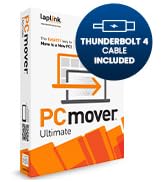
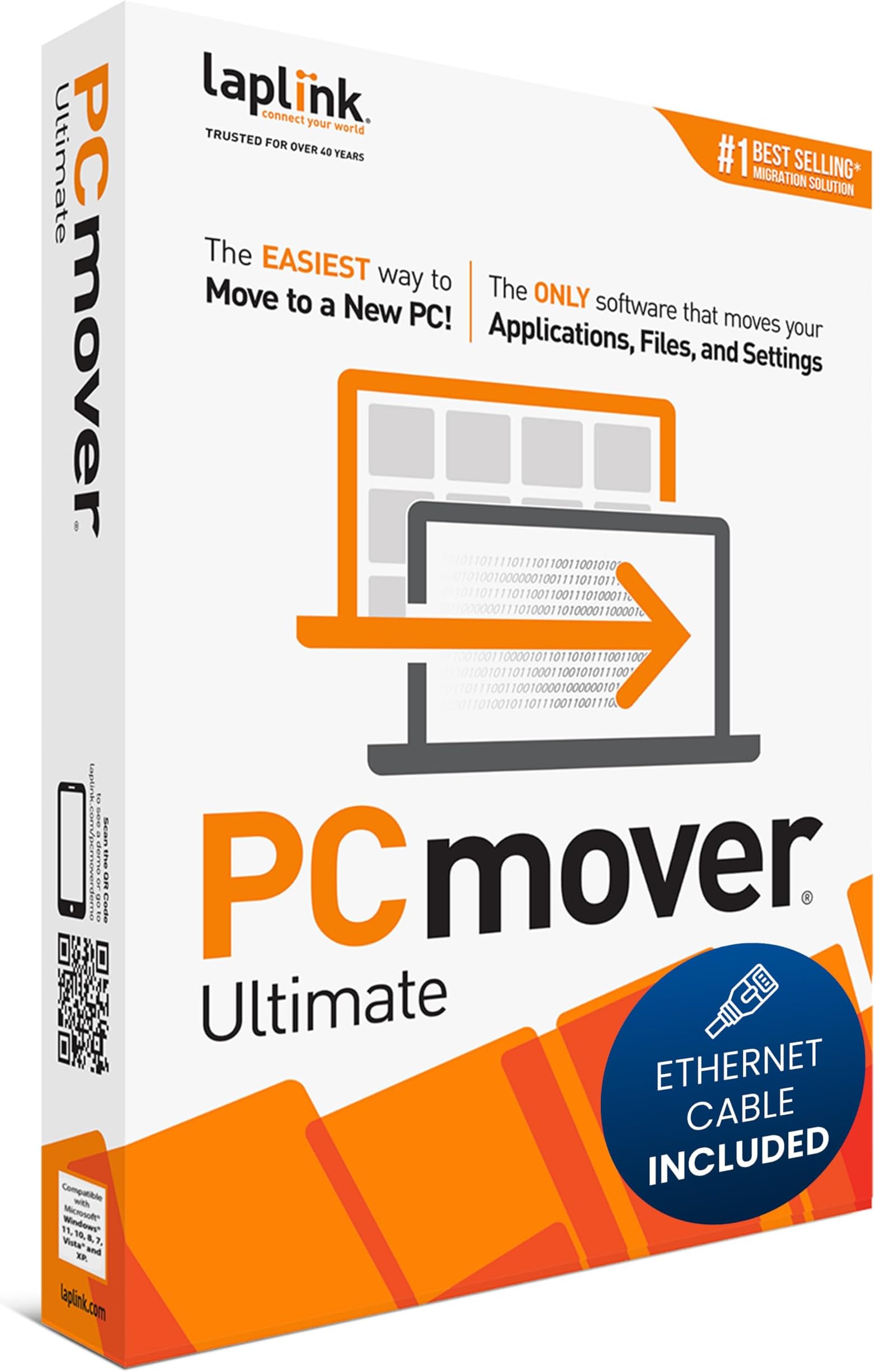
Laplink PCmover Ultimate 11 is a top-rated data transfer software designed for professionals upgrading PCs. It leverages AI and high-speed Ethernet or Wi-Fi Direct to migrate applications, files, and settings quickly and reliably across all major Windows versions. With one license enabling unlimited transfers between one source and destination PC, it offers granular control and secure data wiping, making it the go-to solution for seamless, stress-free PC upgrades.


| ASIN | B076VQ4Y4J |
| Best Sellers Rank | #19 in Software ( See Top 100 in Software ) #1 in PC Maintenance |
| Customer Reviews | 4.2 4.2 out of 5 stars (6,408) |
| Date First Available | October 26, 2017 |
| Is Discontinued By Manufacturer | No |
| Item model number | Ethernet Edition |
| Manufacturer | Laplink Software |
| Product Dimensions | 5.25 x 1.25 x 7.5 inches; 3.53 ounces |
J**.
It was easy and after you use this product once you will wonder why you never. Did before.
This is the second time. That I have purchased this product. To do an upgrade. The program is pretty much. Foolproof. Ed transferred all the files and programs and if you found an error, alerted you and then tried to fix it itself. It moved my computer. And all the programs in about an hour and a half, period of which I only need to spend 10 minutes. Prepping. If you. I even considering doing this. Type of computer move Buy this product for sure!
T**J
Amazing Product I Wish I Knew About Sooner!
I had my HP Windows 10 computer for more than 15 years that I purchased at Costco. I wished I would have known about Laplink PCmover many years ago. I held off from upgrading to Windows 11 buying a new computer because I had many programs that I could no longer re-install because I no longer had the CD or the download link. When I discovered Laplink PCmover I decided to take a chance and buy a new computer W11 and see if I could move all my programs to my new computer W11 with Laplink PCmover Ultimate 11 with the data cable. WOW! 3 hours later and moving over 100 GB worth of data - programs, I was in total disbelief. I purchase the software with the data cable and I was impressed with the speed that it took to move over 100 GB of data and setup the programs in W11. Keep in mind that the speed to upload is dependent on your internet service and not the program. The software program design looks great and easy to use. Very user friendly. Anyone can use this program without any problems. PCmover Ultimate 11 moved 99% of my programs even the ones it flagged as being unsafe. I could not believe it. I held off from reviewing the product because I was expecting to get the Blue Screen of Death and lose everything. To my surprise and more than a month later all my programs run great just like they did on W10. I am SHOCKED! The functionality of Laplink PCmover is beyond amazing. This software is prefect companion for migrating any and all PC applications from one computer to another. IT IS AMAZING. It is worth the cost of this software. If I had to do it all over again, I would be more inclined to do it immediately and not wait like I did even after I found out about Laplink. This software is legit!
M**.
Well worth the cost.
The product worked flawlessly. I’ve never had an easier time upgrading to a new pc. Well worth the price. Instructions were easy to follow. The data transferred fast with the supplied network cable.
H**D
Worked well and accomplished most of what was required for my migration
Worked well and accomplished most of what was required to move the applications and content from my old Windows 10 Professional notebook to my new Windows 10 Home notebook. The wizard made the setup very straightforward using the default choice. It created a report on the old system showing the applications and files that were to be transferred, which apps would definitely move, likely move, would not move because they were incompatible, or were security software that needed to be reinstalled. Since my old and new units were from different manufacturers, there were a number of hardware specific tools and apps that I opted to delete from the transfer through the advanced configuration section, which allowed my to simply uncheck the boxes for those apps that I didn’t want to move. It successfully moved my Office 2016 Pro though I needed to deactivate the single machine license on my old machine and reactivate it on the new machine after install. For some reason, the analysis didn’t pick up iTunes though it moved all of the library and other information, so I had to download and reinstall it, along with my McAfee security software as expected, but this was straightforward. I have a couple of apps that required Java, which also didn’t transfer, but once again this was an easy post transfer download, and all my old software is currently working on my new system. My Office settings and desktop wallpaper successfully moved, but not my homepage tabs in my Chrome browser. All of my plugins did move, though I had to enable them after the transfer. Other minor Windows settings like my start menu and task bar layouts, trackpad scroll direction, cursor choice, and network backup configuration for File History also needed to be done manually. Again, these were all easy to handle. The only other issue was I had asked it to move one user account and merge my old admin account with my new one. This didn’t happen. When I created my initial user account on the new unit, it was created as an admin, and everything from my old user acount was transferred to that account. Nothing was done with the old admin account. I created a new admin account on the new unit, then changed the first to a local account for security. One of the reasons that I needed to replace my old unit is that it was having some reliability issues, which of course caused it to crash during the transfer. After restarting the old unit and restarting the application on both units, a second transfer was initiated that completed what wasn’t transferred before the crash. This was a very positive outcome! All in all, a much easier migration than I experienced when I got my old unit. The PCmover transfer took around three hours including the restart utilizing the supplied cable, and I spent perhaps another 2-3 hours doing the reinstalls, activations, finalizing the settings, and then verifying that all of my software worked. I would recommend this product.
R**Z
Easy to use and well worth the money.
Purchased the USB version of this for both mine and my wife's older PC's. It worked flawlessly, and even moved all our bookmarks over to the new Windows 11 PC's. And it only took about 4 hours for the entire transfer. I must admit that I was a little hesitant to try it, since I am NOT a very tech savvy person, but the instructions were great and easy to follow. I recommend Laplink PCmover Ultimate 11 to anyone who, like me, needs to move all their files, documents etc, to their new Windows 11 PC.
M**R
Worked well and was easy to apply
Did a great job of moving all the vital parts from the old computer to the new. Have not yet used the erase function on the old computer, but plan to.
J**N
The best way to transfer files from an old computer to a new one
When you have an old computer that is starting to fail or that you just want to upgrade to a new one, Laplink is the product that you need! I have used it 3 times in the past with different versions of it (it just keeps getting better) and on my recent new computer it was very fast and quick. You simply load the program on both computers (old and new) and it will copy your old computer files to your new computer (that is apps, video, texts, pixs, anything you have on your told computer except for the system itself unless you actually want that too) My turnover time was only 40 minutes and I had a stuffed HD. I love Laplink and would not use anything else to move files from one computer to another. Oh, and it doesn't cost much either!!! great value for the money and you get awesome instructions. You can connect the computers via ethernet, USB or even just your internet (which would be the slowest). You will LOVE it!!
G**S
UPGRADED RATING: Relatively inexpensive software, but the company then attempts to scare you into expensive tech support
UPDATED: The transfer has now been completed. It was reasonably good at moving most things, but certainly not all things. It did not migrate our antivirus, printer software, or VPN software, for example, and it resulted in problems with the VPN that resulted in having to download special software from the VPN company that erases all traces of the software so I could start over on a reinstallation of the VPN. Simple uninstalls of the Epson printer software and antivirus (Zone Alarm) were all that was needed prior to a reinstallation of both of those, and Laplink's people told me ahead of time (during my final phone support) that the printer and antivirus/firewall software would not go across in the transfer - much appreciated heads up. With a bit more tweaking, I am now in good shape and very satisfied. It STILL beat taking the time to re-load each program, re-set up all the favorites in Firefox, etc., etc., etc. - IF I hadn't had all the other issues with them. One extraordinarily good aspect was my final phone support session with Laplink. I originally transferred from an older Windows 7 laptop to a newer laptop that had been upgraded to Windows 10 last year but not used since the upgrade except to check it out. After the transfer was finally completed over this past weekend, it APPEARED that we had a very good transfer. However, video problems with on-line streaming were a problem, and further research yielded the undisclosed fact (by Dell or Microsoft) that the computer wasn't certified for Windows 10, and never should have been upgraded. I reformatted the hard drive and reinstalled the original Windows 7 configuration. I called back to Laplink and explained the situation, fearing that because I had already used the 1-time license for the transfer, I'd have to purchase another license. Instead, they listened to the information, and simply reset the serial number. I then went to telephone support due to an initial problem with the software, and the representative stayed on the line all the way through the set up, analysis, etc., to make certain the transfer initiated properly. This was by far ~the~ most impressive tech support session in my lifetime, and that spans from my first computer course (Fortran IV) in 1966. Despite some bugs in Version 11 (acknowledged by the last support rep), and the earlier "up-selling" problems that were serious turn-offs (see original review below), I have to acknowledge that in the end, the software did its job fairly well, and at least some of their tech support people do not try to sell the expensive "advanced technical support," and they actually provide tremendous support. I have upgraded an original 1-star review to three stars. If I had it to do over again, I don't think I'd go with version 11. The phone support tech had to install a previous version that eliminated the bug I encountered when I tried to re-do the transfer, and explained everything very thoroughly - highly impressive. Just don't get version 11. ORIGINAL: What the company does makes this an unacceptable piece of software. I backed up both computers, updated the operating system in the new (receiving) computer, and was read to go. I was short on time, so I called Laplink just to find out approximately how long the move might take, and was given an acceptable range after several intelligent questions they asked. So far, very impressed. Then the offered to at least run a scan of the two computers to make sure there wouldn't be any problems with the transfer, at no charge. Great! Seemed very impressive. I even had the thought that if they do this for anyone calling their "free" 24/7 support line, the price of the software is a massive bargain! Next came the major problem. They did find a number of registry and other unspecified problems using their software (they take control of both computers to run it of course). And suddenly we're talking "advanced technical support" at a minimum of $99 for a 14 day guarantee, and $199 for a full year. But no worries, they said, they could virtually guarantee that they'd be able to complete the transfer without any problems left over. I mentioned that I was beginning to run short on time and didn't have time today to do everything, and their offer was to just stay connected even after I left the house, and they've complete everything for me. Uh, no. I wanted to run my existing and (previously) trusted registry cleaner myself, and THEN see if there were problems before proceeding with the transfer. The pushy sales job for the "advanced technical support" (twice or four times as much as the software itself) started. I declined, partly out of the totally undisclosed "up-charges" that aren't mentioned anywhere on the product box, nor on the extremely skimpy printed instructions inside. But I also can't justify especially their premium support at an additional $200. I'm stuck - I can't return it to Amazon because I've opened the software and broken the seal on the CD package. I MIGHT be able to call them back and see about a refund from Laplink, but they say it will take 8 weeks, and previously said that was only when their software wouldn't work. So, is this review about software I haven't even installed yet? Absolutely - because they sell you the software and cable for about $50 on Amazon (more from the company direct), and only when you call them do they immediately try to "up-sell" you on "advanced technical support," trying to scare the user into accepting their "guaranteed" support. And yes, I AM concerned about what will happen if the transfer doesn't work, since I subsequently learned that my registry software is no longer supported past Windows 7 (the computer I'm migrating to a Windows 10 computer), and according to Laplink's initial tech support (the free part that tries to become $100 or $200 support), my Windows 10 computer also has "significant" errors on it," and they specifically recommended AGAINST doing the transfer until the problems are resolved - by them - at a hefty price. So yes, this review is about the software and the company behind it - which I've always thought was a fully trustworthy company, to be honest. But now I see how they justify selling the software and cable for a relatively low price - they strong arm customers into paying for previously undisclosed additional technical support and tell you that they "cannot recommend" a transfer at this time, based on the problems they found. That's poor business, and a relatively useless product. Heck - how do I know the diagnostics they did are even accurate, or even worse, whether they're intentionally misleading in order to up-sell the additional tech support? I could not be more disappointed (and frustrated). I picked Laplink because of their long-standing reputation, only to get what seems to be a very sleazy way of extracting considerably more money from customers. I'm willing to bet that almost ANY well used computer will show considerable registry issues, and that becomes a "we cannot recommend transfer at this time." What a dilemma to put customers in. Some might call that extortion....
C**N
Very expensive for a one time use.
I bought the PCMover Ultimate for €72,- and as i found out you can utilise the license only on two PC's. After installation and registering your license you can't use the software on another set of machines without buying another license. That way the cost is very high to transfer data between two machines.
R**E
worth the money
if you follow the instructions it works perfectly.
J**Y
easy to use
fantastic product easy to use and transferred everything easily
至**目
意外と簡単で良い製品です
移行が大変楽になりました。移行環境はWindows11から11で新PCへのアプリ、データ、設定が対象でした。私は数十のアプリを導入していますのでPC入れ替え時のアプリ再導入にうんざりしていましたが移行できなかったものは3個程度で満足しています。大きなデータ(130GB)は別途外付けDISKにコピーしてそれを使って移行したためそれを除外してWiFi接続のPC Moverで移行したものは総量100数十GBぐらいでしたが3時間弱で終わりました。PC Moverで示された転送速度は平均30MB/Sでした。ブラウザーブックマークもそのままで移行後もストイレスなく使えました。驚いたことにOutlook Classicも移行されました。送受信Boxの内容も移行されていました。ただ移行後に新たにOne Drive上の送受信Boxが追加されそれを新しい送受信に使用していたので削除して従来通りに使えるようになりました。英語の説明書ですがかなり今風(?)の簡略英語表現(例えばcreatingがcreang等)で少し驚きますがそれほど難しくはありません。英語が苦手な方はChatGptなどのAIで翻訳shて目を通されておくことをお勧めします。というか見られておいたほうが間違いなくうまくいきます
A**ー
あまり期待しすぎない方が良いと思います
会社で新しいPCへの入れ替えがあり、試しに使用してみました。 ユーザーのドキュメント等はちゃんと転送されますが、アプリは 例えばEXCELなどは転送されないですし、Thunderbirdなどは 自分でフォルダーの下を転送しなくてはならず、FirefoxやChrome などは自分でインストールしてデータを移行せねばならず、結局 自分で全部やってもあまり変わらないように感じました。
Trustpilot
3 days ago
1 month ago