Buy anything from 5,000+ international stores. One checkout price. No surprise fees. Join 2M+ shoppers on Desertcart.
Desertcart purchases this item on your behalf and handles shipping, customs, and support to Congo.
๐ Elevate your Raspberry Pi 5 with NVMe speed and sleek design โ donโt get left behind!
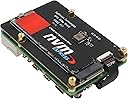
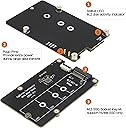
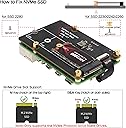
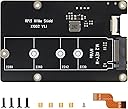
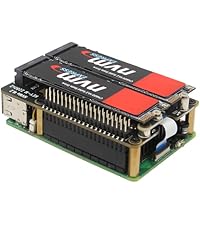
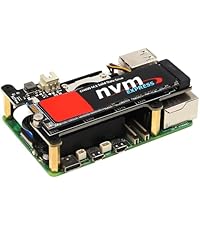
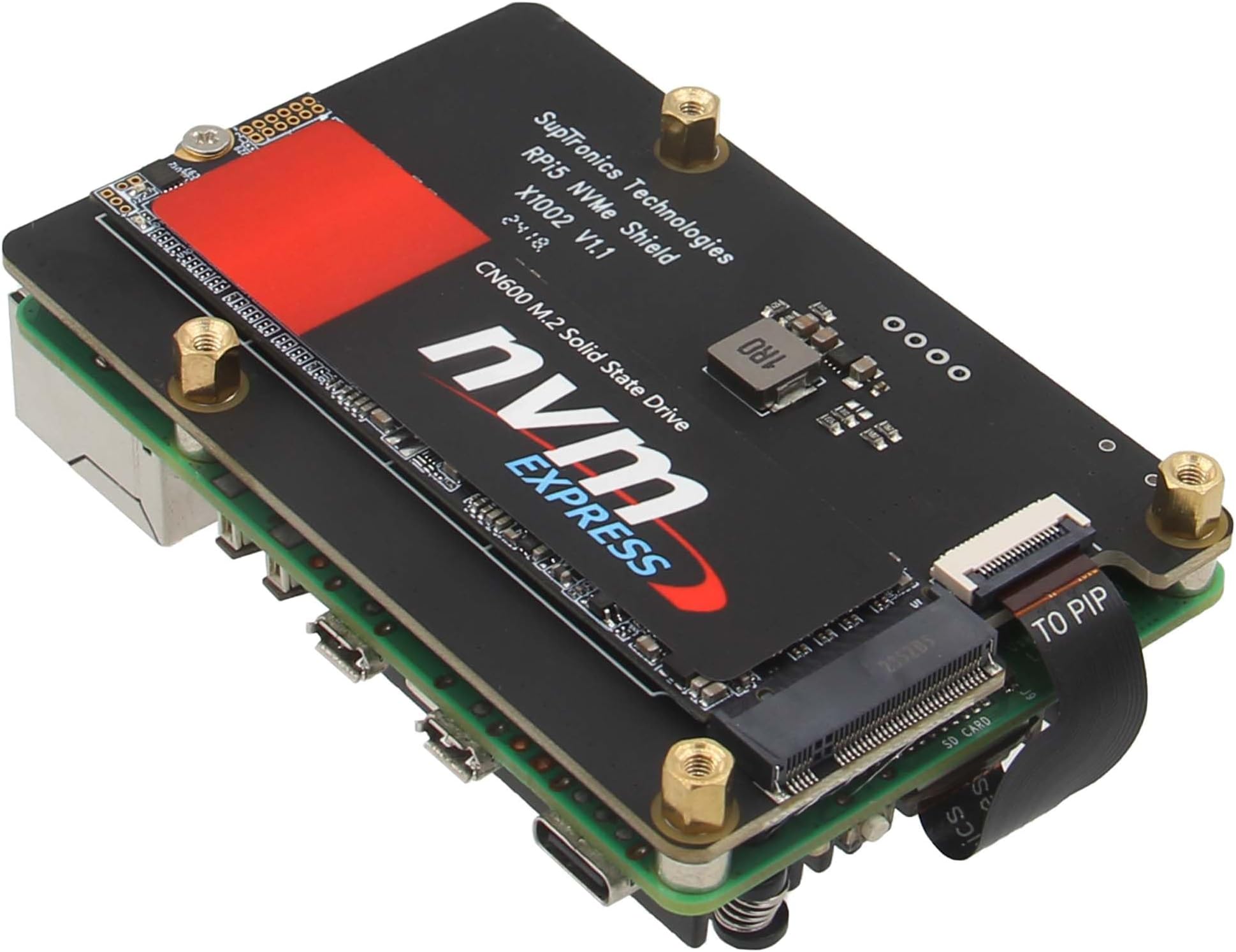
The Geekworm X1002 PCIe to M.2 HAT is a precision-engineered bottom board designed exclusively for Raspberry Pi 5 models (2GB to 16GB). It supports all standard M.2 Key-M NVMe SSD sizes (2230 to 2280), enabling PCIe Gen 3 speeds for lightning-fast storage performance. Its innovative bottom-mount design not only saves space but also acts as a heat shield, while compatibility with official and third-party active coolers ensures optimal thermal management. Installation is streamlined with factory pre-fitted threaded risers and a simplified ribbon cable connection, making it the go-to NVMe upgrade for Pi 5 enthusiasts seeking reliability, speed, and a clean build.


| ASIN | B0CQYBBNP5 |
| Best Sellers Rank | #751 in Single Board Computers (Computers & Accessories) |
| Brand | Geekworm |
| Built-In Media | 1 x X1002 PCIe Peripheral Board with Accessories |
| Color | black |
| Compatible Devices | Raspberry Pi 5 |
| Customer Reviews | 4.0 out of 5 stars 127 Reviews |
| Data Link Protocol | Ethernet |
| Hardware Interface | PCI |
| Item Weight | 22 Grams |
| Manufacturer | Geekworm |
| Mfr Part Number | TB-2023-09 |
| Model Number | X1002 |
| Unit Count | 1.0 Count |
| Warranty Description | 3 months |
D**R
Super easy setup. Works exactly as expected.
Some reviewers, no small number of them have had issues receiving the incorrect screws, I did NOT have that problem. My NVME base was purchased with the corresponding metal case so this review is kind of for both of them. The NVME base was purchased in a pinch when shippment was delayed in a time sensitive setup for a Pimoroni base I ordered. I now have both and can compare them. Assuming the packaging bugs have been worked out, honestly the Geekworm BASE is much nicer. The factory pre-fitted and threaded risers are a wonderful item to simplify installation. There is NO documentation that comes in the box so forget about that, but if you look at the pics here on how they are setup you can figure it out, simply put the NVME goes to the bottom, not the top, the risers go between the Pi and the base. Attach the NVME, attach the ribbon cable, then screw it all together, Your hardware assembly is done. Boot to an SD card with Raspberry Pi OS on it, and run Raspberry Pi imager and write your OS to the NVME, Follow the setup instructions from Explaining Computers youtube page on the software setup to get the NVME going, I have mine set to PCIe Gen 3 and it is plenty fast. The complaints about them not working or wrong screws seem to be from right after it was introduced and I am going to assume those are just issues with early production items. The one I got went together super easy, and super solid. The NVME mount itself has a threaded standoff unlike the Pimoroni, which makes mounting the NVME much easier, although it only seems to support the M.2 2280 NVMEs, but that is what I wanted to use anyway. The whole thing Pi, Cooler, NVME base and NVME fit neatly into the Geekworm case, and through the risers that come with the case which are slightly shorter than the ones that come with the NVME base, the alignment is perfect, screwed together through the bottom of the case and it is solid as a brick. Complaints about WiFi interference with the case are not something I have noticed. WiFi is good and strong, bluetooth pairs up just fine. No interference with the ribbon cable to the case, although I did flatten the cable up against the Pi itself as much as possible without damaging it before assembling to the Pi. I also have a Logitech Unifying receiver / keyboard / mouse and notice no radio / connectivity issues with either. The ribbon cable installs MUCH easier and is less fiddly than the one that came with the Pimoroni. I do not regret either purchase, and they will serve my purposes very well indeed. But if I had it to do over again, I would have gone with 2 of these Geekworm bases and cases and been done with it straight out. Again at least with the units I received, they are spot on. SPECS of my build. Raspberry Pi 5 8GB Raspberry Pi 5 Official active cooler Raspberry Pi 5 Official power supply (USA) Geekworm X1002 NVME base Geekworm P580 case Crucial P3 Plus 2TB M.2 NVME SSD Logitech Unifying receiver. Summary. All of the issues I have read about in other reviews did NOT show up with my device. Installation was super easy, build quality is above and beyond what is to be expected at this price point. Functionality at least paired with my chosen hardware is perfect. Only time will tell about long term durability / reliabiliity, but if my initial impressions are correct, this will hold up and be a good performer.
M**E
Ubuntu 24 for Pi 5 works out the box
Installed Ubuntu 24.04.1 LTS 64bit, Using a generic USB to SSD enclosure and the raspberry pi imager, this worked without any modifications to any settings, configuration files or boot order on the pi or OS. Choose "other general purpose OS" in the pi imager to install Ubuntu to the SSD. Installed X1002 using the provided cable and hardware to the Pi5 8GB, then installed the NVME SSD with the Ubuntu Image on it. Booting will then brings you into the OS setup wizard. Once in the OS, updated to PCIE Gen 3 in the conifg.txt as per the directions on the support page listed in the description and there are no stability issues to report. Have tested installation on 6 different major brands of NVME SSD with no issues in recognizing the drive and boots to the OS without intervention. It is great the board mounts on the bottom with the SSD facing down, The PCB acts as heat shield if your project requires excessive read and writes, but if you are worried about heat from your SSD buy or print a case that mounts the pi on its side with vents on the top. Using the two push pins to power the unit from the underside of the GPIO gives it a clean install, just make sure they contact correctly and you boards are flush to each other. The mounting solution using the long screws to secure the two boards together that then protrude out the bottom side (same side as SSD) to install the risers works great too. The performance overall using the SSD is noticeably fast and is worth the ~$16 price tag, it might be more cost effective going this route than buying a quality Micro SD card.
G**T
a new low in QC
I noticed something fishy with the screws just like many other reviewers had, except that only with one standoff. One of them was the wrong thread size. 3 out of four were the correct thread size, and one was different. This should have been foreshadowing. I spent the entire day today trying to get this thing to recognize my NVMe drive, which it failed to do. I tried everything under the sun, including reseating the PCIe cable numerous times, etc. No, the drive does NOT have a Phison controller, so it should in theory work. However, nothing I tried even listed the drive (lspci or lsblk). Nothing works. I am quite sad because I really liked the concept, but the execution is quite lacking. I returned this and the corresponding case. Very disappointed.
A**Y
Works great with KIOXIA 512GB Gen4 NVME drive
Installed it on my pi with the geekworm metal case. Everything went together easily. To get your pi5 booting with nvme, you'll either need to load the special boot config raspberry pi image to an SD card (that you later remove) or boot from a regular raspbian sd card and run a terminal/bash window: # Edit the EEPROM on the Raspberry Pi 5. sudo rpi-eeprom-config --edit # Change the BOOT_ORDER line to the following: BOOT_ORDER=0xf216 # f216 = NVME, SD, Network, Restart in that order ...and it worked for me after that! Although geekworm doesn't mention HAT+ compatibility, this thing seems to work fine without having to manually enable pcie probing so it's at least partially compatible. Also, you're going to want to do this after getting linux up for the first time: # Add to bottom of /boot/firmware/config.txt dtparam=pciex1 # Optionally, you can control the PCIe lane speed using this parameter # dtparam=pciex1_gen=3 This will get you MUCH faster speeds. With my kioxia KXG80ZNV1T02 I get 700MB/s direct and 800MB/s dsync on the raspberry pi 5. It's almost a respectable computer (with GPIO pins).
"**"
A little fidgety, but works well overall.
First, if purchasing this adapter with a new NVMe SSD, I can recommend the Patriot P300 (https://a.co/d/8oPSNOz) as it definitely works with the Geekworm X1002 and the Pi5. I simply mounted the NVMe in a USB adapter, imaged Ubuntu 23.10 onto the drive, removed it, mounted it in the X1002, attached the flex cable and mounted the adapter under my Pi as pictured (with some stacking fiddling, as I had to use a combo of standoffs and screws to get it all together with my IceTower cooler bottom plate, but as pictured, it came together okay). The only issue Iโve encountered is on cold boot, sometimes the system doesnโt boot due to a timing issue with NVMe controller initialization, but a quick three-finger salute (ctrl-alt-delete) fixes the issue. Keep in mind, Iโve not adjusted anything with firmware parameters, and beyond that intermittent boot issue, itโs been completely stable. Iโm also getting PCIe 3 x 1 performance. Running off NVMe natively is radically faster than any other Pi storage option and really puts the Pi 5 in a different class of performance versus previous models.
K**H
Better than the bigger brand version! You can still access the microSD card after installation. :)
I saw a review video of another NVME "HAT on the bottom" and one thing stuck out to me that this one improves upon greatly. This unit has a custom cable that goes around the microSD card slot so you can easily access the cards without dismantling the assembly or removing the cable. This is important as these types of cables (called FFC cables) aren't meant to be unplugged and reconnected repeatedly. To me, this alone is a huge selling point for this model. As to performance, it works at PCIe gen-3 speeds perfectly fine. I'm getting nearly 900MB/s throughput to a cheap drive I slapped in. :) If you're getting about half that performance, it might be because you're running at PCIe gen-2 speeds. To force the Pi 5 to use gen-3 speeds, add these lines to the bottom of your config.txt file after an [all] section: dtparam=pciex1 dtparam=pciex1_gen=3
H**M
Got a dud
I have a Pimoroni on another Pi5 and it worked swimmingly from first assembly. This one crashes moOde early in the boot cycle, and hangs Raspbian (though only after it reaches graphics mode). Sadly bought while travelling, so no returning it, only cut my losses (to $15 and half a day of trouble shooting).
J**H
Works with an Inland TN446 512GB NVMe
Bought this for my Raspberry Pi 5 (4GB) because I wanted NVMe storage but also retain access to my GPIO pins. I installed it using the provided hardware and everything fit as expected with no issues. The Raspberry Pi had no issue seeing the storage and I was able to install the OS easily. I like the low profile design of this board and the pogo pins to piggyback for additional power. The additional stand-offs are nice as well to act as feet to keep from sitting on the NVMe itself.
K**V
Easily Installed - Works Well with Raspberry PI 5
This board is a Hat Drive, Bottom, which goes on the bottom of the Raspberry PI 5 board. I brought this so that I can boot Ubuntu 23 from the NVMe Hat drive instead of an external USB-C enclosure. installation is super easy, transferring the NVMe SSD to the NVMe Hat drive, installing the drive as per instructions provided. The Hat drive provided a READ transfer speed doubled that of the READ speed from the USBC external enclosure. It is good that it NOT a Hat Drive, Top, as that would obstruct the air flow of the Active Cooler. But being on the bottom, would be like a hot plate for the CPU. I will purchase a box fan to place on the bottom to help with the air flow. This is a good buy because it does seem to make the Raspberry PI 5 run faster.
E**K
works great
All the correct hardware, assembly was easy, functions well. I like this bottom hat because it leaves the top open for any cooler and the gpio fully open. Unfortunately not may cases to pick from other then the geekworm P580.
S**5
Unusable - screws don't fit press fit standoffs
Looks like this board comes with 2.5mm screws as specified however the press fit standoffs are threaded too small for the screws to fit! There's no way for me to use this board now and overall this has been a waste of time. Very disappointed and shocked that no one seemed to do any kind of testing to make sure this is usable. I'm not the only one with this issue, it looks like everyone who ordered on Feb 10 have this issue!
A**R
versatile
need small finger and case that goes with it but good and free up side of raspberryPy
J**C
Excellent under-Pi nVme board
Everything needed is in the package, easy to assemble, worked right away with a separately bought Corsair nVme. Freaking fast booting :) Check online how to prep the Pi 5 for nVme booting properly.
Trustpilot
1 month ago
2 weeks ago