Buy anything from 5,000+ international stores. One checkout price. No surprise fees. Join 2M+ shoppers on Desertcart.
Desertcart purchases this item on your behalf and handles shipping, customs, and support to Congo.
🚀 Elevate Your Workspace with Triple 4K Power – Because One Screen is Never Enough!
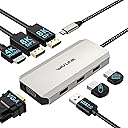
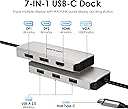
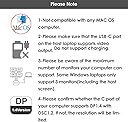
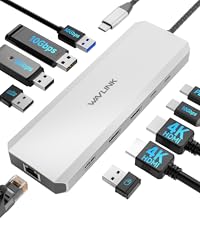
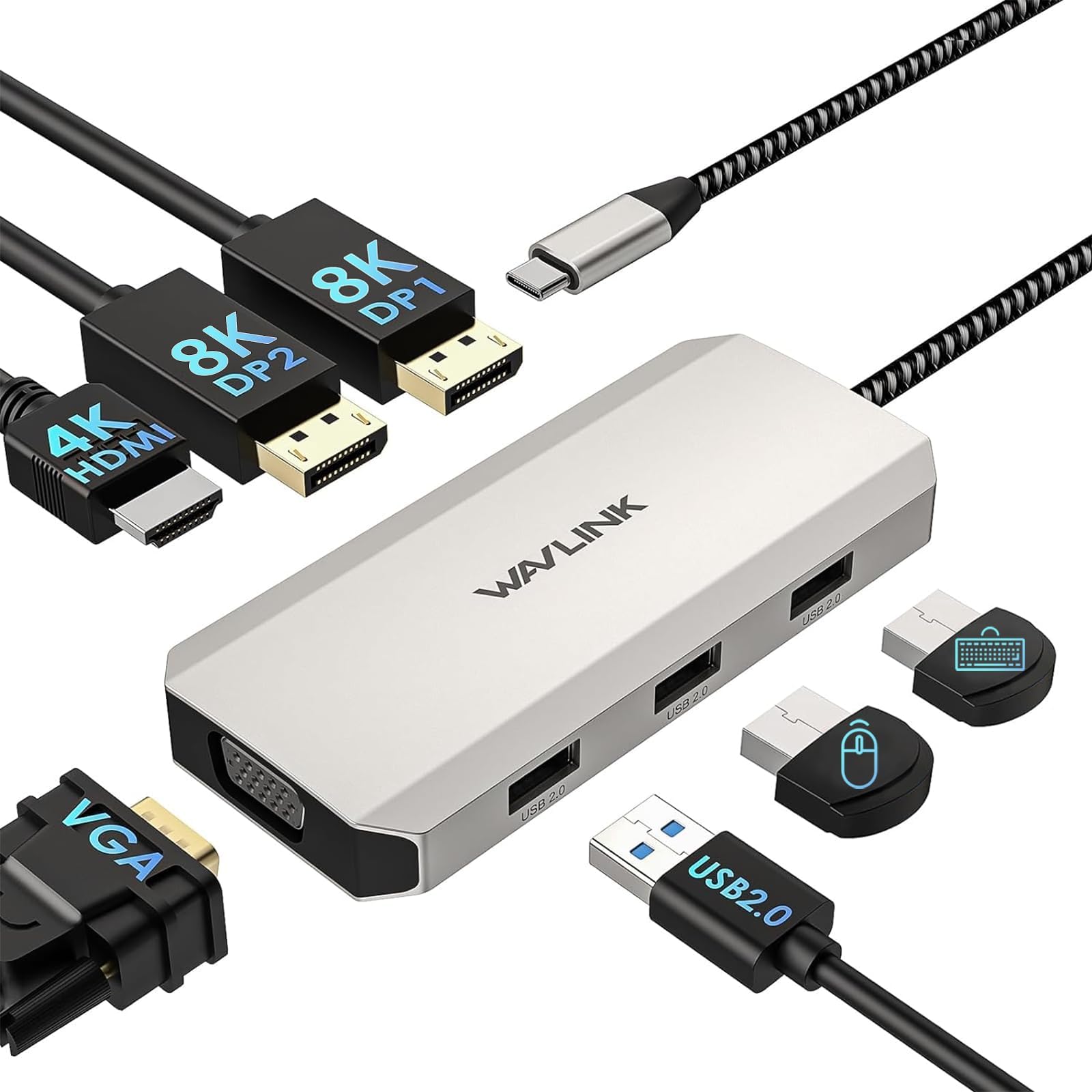
The WAVLINK USB C Docking Station WL-UMD307 is a compact, high-performance hub designed for Windows laptops, offering triple 4K display support via dual DisplayPort, HDMI, and VGA ports. It features three USB 2.0 ports for wireless peripherals and supports multiple display modes, making it ideal for professionals seeking a versatile, clutter-free multi-monitor setup.


| ASIN | B0CNR8Z57W |
| Additional Features | Anti-Slip |
| Best Sellers Rank | #103,818 in Electronics ( See Top 100 in Electronics ) #1,078 in Laptop Docking Stations |
| Brand | WAVLINK |
| Color | Silver |
| Compatible Devices | Lenovo HP Dell, Windows system computer |
| Customer Reviews | 4.2 out of 5 stars 348 Reviews |
| Data Transfer Rate | 480 Megabits Per Second |
| Enclosure Material | Aluminum |
| Hardware Interface | HDMI , USB 2.0, VGA |
| Manufacturer | WAVLINK |
| Minimum Required Operating System Version | Windows 10 |
| Model Number | WL-UMD307 |
| Number of Ports | 7 |
| Operating System | Windows |
| Special Feature | Anti-Slip |
| Total USB Ports | 3 |
| Total Usb Ports | 3 |
| Warranty Description | 1 year manufacture |
C**R
Amazing gadget
Works great
J**N
Compact and Works Great
Works great. Item does cause some battery drain on my HP to provide input out the monitors. I unplug it when I am not using my dual setup tp reduce drain. Good compact size for my desktop.
M**I
Good
Good
M**N
As described
This was a gift but they said it did everything they needed and are pleased
N**L
Good product
Good product, just as described. It works well and you can tell it is well made.
C**A
Decent, but not amazing
This USB-C docking station works ok, but it's not great. I have two monitors that I connect to my laptop and this does the job, but there's no audio jack on the docking station, which means I have to plug it directly into my laptop. It only has 2 display ports and 1 HDMI port, so if you have 2 HDMI cords, you'll need an adapter or a different cable. My biggest complaint is that my screens sometimes flicker off at random. Sometimes it's one or the other, sometimes both. It never turns off for very long, but it's very disconcerting when it happens. I don't know why it does it - it seems to happen randomly (not if the cord is nudged, etc.). Overall, it would be a decent option for travel, but I think a more robust docking station is better for long-term use.
J**R
Poor quality, very glitchy.
I purchased this in August 2025 and it was working great until this week. Now my computer keeps freezing up and when it's not frozen the mouse bounces all over the multiple screens, making it impossible to work. When I disconnect the WavLink the issues resolve. I've connected a second laptop and the issues are happening there as well. I do not recommend this product, and am stuck with it because the return window closed.
M**E
Has 2 DP
Just what I needed
N**O
Ótimo produto!
Ótimo produto, resolveu meu problema de ligar dois monitores ao notebook.
D**S
Worked perfectly
Worked as expected with new laptop running two screens through d-port.
T**R
Temperaturentwicklung, Nutzung 2 HDMI Ports.
Die Docking Station überzeugt mit einer hochwertigen Verarbeitung und einer hohen Signalintegrität (keine Bildaussetzer). Zwei Dinge sollte man vor dem Kauf wissen: 1. Bei der gleichzeitigen Nutzung von zwei HDMI-Geräten wird die Station spürbar warm. Das führt bei mir jedoch zu keinerlei Problemen oder Ausfällen. 2. Wichtig: Um zwei HDMI-Geräte parallel zu betreiben, muss die Docking Station zwingend an einem USB-C Thunderbolt-Anschluss hängen. An einem normalen USB-C-Port funktioniert sonst nur einer der Anschlüsse.
G**.
multimonitor
Trattasi di una docking station USB-C per collegare uno o più monitor a un computer (laptop, desktop, minipc) o a un telefono cellulare di ultima generazione. Il prodotto arriva in una scatola di cartone contenente la docking station e una breve guida in inglese. La docking station è costituita da un parallelepipedo di dimensione 49 x 115 mm e 14.5 mm di spessore. Il peso è di circa 85 g. L'involucro è in plastica, verniciato color argento. Alla docking station è collegato un cavetto (non rimovibile) di circa 25 cm di lunghezza, che termina con un connettore USB-C maschio. Il cavetto, di buona fattura, è rivestito da una guaina esterna di nylon a trama intrecciata, del diametro di 5 mm. Il connettore USB-C ha lunghezza standard e ha un'involucro metallico. Sulle facce laterali sono presenti 3 porte video, due DisplayPort e una HDMI, mentre sulla parte anteriore è presente una porta VGA (femmina). Sulla faccia opposta a quella dove sono presenti le porte video, sono presenti 3 porte USB Type A, a velocità USB2.0, a cui potremo collegare altre periferiche USB 2.0, come pendrive, tastiere, mouse, etc.; è possibile collegare fino a 4 monitor; sulla porta VGA la risoluzione massima sarà di 1920x1080, mentre sulle altre porte si può arrivare fino a 4K, ovviamente con le limitazioni imposte dalla scheda video e dal sistema operativo. L'uso è risultato immediato, collegato alla porta di un laptop HP recente, ha funzionato correttamente e ha consentito di visualizzare il desktop su un monitor esterno 4K a 60Hz, sia nella modalità mirroring che estesa. Il tutto sia con Windows 11 che sotto Linux, con una distribuzione recente. Anche su Mac funziona correttamente. Notare che affinché la docking station funzioni è necessario che la porta USB-C del dispostivo (laptop, cellulare, etc.) a cui verrà collegata sia dotata della modalità DisplayPort "Alternate Mode"" o semplicemente Alt-Mode; se il dispositivo non ha questa modalità, pur avendo una porta USB 3.0 o anche 3.1Gen2 ad alta velocità non sarà possibile visualizzare alcun segnale video. Ho notato che il display sul monitor esterno non viene visualizzato fin tanto che non parte il desktop del sistema operativo, questo significa che non è stato possibile visualizzare l'immagine sul monitor esterno nelle impostazioni del BIOS. La docking è risultata un po' schizzinosa con in cavi displayport, infatti ha funzionato solo con dei cavi DisplayPort di alta qualità. Con cavi DisplayPort di qualità mediocre, che comunque se collegati direttamente dal computer al monitor funzionano tranquillamente, non è stato possibile utilizzarli, in quanto l'immagine non veniva mostrata sul monitor, che rimaneva nero. Anche porte USB2.0 hanno funzionato correttamente e le corrispondenti pendrive ad esse collegate hanno raggiunto una velocità di trasferimento di circa 35-40 MB/s. Purtroppo si sente la mancanza di una porta Power Delivery, in modo da poter usare la docking station mentre il dispositivo che la ospita è in ricarica. Complessivamente è un buon prodotto.
Z**U
Used to connect two 1440p monitors at 120Hz to my laptop.
Works perfectly. Well worth the money.
Trustpilot
2 weeks ago
4 days ago