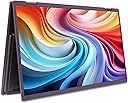
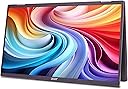
🚀 Double your screen, double your impact — work smarter, anywhere!
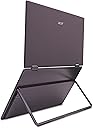
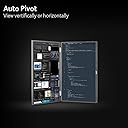
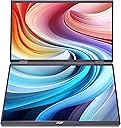
The Acer PD163Q is a foldable, dual 15.6” Full HD portable monitor featuring ultra-slim design (0.96" thick) and lightweight portability (3.41 lbs). It offers dual USB 3.1 Type-C ports and a Mini HDMI for versatile connectivity, auto pivot for vertical or horizontal viewing, built-in 2W stereo speakers, and VESA mount compatibility. Ideal for professionals seeking enhanced multitasking and a clutter-free mobile workspace.







| ASIN | B0D1W2Y118 |
| Best Sellers Rank | #213,900 in Electronics ( See Top 100 in Electronics ) #4,193 in Computer Monitors |
| Brand | Acer |
| Color | Black |
| Customer Reviews | 3.1 3.1 out of 5 stars (13) |
| Date First Available | May 10, 2024 |
| Item Dimensions LxWxH | 0.96 x 14.8 x 8.56 inches |
| Item Weight | 3.41 pounds |
| Item model number | UM.ZP3AA.005 |
| Manufacturer | Acer |
| Max Screen Resolution | 1920 x 1080 |
| Number of USB 3.0 Ports | 2 |
| Product Dimensions | 0.96 x 14.8 x 8.56 inches |
| Screen Resolution | 1920x1080 |
| Series | Acer PD163Q smiuux |
| Standing screen display size | 15.6 Inches |
P**R
Do not buy.
This dual monitor does not work out of the box. It needs drivers to be installed which are mounted as a drive the first time the dual monitor is connected. The drive will not be mounted after that. Looked for the driver on Acer web site, there were none. The second monitor ( upper monitor ) does not start no matter what I do. It goes into sleep mode. I spent 6 hours trying to fix it ( no documentation on the web ) until I finally called technical support. Waste of time. The first technician had no clue on how to resolve the issue and referred me to "Higher Level" who never called me back. I called 2 days later and still the second technician couldn't resolve the issue. I am strongly disappointed with this dual monitor. Do not buy it. It is not worth the price.
I**A
Muy buen producto, llego antes. Buena calidad. Recomendado
D**N
Great value and quality.
Great monitor and quality. Not sure why both screens with some laptops it works with a single usbc connected. On mine the only thing i dont like is I have to connect hdmi, a usbc to the laptop and another usbc to keep it powered on. I would give it 5 stars in a heartbeat if it worked with more laptops using a single cable.
C**N
Requires Drivers
I did not see any reviews for this before purchasing so I took a chance. Very little documentation from Acer on this also. I initially connected to a Linux laptop and only the bottom monitor worked. However a USB drive was mounted with drivers so this told me I could reasonability connect to my Windows 11 Pro machine and install said driver. I did this and both top and bottom screens worked. However while going through a normal day I updated my laptop and the top screen stopped working. Except this time I did not get he option to install the driver. This is a deal breaker for me. The driver requirement was enough the make want to not keep but this forced me to return. Honestly with something like this drivers should not be required; awaiting my refund so I can purchase a Flipgo and give that one a test.
K**E
Really bad acer support
The acer support is really bad. And the device does not working when you just plug in in your device. It needs a driver and they don’t know how to do it. Really disappointed.
D**3
Works Like a Charm
There are a lot of reviews that say you need drivers. I think if you have thunderbolt 4 it works out of the box. I also do not need external power when connecting it to my Apple M1 Pro. My only gripe is that it shows up as one large display and windows tiling even with the latest updates to MacOS is lacking. I would recommend this as it puts one of the displays at eye level. It perfect for traveling and working remotely while traveling.
S**Z
Acer dual monitor doesn’t work as expected
Disappointed! I have my windows laptop connected to Acer dual monitor via usb type c to type c. Detects 3 screens but 3rd screen doesn’t load properly. Not practical and usable. Tried connecting via hdmi port only detects 2 two screen, pretty much mirroring.
Trustpilot
3 weeks ago
4 days ago