Buy anything from 5,000+ international stores. One checkout price. No surprise fees. Join 2M+ shoppers on Desertcart.
Desertcart purchases this item on your behalf and handles shipping, customs, and support to Congo.
📼 Capture the past, game the present, share the future!
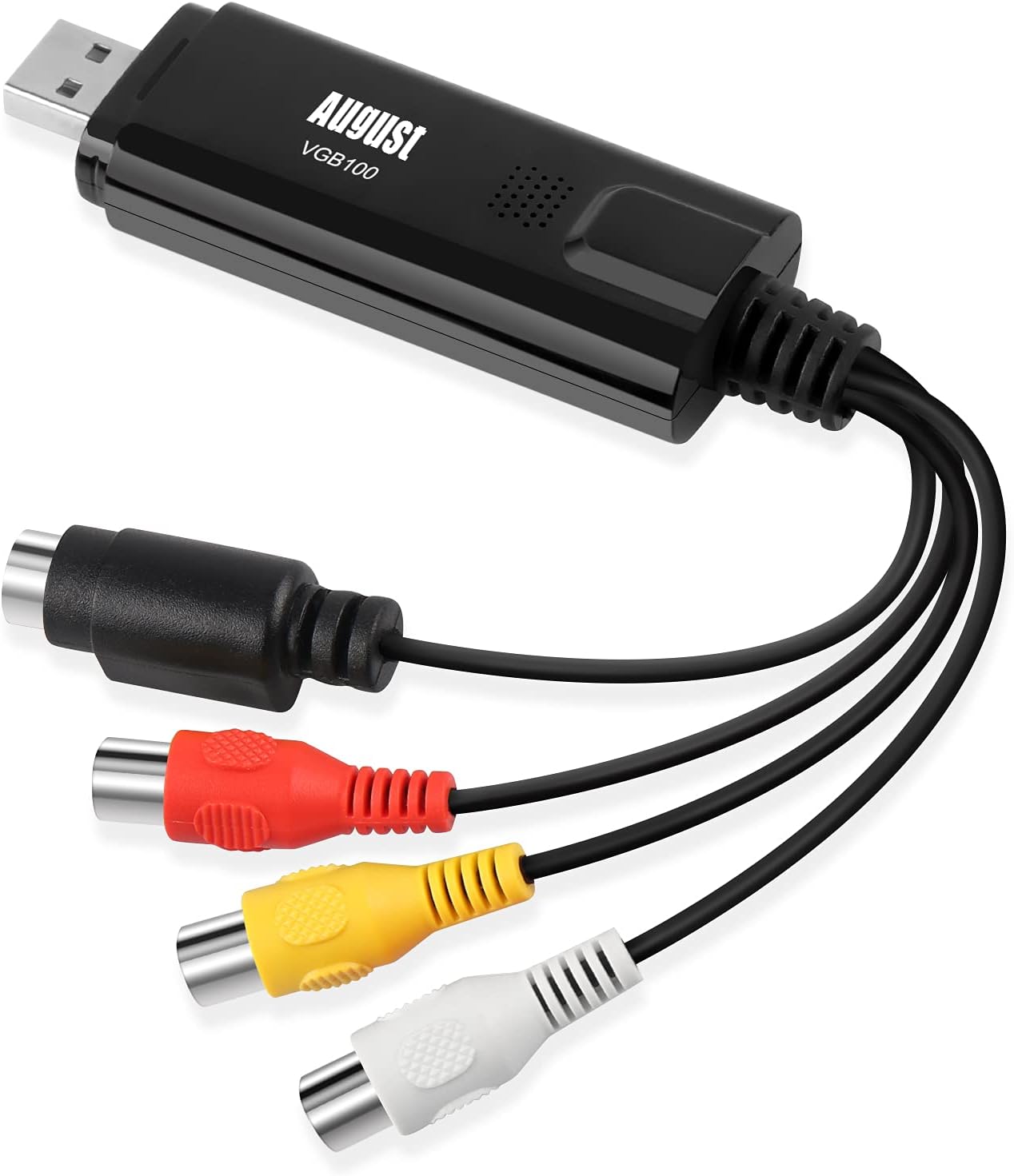
The August VGB100 is a compact external USB video capture card designed to digitize analog video sources including VHS tapes, camcorders, and retro gaming consoles. Compatible with Windows 11 through XP, it supports multiple video formats (PAL, SECAM, NTSC) and comes with software for video conversion and DVD burning. Ideal for professionals and enthusiasts looking to preserve memories or create content with ease.


| ASIN | B008F0SARC |
| Best Sellers Rank | #184 in Internal TV Tuner & Video Capture Cards |
| Brand | August |
| Built-In Media | Capture Card, Installation Guide |
| Color | Black |
| Compatible Devices | Windows 11, 10, 8, 7, Vista, XP |
| Connector Type | Component |
| Current Rating | 1 Amps |
| Customer Reviews | 3.7 out of 5 stars 9,030 Reviews |
| Finish | Composite |
| Global Trade Identification Number | 05053047000927 |
| Item Dimensions | 3.35 x 1.02 x 0.55 inches |
| Item Type Name | video-capture-cards |
| Item Weight | 40 Grams |
| Item dimensions L x W x H | 3.35 x 1.02 x 0.55 inches |
| Manufacturer | August |
| Mfr Part Number | FBA_VGB100 |
| Model Number | FBA_VGB100 |
| Number of Items | 1 |
| Number of Ports | 1 |
| Package Quantity | 1 |
| Smart Home Compatibility | Not Smart Home Compatible |
| Specific Uses For Product | TV |
D**H
So Far Working Great with and without OBS
Following August’s video tutorial on YouTube I downloaded the ‘new’ drivers and installed everything quickly and easily. Since then I’ve digitized about 30 VHS tapes without a hitch. I started with the included software which is basic but works fine. Later I started using OBS which is certainly more robust. It took me quite a while to decide on one of these to purchase as the reviews are uniformly bad from the cheapest to the most expensive units. This one seemed to have a higher number of successful users. I watched the August YouTube video they published in May detailing the installation. It was nicely done and featured ‘new’ software. So I figured I could disregard all the older reviews that complained about the software. Also, most said they had success with OBS. With both softwares the video and audio is quite good, not much loss from the VHS tapes. I have encountered one problem though, that occurs every time I shut down the computer. When I open the software (August’s or OBS) it does not connect to the device. I’ve found that all I have to do is unplug the device, and plug it back in. That usually does the trick but sometimes closing the program and reopening it is also needed. In any event, I’ve never failed to get it working in less than a minute’s time. And once up and running it stays connected until the computer is shut down again. OBS has some odd behavior which was noticed by another reviewer. His review helped me figure it out the first time. What happens is sometimes when OBS is opened I will have audio but no video. Other times, video but no audio. Sometimes neither. Here’s what I found works: If no audio, unplug and replug device If no video, go to Video Capture Device/Properties, if checked, uncheck ‘Use Custom Audio Device’ Recheck ‘Use Custom Audio Device’ and make sure correct device is in the pull down below (Analog Audio in (USB 2.0 Video Capture)). Video appears as soon as box is checked. I’m not sure why this works, but it works every time for me. People have mentioned having problems on newer hardware. I’m using an older computer with USB 2.0 ports and haven’t tried it on anything newer.
D**S
Product Just Does NOT Work!
I have ordered many items from Amazon with great success. All have worked as promoted. Except this one. I gave it one star because there are no negitive stars availalbe. This product, even using DL'd drivers and software did not work. To top it off, the software key on disk did not work. Save yhour money, get a different unit! Or you probably will return it as I did. With Amazon's assistance, I replaced this with the Top-Longer USB 2.0 VHS to DVD unit and it is working flawlessly. Dirvers install and so does the software. I tried a sample VHS record and audio was clear and video was good. (This is from a 20/30 year old tape). David A. Marks
H**L
I recommend that you Download the device drivers instead of using the mini cd.
The device works fine, however, I had problems with my computer with the initial installation. I followed the instructions. I Did NOT PLUG DEVICE I began to install drivers from mini cd. The installation stopped because it could not find the device I plugged in the device and restarted installing the drivers, the installation completed. I installed the software, using licence key from cd case I went to device manager to check that drivers were correctly installed: I was able to capture video from my old Sony 8mm camera to my computer. HOWEVER, WHEN I RESTARTED MY COMPUTER LATER IT WOULD NOT BOOT PAST THE SPLASH SCREEN. After an hour of trouble shooting, clearing the cmos, etc. I decided to unplug all usb devices thinking that the new device drivers were causing the problems. I was now able to boot into Windows 10. I had to uninstall the device drivers in order to boot the computer with usb peripherals connected. I went online and downloaded drivers from their website. I was now able to boot the computer properly and use the device. It captured the video well. The software is great for capture, however, it is limited . I used other software to edit the video and create a dvd.
J**H
Works Great with easy Fixes
This was the cheapest one I could fine. Set up was easy, had 2 problems will list it and the fix, I am using windows 10, 64 bit pro Problem 1 1. Driver installation - instructions said to install the driver then plug in the device (this is actually the most common practice on usb devices) but when I tried to install the drivers the program errored out. I then plugged in the device then ran the driver installation, worked like it should 2. Sound/Device in use - A common problem you will first see is an error saying something like "device in use" and people listed fixes but I will explain a real fix and the root cause. When you install the device it uses you sound card, the speakers AND mic. The problem lies in the mic, you windows will switch it to your default mic so the device can't use it to record sound because windows hijacked it. The Fix. Open up sound properties (Right click windows icon) select control panel>Hardware and Sound>sound (or type "sound" in the search. Select the "recording tab" right click on the VGB100 and select "disable" . This will stop windows from using the device gain when you unplug and plug the USB back in. The software with the device is easy to use, the only thing I wish I could do is set a record time. I have started recording a 6hr tape only to forget about it and let it record 18 hours making a 25 gig video file. I easily fixed this but I bet slower computers would have trouble handling that. If you plan on recording something long, set an alarm!
L**E
Capture works great, editing software is buggy.
Physically it's good. It arrived on time and in good condition. Video capture works good. I'm capturing from an older device and I had to play with the settings some before I got a video signal. Here's a hint - once you've set your source, video input, and audio device correctly if you're only getting audio and no video click on the "device settings" button and try different video standards until you get one that works. Mine required NTSSC_M_J. I have absolutely no idea what that means and I'm too lazy to look it up, but that's the one that got a video signal from my older Panasonic camcorder. Now for the reason I'm only giving it 3 stars. The "ShowBiz" software that comes with it is pretty buggy - and that's putting it kindly. Capturing works fine, but it locks up after each capture session. When I re-launch it, if I try any of the editing features for videos I've already captured it just locks up again. So if you're like me and on a mission to convert a ton of old family movies to digital format you'll do ok buying this to capture the video, but you should plan on using some other software package to do any editing, converting, etc.
R**L
adjust the settings and it works perfect
Works just as described sound quality is good picture could be a bit better. The edges are not smooth the kind of warp but it could also be all my VHS's. The program is straight forward just remember to turn off your dedicated graphics card if your computer has one. If you run it from the native graphics processor built in to your system it will work. the software also allows you to adjust image size. No need to 720p videos for old VHS tape so after a few recording i just adjusted the settings. For price and functionality it works but you do need a little bit of technological savvy. so far I've done about 3 hours of video recording on my windows 7 system and it works flawlessly.
R**B
Doesn't capture older devices properly, S-Video does not work at all
If you try to connect a gaming console that is a Super Nintendo / Sega Genesis or older, this capture card fails to sync the video signal properly and discolors the entire thing. Pictures show the same signal through the provided software, and then plugged into a regular CRT TV. Consoles newer than that, like the N64, or Dreamcast, capture okay. No one that I've talked to that owns other capture cards has this problem, or knows why it's happening on the August VGB100. Also, the S-Video cable just doesn't work at all with anything I try it on. I move the s-video plug from a TV that takes S-Video and is working as expected, to the August VGB and get no signal, even when deactivating and reactivating the capture with the signal active. So, it captures a relatively small range of consoles that are old enough to still use standard def composite, but not too old so as to throw the signal out of sync. Probably worth $3, not $30.
R**.
Works great
This is a great tool. It worked on both Windows 10 and Windows 7. Windows 10 does need a few extra steps. Go ahead and disregard the papers included in the package. Download the software through the website. It includes both the drivers and the newer software (not Arcsoft). You can plug in the device first, and then install the software. This worked for my 8mm Sony Camcorder. Windows 10 - You can search for a tutorial install video. Follow the video, and you'll see what settings you need to switch on in order to get this device working. As of this review in Win 10 you cannot view video's on the screen with the software but you can and do still record them. Windows 7 - You don't have any settings to switch on. It's very straightforward plug in, install software and you're ready to go. You can see video in this OS.
C**N
Facile à utiliser
Fonctionne bien mais il faut bien lire le mode d'emploi. Facile à utiliser.
D**R
Top!
Geweldig om oude banden terug te zien en natuurlijk te digitaliseren.
S**L
bad product please retake it and give my money back
Bad bad bad product not working in any ways
J**S
Gut und günstig
Der Markt für Video Capture Adapter gibt Einiges her - da sich die Geräte scheinbar alle ähneln, ist man als Kunde leicht verwirrt, für welches man sich denn nun entscheiden soll. In technischer Hinsicht unterscheiden sich die angebotenen Adpater alle nicht sonderlich - es sind im wesentlichen dieselben elektronischen Komponenten verbaut. Ich habe zum Vergleich ein deutlich teureres Set von Magix herangezogen - der dort enthaltene USB-Adapter war nahezu identisch mit dem vorliegenden hier, nur viermal so teuer! Der August VGB100 Adapter hat bei mir auf Anhieb sehr gut funktioniert: Aufgabe war es, einige VHS-Videos von "Ausflügen" mit der Bundeswehr zu sichern bzw. letztendlich auf eine DVD zu bringen. Den Adapter habe ich an einem ca. 6 Jahre SONY Vaio Notebook per USB 2.0 unter Windows 7 angeschlossen. Von der Herstellerseite habe ich mit die aktuelle Software heruntergeladen und installiert. Den Adapter habe ich mit einem Thomson Videorecorder verbunden: Composite Video (gelber Cinch-Stecker) und Audio (weißer und roter Cinch-Stecker). Über das Vorschaufenster in der mitgelieferten Software läßt sich das Videobild abrufen, hier kann man auch ganz einfach die Aufzeichnung starten. In der Regel braucht man auch eine besonderen Einstellungen in der Software vornehmen - bereits mit den voreingestellten Standardwerten lassen sich gute Ergebnisse erzielen. Die aufgezeichneten Videodateien lassen sich anschließend recht bequem bearbeiten, z.B. Anfang und Ende zurechtschneiden. Auch der Weg zur DVD ist einfach und weitgehend selbsterklärend, nur die Gestaltungsmöglichkeiten etwa beim DVD-Menü sind überschaubar - aber es ist alles dabei, was man braucht. Die von mir erstellten DVDs ließen sich bisher auf jedem Player problemlos abspielen! Fazit: Ein sehr guter Video Adapter zum Sichern alter DV- oder VHS-Kassetten auf dem PC. Mit der mitgelieferten Software lassen sich die überspielten Dateien leicht auf eine DVD oder in andere gängige Videoformate bringen und somit für die Zukunft sichern. Für wenig Geld bekommt man hier alles, was man braucht, um alte VHS- oder DV-Archive zu retten.
S**B
Fait le job, qualité suffisante pour moi
Fournie avec mini-CD, adaptateur Péritel/RCA, câble RCA. En ce qui concerne le mini-CD censé fournir drivers et logiciel d'acquisition : d'une part, il ne fonctionne pas dans tous les lecteurs que j'ai pu tester, et d'autre part, il vient avec un logiciel que je ne souhaite pas utiliser, qui installe probablement tout un tas de cochonneries en même temps (et en plus : il oblige à installer drivers et soft en même temps). Clé installée pour commencer sur une vieille machine sous Windows XP exhumée d'un placard (car je ne voulais pas polluer une machine de travail) : j'ai téléchargé les drivers sur Internet (faire une recherche pour "driver vgb100", et on accède au site d'August qui permet de télécharger les drivers seuls pour Win XP, 7, 8 et 10), installation sans problème après branchement de la clé (il faut tout de même savoir installer manuellement un driver sous Windows, depuis le gestionnaire de périphérique). Après cela, j'ai testé quelques logiciels gratuits d'acquisition vidéo, mais ma machine sous XP était trop lente pour encaisser les débits vidéo. Je me suis donc résolu à installer la clé sur une machine récente sous Windows 10 : après branchement, Windows n'est pas capable d'installer les bons drivers tout seul. Donc, là encore, j'ai utilisé les drivers téléchargés pour une installation "manuelle". Après cela, aucun problème : clé reconnue et fonctionnelle. J'utilise finalement le module d'acquisition intégrée à VLC, cela fonctionne très bien (menu "Media" puis "Capture Device" ; bien choisir "SECAM_L" comme format). Au final, la qualité de mes vidéos reste assez moyenne (surtout pour le son), mais : 1. Cela est probablement plus dû à la qualité des vieilles cassettes VHS + magnétoscope lui aussi vieillot. 2. Cela reste tout à fait potable, et appréciable de récupérer des vidéos qui ne s'abîmeront plus avec le temps.
Trustpilot
3 weeks ago
1 month ago