


🔥 Elevate your wellness game—track, sync, and conquer every step! 🚀
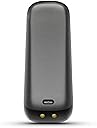
The Fitbit One Wireless Activity Plus Sleep Tracker is a sleek, lightweight device that wirelessly syncs your daily activity and sleep data via Bluetooth 4.0 to over 150 compatible devices. It offers up to 10 days of battery life, is sweat and splash resistant, and features a silent vibrating alarm. Designed for professionals seeking data-driven health insights, it tracks steps, stairs, calories, and sleep patterns, while integrating social motivation through badges and community challenges.




| ASIN | B0095PZHPE |
| ASIN | B0095PZHPE |
| Additional Features | Activity Tracker, pedometer, sleep_monitor |
| Age Range Description | Adult |
| Band Color | black |
| Band Material Type | Silicone |
| Batteries | 1 Lithium Polymer batteries required. (included) |
| Battery Average Life | 20 Hours |
| Battery Cell Type | Lithium Ion |
| Battery Charge Time | 1 Hours |
| Best Sellers Rank | #395,863 in Electronics ( See Top 100 in Electronics ) #959 in Wearable Tech Wristbands |
| Brand | Fitbit |
| Built-In Media | Fitbit Charge 3 |
| Closure Type | Buckle |
| Color | Black |
| Communication Feature | Bluetooth |
| Compatible Devices | Smartphone, Computer |
| Compatible Phone Models | iPhone |
| Connectivity Technology | Bluetooth, USB |
| Controller Type | IOS |
| Customer Reviews | 4.2 4.2 out of 5 stars (9,330) |
| Date First Available | September 17, 2012 |
| Department | womens |
| Display Type | Digital |
| GPS Geotagging Functionality | No GPS |
| Global Trade Identification Number | 00898628002304 |
| Human Interface Input | Buttons |
| Is Discontinued By Manufacturer | No |
| Item Dimensions | 0.25 x 0.75 x 2.25 inches |
| Item Weight | 9.07 g |
| Item model number | FB103BK |
| Manufacturer | Fitbit |
| Manufacturer | Fitbit |
| Metrics Measured | Sleep Duration |
| Model Name | Fitbit One |
| Model Number | FB103BK |
| Operating System | Android, Apple_iOS, Apple_iOS, Android |
| Product Dimensions | 0.25 x 0.75 x 2.25 inches; 0.32 ounces |
| Screen Size | 4 Inches |
| Shape | Rectangular |
| Sport Type | Running, exercise_&_fitness, exercise_&_fitness, outdoor lifestyle, running, outdoor lifestyle |
| Style Name | Modern |
| Supported Application | Alarm, Fitness Tracker, Pedometer, Sleep Monitor, Time Display, calorie_tracker, distance_tracking |
| Target Audience | Unisex Adult |
| UPC | 898628002267 |
| Unit Count | 1 Count |
| Warranty Description | 1 Year Parts and Labor |
| Warranty Type | Limited |
| Water Resistance Depth | 10 Meters |
| Water Resistance Level | Waterproof |
| Waterproof Rating | IPX4 |
| Wearable Computer Type | Activity Tracker |
| Wireless Compability | Bluetooth |
| Wireless Provider | BASE, du |
S**E
I've bought two, mine was so great hubby wanted one!
Update 9/2/16: Years later mine is still going strong as well as my husbands. However he left the household leaving it behind so I was able to set it up for my teenager daughter to use it and it was an easier process than I thought it would be. Not only did I buy one for myself, but after seeing it in use and how it could motivate a person my husband asked to get one as well so we purchased two from Amazon about a month apart. Both times this item shipped quickly with my Prime account. I do read that some reviews say that all of the numbers are skewed and incorrect, but after reading lots of online reviews from different products of this type both on this site and on other websites NONE of these devices are 100% accurate for anyone...and anyone who says so is probably just not aware or lying to themselves or you because they are brand loyal. I've had no issues with it miscounting major steps or stairs. I did notice that it does sometimes count steep hills as stairs, but I think it works on altitude so that makes sense. And honestly, who cares...count it I worked hard to get up that steep hill count it! :0) I would be interested to find out how many stairs it counts as a flight, as I seem to rack up more flights at work than at home. I think my work staircase may be steeper or go higher than my home staircase because I always get more flights while at work than at home even if I only go up them once at work. Also it only counts going up, not down. Again that is understandable because your muscles work harder going up. As for counting how many steps my feet take each day I clip mine every day to the inside of my bra in the gap between cleavage. I'm not sure that would work for all women, but it works perfect for me and I have never had it come unclipped and should it accidentally it would fall into my bran and I wouldn't lose it. The instructions say you can clip it to your waistband or put it in your pocket as well. I was afraid of it falling off and losing it, but I think the clip would be strong enough to keep it there with no problems. I'm just used to putting it where I do now. I liked the location so much that my husband decided he liked the location too, but being a man with no bra he got creative. We had an extra lanyard around that has a keyring that a badge clip was attached to. He took off the badge clip and now he just slides his fitbit clip onto the ring, puts it around his neck and slides it under his shirt. The shirt keeps it close to his body so it's not swinging around and still gets an accurate count. We've compared our numbers when waking around together and they are always very close, slightly off because we have different strides. He's also worn both, one clipped to his lanyard and one to his waistband and he got the same numbers on both after a walk. So we feel that him using it this way is okay. I've also seen reports of people saying it's sensitive and picks up things like wiggling around, driving/riding in a car, etc. I've watched mine and I've not seen it add extra numbers for any of these types of activities unless I was actually moving my feet. It did count dancing if I was moving my feet and stepping around, but if I was just swaying in places or wiggling my hips/upper body it did not count any of that. I've even stood and shook the thing and if I shake hard enough I can get it to count numbers, but I had to do it pretty vigorously. I bought it for the steps and stairs, so these are the features I use most. I did think the sleep function was interesting, I wasn't getting it for that but now that I am seeing my sleep tracked it has helped me to notice patterns where some days I might not have been sleeping enough. I like how it will still track your sleep as long as you are wearing it even if you forget to set it before you go to bed. If I forget I can just go to the app or website and tell it what time I went to bed and what time I woke up and up pops my sleeping data for that missing night. The website was a little hard to use at first, it took some learning and just clicking on things to figure out how it worked so for people not proficient in computers they may have a hard time using it. I use the app on my iPod so I use the iPhone version, my hubby has a Samsung Tab 3 tablet so he is using the Android version. They are both different looking, but have similar functions and are pretty simple to use. There are a few things you can not do on the mobile apps that you have to log into the computer to do but it is not too much. Mostly a few setting options and setting goals are unavailable on the apps. I do like how the app will have a battery indicator you can check and the website will send you emails reminding you when it is time to charge. These both came with dongles and I have both plugged into the computer. When I first set up the second I had to have one of the kids take mine to the other side of the apartment so that it would pick up the new one, but once that was one they are both syncing and functioning just fine on the same computer. As long as the computer is on, our information stays pretty current and if we did want to push a sync to see info we can do that as well. I can not sync mine with my iPod but it is because I have an iPod 4 and it's blue tooth connectivity is not as good as the newer devices so not the fault of this product but rather the fault of my device. My husbands however can sync just fine via blue tooth which is nice if we go on a trip and want to get updated info without carrying our dongles with us, they are small and I would be scared of loosing it! The wristband for sleep is a good size and made well to change size for different people. We both have larger wrists and it's plenty big with a bit of room to spare. The way it is made with velcro it can easily be sized down to a smaller wrist as well so those concerned with wrist size I think would be just fine. It works on velcro and not buckles, snaps, strech, etc which is sometimes a hassle to get the sizing right on. There are also options to track your food, calories and other exercise. I do occasionally log other exercise, but often I forget to log food, water and calories. If you are tracking calories the device itself will tell you how many calories you are burning, the website is where you would track weight, food, water intake, and exercise. You can also track some other numbers on the website if you are tracking blood sugar for diabetes, blood pressure, etc. So there are options on the website I don't use. Lastly this device syncs nicely with lots of other fitness websites so if you don't want to use the Fitbit site and trackers you can sync it to another website. It is a process however because somethings you can sync via the Fitbit site/app and others you have to go to the other websites/apps and sync through them. So it was a learning curve on that so again someone with little technology skills may have difficulty with this. Lastly you have a profile on the Fitbit website and you can make it public or private letting your friends see various things. I like having the options to make decisions on each thing. I don't mind strangers seeing how many steps I take each day, but I don't want anyone but friends seeing weight and no one cares what I ate if I was tracking food! These are all settings on the website to make certain things visible and others not. There is also an online community that you can use, but I found it clunky and more annoying than anything. Some of the other fitness websites are better so I rather just sync my info and use those. Overall I think it was a great decision to buy these for both of us as it's increased both of our fitness. I know I can never get in as many steps as he does right now, but it still allows us to be competitive and also challenge ourselves. I know there are days that I forget it at home and multiple times I'll say things like ohhh man I'm not getting credit for these stairs today. (or walking a lot, etc.) It is also good at showing us how some days we feel very active, but are not as much as we think. And other days we feel like we didn't do much but were super active. We find ourselves parking further out just to try to get a few more steps in, or taking the stairs instead of an elevator just to get more stairs! I am really surprised by how it's changed my point of view on things! I'm not a fitness guru, I don't have a regular workout or exercise routine, and I don't walk a bazillion steps a day. So don't think this is just for those people or the super obsessive. This is a great little device to give you that extra little motivation that might just be the difference between no activity and some activity!
D**E
Need Motivation? Get a Fitbit!
I got my Fitbit One on May 29, 2013, so I've had it for 2 and a half months. I wear it all the time except when I'm showering. Quick Spoiler Alert: I Love My FitBit! It's my little Jiminy Cricket Conscience, reminding me to be more active. Fitbit is really tiny! The pictures don't show how small it is. It's smaller than my thumb. The clip that is built into the holder feels like strong sprung steel, so it's pretty secure. I wear mine on my bra, but you can also wear it on your pants. I used to have old fashioned pedometers that would come off at times, especially in the restroom when it would get jostled around a bit. If you decide to wear it on your pants, you can always get a little tether, which would be nice insurance. When I put it back on after a shower, it says Hi! I know that's sort of silly but it still makes me smile. It's a nice, friendly touch. I use the included wristband to wear it at night to track sleeping. The wristband is pretty comfortable, but I've had a problem with the velcro. It's not like regular velcro, and doesn't hold as well after a couple weeks. I've just sewn on stronger velcro on top of the strip and it's totally fine. Also the Fitbit has slipped out of the little pouch (which is made of thin fabric so you can read it while on your wrist if you want). I realized recently that instead of sliding it into the pouch and having the end near the opening, I turn it 90 degrees so it is parallel to my wrist and doesn't come out while I sleep. I use a separate phone app to track my sleeping as well. The phone app is pretty amazing, but honestly, the Fitbit is rather accurate too, just in a different way. I've had a couple issues with it. If I reach over to pet my dog while I'm falling asleep, using my left hand (you wear it on your nondominant wrist), it counts the movement as actual steps. And when I am trying to fall asleep, I usually force myself to lie very still to help me relax. But I'm afraid Fitbit will think I'm actually asleep. So every few minutes I'll slightly move my arm to tell it I'm still awake. This seems to work. One thing I've learned is I actually usually fall asleep much faster than I had realized! This was really helpful, since I have insomnia. Basically for sleep, it decides if you're asleep, restless or awake. It tallies all of this for you, which can really give you a lot of information. My app is way more complicated, but I still use it for a few of the charts. But if you need basic information, this is perfect. I'd be okay with just having the Fitbit, if I weren't such a numbers geek and into quantifying myself. :P One more thing about sleeping, you have to tell Fitbit when you are in bed and ready to go to sleep. To do this, you just push the button for a couple seconds, until the timer starts counting. Then when you wake up, you push the button for 2 seconds again to tell it to stop. For the first little while, leave yourself a note so you get in the habit of doing it. After awhile it's no big deal at all. And if you forget, you can tell Fitbit when you were asleep, so it's pretty forgiving. For counting steps, it's as accurate or more so than old fashioned boring old pedometers. I am quite pleased with it. Make sure to set your step length and fill out your information! My mom got one the same time I did and she didn't bother, and it was way off. It only takes a few minutes to set it up properly and the directions are pretty easy. There are issues with stairs, though. I have a single flight of stairs down to my garden. I like to walk up and down and up again to do several flights of stairs in a row. Fitbit uses an altimeter to figure out you're going up stairs, so I guess it gets a bit confused if you go up, then down, then up, etc. The way I found around this is to add about 40 steps out into my garden at the bottom of the stairs before going back up. This works most of the time, but sometimes, alas, it doesn't count all the flights I take. It's better than a regular old pedometer though, by far! One other time it was inaccurate was when we drove up a mountain and then hiked up and down really steep trails. It thought I was going up lots of flights of stairs, which was fine. It counted my steps, but the estimation of the flights of stairs seemed way off (overestimated). You can go in and manually correct it on your log though. It's not perfect, but it's the best I've found so far. Also, driving up the mountain threw it off too. You can get an app for Android that you tell it when you're driving, and it tells Fitbit, which is handy. Get it if when you drive it thinks you're taking steps. I don't have this problem normally, but driving up steep hills seems to be an issue, easily solved with the app. When you want to exercise during the day, you can tell Fitbit. This is helpful and makes it more accurate, so right before you start, push the button for 2 seconds to start the timer. Then push the button again for 2 seconds to stop it when you're done. Then go tell Fitbit what exercise you were doing. There are several screens you can scroll through on the Fitbit. The last one is a flower. As you take more steps during the day, you get more leaves on the flower. It's a nice little graphic that is kind of sweet. Don't worry, guys, you won't lose your Man Card for having one of these. FitBits are so awesome. You can talk QS (Quantified Self) stats with all your friends! To sync up your Fitbit, you put a little USB dongle in your computer and usually it syncs itself. I think it seems to sync, when you are within about 15-20 feet of the dongle, about every 20 minutes, but that's a rough guess. If you want to force it to sync (to set a silent vibration alarm, for instance- go to Settings on the web interface), you can do that. Fitbit has great directions for everything. Sometimes it gets confused about syncing. Taking the dongle out and putting it back in helps, as does forcing a sync sometimes. That has fixed it every time for me. Now, about the web interface. You go to Fitbit.com, register to get an account, and you get a dashboard with all kinds of dials and widgets. It's pretty intuitive. The beta version is much prettier than the regular, so you can use it instead. Make sure you set up your account, settings and all that good stuff! That is how Fitbit knows how many calories you are burning, etc. The great thing about Fitbit, and I did a lot of research before buying one, is that you can actually connect it to all kinds of different apps and other sites. Endomondo is a great one, and MyFitnessPal is invaluable. You'll see all the different ways to connect on the website when you are logged in. If you use MyFitnessPal, which I highly recommend, you will log your food and exercise in MFP, NOT Fitbit! The interface for food is much more intuitive and easier to use in MFP. It's also easier to put in your measurements and weight in MFP. The account is free and they work beautifully together. There is another website called FitBolt that I learned about, I think through Fitbit. It's pretty neat, but the interface is a bit buggy and requires some patience. If you work at a desk, every 40 minutes (editable), it tells you to either stretch or do an exercise. You can choose either or both. I work at home, so it's easy to do 30 seconds of plank or pushups, but I guess for some it's not practical. But the stretches are meant for people stuck to their computers. It connects to Fitbit, and after you tell FitBolt that you did the exercise they suggested, they tell FitBit and you get credit for that, and Fitbit will tell you how many calories you burned. Then MFP will tell you how many extra calories you earned! They all work together. Endomondo also works the same way. Just make sure if you log an exercise in one app that you don't then log it in another. Let them talk to each other and Fitbit will work it out. Ok, so those are the details of how to use it. But do I like it? Do I actually use it? You bet I do! I love it! It's very motivating. I hardly ever look at my Fitbit itself except when remembering the exact minute I start an exercise so I can log it in MFP accurately, when I then have FitBit use the timer. Mostly I have FitBit open in a tab in my browser, and MFP in another tab so that they are in my mind. It's so inspiring when I am active! And when I am really sedentary (it's so easy!), I can see that in the charts. So then I'll go do some jumping jacks or run up and down the stairs or something, anything, to get in some activity. So it really STILL keeps me motivated. Seeing those charts and getting rewards for the first 10 flights of stairs in a day, is awesome. Oh! And there's a social aspect to it as well! You can become friends with other users and have friendly competitions to see who can take more steps in a day or week. That's really helpful for some people. I find it helpful to have a FitBit buddy. For the price, this tiny little thing is just awesome. Yes, it sometimes gets confused, but less than a boring old pedometer that does a heck of a lot less. The sleep data is really nice, too, which is why I got the FitBit One. If you find data motivating, and want to see your progress on nice charts, get it and let it motivate you to move more. My mom has one, as I mentioned. She doesn't use all the features (like sleep) like I do, but she also finds it motivating and will take the dog for a walk just to get in steps. She's in her late 60's and anything that keeps her active is well worth the money! And the same goes for me!
L**A
I have gotten several Fitbit devices over the last decade but I keep coming back to the One. I am disappointed that Fitbit decided to discontinue this product as it is the only reliable device that does not need to be worn on the wrist. I love the One so much that I got one for my husband who also stated that he was tired of wearing a wrist-tracker. Other great features about the One are that the battery lasts almost one week, it takes an hour or less to charge, and it is so compact that it can easily be clipped onto a bra, or put in a tiny pocket and it even tracks floors - great incentive to take stairs over escalators and elevators!
A**P
ottimo amazon,come sempre! prodotto eccellente!sia come funzioni, sia come funzionalità. Veramente un ottimo activity tracker! leggero e discreto per tenere sotto controllo la propria attività fisica e monitorare la qualità del sonno. batteria veramente performante! utile anche la funzione di calorie in/calorie out (in base all' attività fisica)tramite la funzione di diario alimentare. fitbit purtroppo non ha il database con i cibi italiani, quindi ho bypassato questa mancanza associando l' account fitbit con l' account di myfitnesspal che ha anche il database dei cibi italiani. p.s. occhio per chi usa l'app di fitbit per smartphone ! il fitbit comunica solo con smartphone che hanno il bluethoot 4.0!
R**F
The product needed to be replaced by the manufacturer Very disappointed with Amazon
S**R
I settled on the Fitbit One after reading extensive reviews of various fitness trackers. Unfortunately, the only tracker available directly in India is the Garmin Vivofit but I had to rule it out on account of not having an altimeter, besides being inexplicably expensive. The closest alternative to this was the Jawbone Up24 and I would have settled on it but for the fact that it has been reported to break down too often. Return might be an easy option in the US, but definitely not when you are importing to India. Coming to the One itself, the final price (post-offer) turned out to be less than 7.5k which is quite acceptable for something that costs about $100 in US. The service from Booyah Chicago was quite good, taking a total of 7 working days (11 calendar days) from the time of order to the arrival of the product at my doorstep. One thing that I was focused on was accuracy and the Fitbit One is deemed to have the best accuracy among mainstream activity trackers. Going by my experience, it is largely true, but not entirely accurate as my bus commute seems to add up to my step count. However, all things considered, I have learnt to discount such variances and compare my activities across the days since I am competing with no one but myself. I find the ability to discreetly track my activities quite satisfying and usually have the One clipped to my pocket and facing inwards to avoid losing it. The OLED display has good outdoor visibility and allows for quick tracking as opposed to having to refer to an app. Having said that, the syncing works great with my PC, iPad and Android phone, so there is never any worry about losing the data. Sleep tracking seems quite rudimentary and the additional hassle of wearing the band is certainly cumbersome. On the whole, it is a great device to quantitatively track your activities and motivate yourself towards staying fit. Highly recommended.
T**I
Sono molto soddisfatta del mio nuovo amico. E' sempre con me, anche in casa. Leggerissimo, discreto, non ti accorgi di averlo indosso. Fa il suo dovere egregiamente: molto preciso come contapassi (anche se consiglio di mettere lunghezza camminata 70 anziché 71 come di default altrimenti ne conta meno, ma se abbassi a 68 ad esempio ne conta davvero troppi), i piani saliti li conta quando riprendi la camminata (non conta i gradini), le calorie le brucia anche a riposo (giustamente respiriamo...), la distanza percorsa immagino sia calcolata sui passi effettuati. Non viene fornito con un libretto d'uso. Indispensabile l'app Fitbit (molto ben fatta, completa e di facile intuizione) disponibile gratuitamente per ogni cellulare, da lì hai un pannello che si aggiorna via bluetooth (a volte fa un po' fatica e devi riavviare) appena apri l'app direttamente con l'One. Possibilità di calcolo di quanta acqua bevi, di cosa mangi (addirittura con scansione del codice a barre dei prodotti) e di allenamenti mirati di pochi minuti. Tutti gli obiettivi sono modificabili (ad esempio puoi anche mettere 3000 passi al giorno). Dopo un po' non riesci a tenere conto di tutto (sopratutto per cibo ed acqua), ma rimane un validissimo aiuto motivazionale per il movimento. La fascia per la notte è molto leggera e non ti accorgi di averla, ma anche per quella dopo un po' vuoi stare libero (anche se il "contasonno" è preciso e calcolo tempi di addormentamento decurtando i risvegli dal sonno profondo, quindi dandoti veramente il tempo preciso di quanto hai dormito, che è sempre meno di quello che crediamo). In definitiva, il migliore di Fitbit, sopratutto per chi non sopporta cose addosso come i braccialetti.
Trustpilot
2 weeks ago
2 days ago