Buy anything from 5,000+ international stores. One checkout price. No surprise fees. Join 2M+ shoppers on Desertcart.
Desertcart purchases this item on your behalf and handles shipping, customs, and support to Congo.
🎙️ Own Your Stream, Command Your Sound
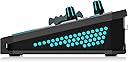
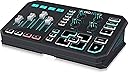
The TC-Helicon GoXLR is a compact, professional-grade 4-channel mixer designed for streamers and broadcasters. It features motorized faders, a studio-quality MIDAS XLR preamp with phantom power, an intuitive sampler, and real-time vocal effects. Fully integrated with a Windows app for advanced control, it consolidates multiple audio devices into one sleek platform, empowering creators to deliver polished, engaging live content with ease.


| ASIN | B07JKNG4NV |
| Audio Input | XLR |
| Best Sellers Rank | #9,309 in Musical Instruments ( See Top 100 in Musical Instruments ) #22 in Unpowered Recording Mixers |
| Brand | TC Helicon |
| Brand Name | TC Helicon |
| Connectivity Technology | XLR |
| Customer Reviews | 4.6 out of 5 stars 4,789 Reviews |
| Frequency | 20 KHz |
| Global Trade Identification Number | 04033653081047 |
| Included Components | Power Supply, USB Cable |
| Item Dimensions D x W x H | 8.55"D x 15.35"W x 4.7"H |
| Item Type Name | Vocal Effects Processor |
| Item Weight | 1600 Grams |
| Manufacturer | Music Tribe US |
| Manufacturer Part Number | P0CQK |
| Model Number | GOXLR |
| Number of Channels | 4 |
| Output Connector Type | XLR |
| Power Source | Corded Electric |
| Product Dimensions | 8.55"D x 15.35"W x 4.7"H |
| Unit Count | 1.0 Count |
| Voltage | 12 |
| Warranty Description | 3 year manufacturer. |
M**C
A must have
This gets the job done and has eliminated the need to string together unreliable and confusing software solutions and hardware MIDI devices to do the same thing. I've owned this for about a year and it has gotten better and better with regular software and firmware updates as well. The software is easy to use given the complexity of how you're able to set everything up. The routing section is top notch and extremely useful and easy to follow. The ability to save and load profiles makes switching between your different setups easy and immediate. The ability to assign text, colors, and images to your inputs is nice as well, and makes it easy to customize for whatever your setup calls for. It's been rock solid for me in terms of reliability, and I can only recall one time where I had to power-cycle it to resolve an issue. That's far better than what I was experiencing with previous software solutions. I'd hate to call the next items "cons" or "downsides", because these features were never advertised as being part of the product. But here is a list of suggestions, or things I'd love to see added in a future update: -Personally, I don't use the effects or sampling at all. I would love to see configuration options in the software to reconfigure some of the buttons and knobs for other functions. For example: switching profiles with the press of a button, assigning a knob to quickly change the microphone gate and/or gain, panning a channel's audio left or right. -Make the mic mute/cough button configurable on a specific mixer channel instead of just on the XLR input. I sometimes would like to instantly mute/unmute an input other than the XLR channel just by holding down a giant button. -Add an option to configure the level LED's as pre or post fader. Early on, I noticed that the levels were pre-fader levels, and somewhere along the lines with a software update this changed to post-fader levels (thank you). I've had scenarios where it would be nice to configure this on a per-channel level though. -If it's possible, add the ability to re-name the hardcoded channel names. Mic/Chat/Music/Game, etc. It becomes less of an issue with profiles, it would be awesome to have custom names for inputs. That's really about it... I have no hesitation recommending this product to anyone who needs a digital mixing solution or a good hardware audio interface for a hybrid software & hardware audio setup. Personally, I think it's underpriced just right when you consider any true alternatives (Consider reliability, ease of use, and fit & finish) that are on the market. This line could have an interesting future, and I think there's a gap between cheap analog solutions, expensive digital solutions, and buggy software solutions that TC Helicon has managed to balance with this. I'd be the first customer in line if: -A "pro" version was created that nixes the effects and sampling, at least devote less hardware real-estate to it. Use the space to add more hardware faders, maybe keep a few knobs if they're configurable for things like gain, gate, and compressor. -For the "pro" version, more XLR inputs & outputs on it, rather than having to re-use the 3.5mm connections for different things. -A multi-USB output, so you could have one digital mix to your main PC, and another digital mix to your streaming PC. - Or even better, an ethernet connection and driver package for pulling/sending audio to any PC on your LAN. -A USB-A input/output that uses a generic audio driver, I don't think it's uncommon that a lot of gamers have existing USB headsets or microphones they might prefer to use over an XLR/3.5mm device, just for convenience. It could also be a nice stepping stone to move up from an existing USB only mic .
T**N
Amazingly Useful Streaming Mixer
I've been streaming on Twitch for a little over 1 year. Up until now I've been using a condenser mic with a basic XLR interface connected to my single-PC setup, and it's served me well. Around the time GoXLR was announced I had been putting together a wishlist of audio gear purchases, include a multi-channel mixer and voice changer, like many of my streamer friends recommended. I was looking for a way to gain more discreet (read: physical) control over my audio sources and inputs, as well as boost the quality of my audio chain with more powerful EQ, compression, gate, etc. (previously had used filters in OBS). Budget of dollars and desk space were limited. The GoXLR has answered ALL of those needs and exceeded my expectations in many other ways. Not only did it allow me to upgrade to a dynamic mic (the gain-hungry Shure SM7B) to help mitigate my untreated room reflections and background noise, but it has been an incredible upgrade to the control I have over my streams audio. I believe they say it has over 70db of gain in the preamps, which sound amazing and have very little noise (even when set to the 57db of gain I use for the SM7B). This mixer is supposed to be optimized for a streaming setup, and it shows in the specific features they included, as well as the arrangement of what is physical vs what is software controlled. You can fine-tune to your heart's content, but will always have the most important settings close-at-hand with a fader, knob, or button. It's really that simple. (insert "even a caveman can do it" meme here) With a single XLR input, this really is a mixer that gives up some advanced features in favor of allowing a single user to gain basic access to things many consider "extra" like voice changing and sampling along with the mixer. You'd have to spend well over $1000 to get all of these features in a collection of other devices, and not all of them will play well together, or even come close to fitting in the footprint the GoXLR (fits next to my streamdeck behind my keyboard). So will an advanced audio engineer find the device worthwhile? Probably not. Podcasts and multi-person streams will find other devices more appropriate for multi-track recording (currently not possible on the GoXLR) and more expandable. But for a streamer looking for that next step beyond the "basic" standard steup and more control over audio, I can't imagine a better tool. I also have trouble imagining ever needing to graduate beyond it, as it will work even with a 2-PC stream rig extremely well, as evidenced by the plethora who use it that way. The voice changer is great, lots of store-able presets and fine-tuning. The sampler is amazingly powerful and was totally unexpected - being able to sample any source coming through the mixer at a single touch is so useful and fun. You can be a radio DJ with prepped sounds or even grab them live - it's so easy! Setup was a breeze - 5min to get rolling, hours of fun messing with all the features making voices and samples. I have very little background in audio production so I needed to look up one or two things in the TC Helicon YouTube tutorials to get it set how I liked in the mic chain (compressor/gate settings). Software seems like it will continue to improve as they patch it and add more features, tooltips, and fix minor bugs (which are few). The TC Helicon staff on their Twitter and Discord are amazingly helpful, as is the community of users. Any technical difficulties (there can be many different ones with audio setups in Windows) are quick to be addressed, but I've not had any major ones. As they develop more materials around the product I imagine the initial user experience will get even better, as it should. Right now someone with zero audio experience may need some help, but the resources are there if you look for them. One final note: Do yourself a favor and install EarTrumpet to help keep Windows from messing with your source routing - this is great even if you don't use the GoXLR, but it's the perfect companion to their app. All-in-all, a great tool at a great price with tons of features and controls. Good software with tons of potential for further improvement. The ideal "next step" from basic XLR interfaces to total stream audio control!
G**Y
Amazing device, but very specific use case
First off, I'd recommend this to anyone who is streaming (Windows only) Two biggest reasons I upgraded to GoXLR from the GoXLR Mini: - Motorized faders (not well marketed) - De-esser That said, GoXLR and Mini are both great tools for streamers, I'd highly recommend as it really simplifies your workflow and allows you to mix your live audio. Biggest pros for BOTH GoXLR and Mini: - 4 Track Mixer - adds 4+ channels to your windows PC allowing you to route your audio per application to a different track, however the 4 faders only allow you to access 4 tracks at a time for mixing, which can be reassigned in the software. - Audio monitoring - listen to your entire mix in your headphones - Line out - Send your entire mix to another device (i.e., streaming pc) This simplifies getting your game and mic audio from your gaming PC to your streaming PC and allows you to share the same microphone between both computers. Cons: - Made out of cheap plastic, for this price any real audio interface would probably have a metal (aluminum?) body, however this doesn't affect the performance of the device in the slightest. - Faders are also cheap plastic, would have liked to see a cheap metal instead - Provides only a single XLR-only pre-amp. I would have liked to see 2 combo jack pre-amps so I could also plug in a single instrument and mix it into my live stream for playing live music and singing at the same time. It could also be used for casting with a co-host using a second mic. - No power switch (really?) For GoXLR only, you can buy a 3rd party barrel plug switch adapter and put it in between the GoXLR and the AC adapter. For the Mini I plug into a USB hub with individual power switches so I can power cycle easily when needed. - (GoXLR only) the extra DSP effects that GoXLR provides seem kind of useless (gender, pitch, megaphone, hardtune and robot voice?) Would have rather seen a few more faders for controlling the extra audio channels. I will most likely never use these extra knobs. However I do find echo and reverb to be potentially useful for singing. More so on reverb than echo. - Only works on Windows. Would have been useful for recording some mac/linux videos on my other computers for the live sound processing, but this can also be done in post so it's not a big deal. The mixer also would have been nice to have on Mac/Linux. While I have some complaints about the device, the pros clearly outweigh the cons. This is probably my most favorite piece of stream equipment. I also appreciate the fact that the "essential DSP" (compression, noise gate, eq, de-esser) are all built into the hardware which takes the strain off my computer for having to process live effects in the software.
E**Y
A must have for streamers. Even without continued app development
The TC-Helicon GoXLR is a game-changer for content creators and streamers, seamlessly blending advanced features with intuitive software for an unparalleled audio experience. The hardware itself is a powerhouse. The tactile and customizable controls make on-the-fly adjustments a breeze. From adjusting microphone levels to fine-tuning audio effects, the GoXLR puts control at your fingertips. The robust build quality and responsive sliders enhance the overall user experience, giving you a sense of precision and reliability. The standout feature is the multi-channel functionality. The GoXLR allows you to control your microphone, game audio, music, and chat levels independently. This level of control ensures a finely tuned audio mix for your audience, creating a professional and immersive listening experience. The software integration takes the GoXLR to the next level. The intuitive app allows you to customize every aspect of your audio setup. From creating personalized presets to adding vocal effects, the software opens up a world of possibilities. The ability to route audio through different channels, apply real-time processing, and even add samples or sound effects enhances creativity and flexibility. Setting up the GoXLR is surprisingly straightforward, thanks to the user-friendly software interface. It caters to both beginners and experienced users, offering a level of customization that adapts to your skill level and preferences. The vocal effects, including pitch shifting and reverb, are a standout feature for content creators. They add a professional polish to your voice, making your streams or recordings stand out. The real-time monitoring capability ensures you can hear these effects as you broadcast or record, allowing for instant adjustments. In conclusion, the TC-Helicon GoXLR is a feature-rich and user-friendly audio interface that elevates your content creation to new heights. The combination of versatile hardware controls and the powerful software interface offers a level of customization and control that's unmatched in its category. If you're serious about audio quality and want a tool that adapts to your creative vision, the GoXLR is a must-have.
L**A
Seems pretty good
I like tinkering around/experimenting with things for my twitch stream. I used voicemeeter religiously to separate out audio that i wanted to have heard on stream away from things i wanted to still be able to hear but not have heard on stream and voicemeeter was great for doing that. I also used reaper VSTs for compression/noise reduction/EQ. This has been able to do precisely all that and then some. Audio is super easy to separate into different faders which can all be individually controlled. Mixing for stream is super simple since you can hear the mix in your headphones in almost real time with no latency. Controlling what does and doesn't show up on the broadcast mix is done with a mouse click. This thing also incredibly has 72 dB of gain, and not just that it's pretty clean gain with little to no preamp noise until you are basically at the maximum (checkout podcastage's test on it). Which means not only does it replace some people's hardware mixers+gates+compressions, IT REPLACES THEIR CLOUDLIFTERS/FETHEADS. Is it worth 400 dollars? to some yes, to others no. Is it for everyone? no, but for the people it's aimed towards it's a great product. In the end everyone's values for things may be different. Is it perfect end all for twitch audio streaming? maybe, maybe not. it's not perfect but it does a pretty damn good job at the things it does. Also not mentioned they have a great discord channel with tons of people that are willing to share experiences/help out if you ask questions or just wanna discuss stuff about the goxlr.
A**R
A GREAT MIXER FOR STREAMERS
This mixer offers great features, like motorized faders, which remember your last adjusted position, when muting, and effects. I really like how big, and brightly lit the buttons, and controls are. I'm legally blind, and most are very easy for me to see. The only ones I have a bit of trouble seeing are the icon displays at the top of each slider, but they're at least big enough, I can identify them by colour, which I can set. I'm not sure, but I think one can create custom icons, and put those into the icon folder. The layout of the groups of controls on this mixer are very well thought out. It's like a module right out of an aircraft's flight deck. The cough, and bleep buttons are a nice, and practical touch for broadcasting purposes, when live. My only concern was the noise the sliders made when the mute button was hit, and the fader slams to the muted position. After leaving a comment on Helicongaming's YouTube channel, they quickly responded, and suggested I adjust the gate, and gain settings to filter out any such noise. It works. Even though I can hear the clacking, and sliding of the faders with my own unaided ears in studio, the mic settings filter the noise out quite nicely. Really quite amazing. I don't even hear my loud fans in the PCs which are just a few feet from the control console. Before I integrated this wonderful bit of hardware into my studio, the cheap $30 mixer I had caused high frequency artifacts, when connected to the USB port, and other external audio sources were connected. Now, with the GoXLR integrated into the studio, I don't hear any audio artifacts, at all. The device is heavy enough, and has rubber feet to prevent it sliding about on your console, when you press buttons, or move sliders. It would've been nice if the mixer had it's own master power switch, and extra memory for onboard storage of profiles, and app. Instead, the profiles, and app are kept on the PC, where, if not loaded, the GoXLR will then be useless, until loaded. The App is a little bit overwhelming, at first, especially, if you're an old school commercial radio station DJ, and not used to software driven mixers. Takes a little getting used to, but there are a lot of tutorial videos produced by Helicongaming on YouTube. This mixer is perfect for live streamers, and game recording, but it's not a good option for those wanting to do other forms of studio audio work. If I have one major complaint, it really isn't to do with the unit, but rather, the seller's horrifically cheeky decision to stiff me on shipping, and packaging. The product was sent without proper protection by an outer shipping container, or packing materials. Had it been left on the porch, any porch pirate could've easily recognized it was an expensive product, and stolen it. The fact the factory box provides no weather protection meant the unit would've been totally destroyed, and you had better believe, I would've sent the seller the bill to replace the unit! Not happy, SELLER! :/
I**B
Great mixer!
I can’t say much about the mixer quality. But the control buttons are very very easy to use and programmable to whatever you need! There’s no noise when the mixer is on, but when the mixer is first turned on the volume sliders hit the top and make a plastic hitting plastic sound. The durability is great I’ve had this for over 4 years and highly recommend jt, it’s functionality is very easy to understand!
J**H
A solid device worth the pricetag!
I've been using this mixer for about a week now. There's a lot of good things (and a few oddities) I'd like to go over. Let's go over it all! [Note: I use a one-PC setup to broadcast all sorts of different things and it works just fine for that configuration. It doesn't seem overly complicated to use this for a 2-PC setup, but I don't have any direct input on that.] AMPLIFICATION: My primary concern when buying this was "Can this make my microphone audible? Will there be any noise?" I use a Rode Procaster, a very quiet dynamic mic that requires some help to be audible. In the past, cheaper mixers have let me down. I'm happy to report that this wasn't an issue at all with the GoXLR; I come in loud and clear with some room to spare. I don't hear any noise unless I really crank it all the way up. My former setup was an affordable preamp/mixer combo and I did have some noise issues then. Both of those are in the closet now. MIXER/FADERS: The mixer side of the GoXLR, without a complicated mess of cables, lets you independently fade music, game, system, mic and other channels. That's a new function for me. I've have had to use virtual audio cables in the past, because trying to physically separate those channels in the manner I required was not realistic on a physical mixer. This mixer simplified the routing and gave me a higher level of control over all of these volume levels. The mute buttons can be configured to do special things too rather than just globally mute; You can set it to only mute your mic in discord, or on stream. There's only the 4 faders on the GoXLR, so If you need more than 4, you'll have to work around the limitation. There have been a few hiccups too. For example, one reboot didn't open the software correctly and my system channel was muted until I reopened the software. VOICE EFFECTS: The effects are the largest section on the mixer, so they're obviously a huge selling point. I feel like this is where my priorities shifted a bit. Most of the effects on the GoXLR are things I've seen and used before. I like voice effects alright, but I won't be adjusting them on the fly ever, and that's the purpose of most of these knobs. I'm just going to design 6 presets, maybe adjust the reverb sometimes and go. You have more fine-tuned control in the software which you then save to a preset button anyway, so having knobs for things like Gender and Pitch feels like a wasted opportunity for other controls. There are some basic things missing on the device and it aggravates me a bit that the focus was placed here instead (Headphone volume has to be on a fader too? Mic playback volume knob?? Power switch???) The effects controls that I've seen often on other mixers seem like a more effective way to save on space, though a bit clunkier... (Choose a number for the effect, set the power of the effect and turn it on.) SAMPLER CREATOR/PLAYER: The sampler, on the other hand, is incredible. It works like a charm. I can record myself or my discord friends on the fly and that's something unique and powerfully fun. I actually wish this section were larger than it is because it is the most special and interesting part of the product for me! 12 Samples runs out real fast when you have lots of sound clips and new recordings being made! The software lets you randomize sound effects on buttons and create playlists of a sort. I love the features, and will probably design multiple profiles to help organize my sound bank. CUSTOMIZATION: The lighting is great. You don't have a ton of colors on it, but you can easily make a rainbow like in my attached image. Lots of interesting settings you can do to the fader volume bars and effects knobs. You can have gradients for volume or solid, lights above and below the level can all be colored on everything. The fader can be set to a monitor or just a solid bar on each source. You can also set the icons and text above each fader, and color those too! For added flare worth mentioning, the mechanized faders roll up and down when you hit mute or switch profiles. They sync up with the software and one will control the other. It's a real neat visual. PROS: +The built-in Pre-amp, compressor, de-esser, and equalization options are solid. This stuff alone makes the device worth around the price to me honestly, being that its all-in-one. I feel like this should be your biggest concern with an audio device, and everything else is fluff... The hardware is good and will do the job you need it to do! You probably won't need your old pre-amp any more. +Hoo boy, that sampler!!! +Has the means to solve digital mixing problems, which is often a complicated task to solve. +Effects are fairly configurable and come with enough presets to satisfy most people. +The mute buttons are configurable and easily accessible. +Nice, large cough button that does the job well. The BLEEP button is fun, though I try not to over-use it myself! +Configurable lightshow. Very attractive to look at. Easy to set up and profile the color schemes. The customization really makes it feel like a modern device. +Everything feels nice. I like the feel of the buttons and the faders. +In general, it's very easy to see what's on and off, and you can configure it to be even easier if you're concerned about that. You can set the on/off lights to anything you want, dimmed or off. +Size. It's not tiny, but it is almost half the size of my old mixer and I'm real happy about that. I'm also happy that I use just about everything on the mixer, for a change. CONS: -You only have one port for a mic. If you want a second mic, you're going to need... another mixer to plug into this mixer. -Only 4 faders. The software lets you control the volume of many more than 4 devices. You'll have to pick and choose what's important for you to fade and set the rest in software. -No headphone volume control knob means you'll either control your headphone volume elsewhere, or set it to a fader. Seems like an odd thing to skip out on. -No volume control for mic playback at all, even in the software. Again, this seems an odd thing to skip out on. There IS a way to shut off the mic playback in the software. -No power button anywhere? I enjoy the lights when I'm awake, but not when it's bedtime! So I find myself unplugging the device when I'm done for the day. But I make sure my computer is off too before I do that, or it causes hiccups. I hear they are implementing a sleep mode of some kind in the future, but it isn't here at the time of this review. -Because so much of the functionality is software-driven, it's likely to cause headaches down the road. As I said earlier, I've already encountered times where my system volume just isn't on at all, and I had to mess with rebooting the software to fix it. Ultimately, what we have here is a great mixer that will consolidate all your devices into one. The mixers I've had before have been enormous 12-channel beasts with me only using 10% of the board, for less control than this device provides... I use nearly everything on here, and I come out sounding great. I gotta give it an ace rating for that, even if I do think they could improve on it. I do think it is missing a few minor things, and I'm working around those. For example, I'm using my keyboard's volume control to control my headphone volume. I'm really happy that I stumbled upon this product, because there really isn't anything out there like it, and for this price.
R**O
The best Channel Mixer
the best multi effects table for gamers, you can equalize the main sound channels, it’s easy to play and stream.
A**.
Ein revolutionäres Broadcasting-Tool für Online-Content-Creator: TC Helicon GoXLR
Ich habe kürzlich das TC Helicon GoXLR erworben und bin von dieser revolutionären Online-Broadcaster-Plattform restlos begeistert. Das Gerät bietet ein 4-Kanal-Mischpult mit motorisierten Fadern, ein Soundboard und beeindruckende Vocal-Effekte. Der Verbindungsprozess mit meinem PC und meinem Mikrofon verlief äußerst reibungslos. Ich hatte keinerlei Probleme, die Komponenten miteinander zu verknüpfen. Sobald alles angeschlossen war, konnte ich sofort loslegen. Die Audioqualität ist herausragend. Meine Stimme wird klar und präzise wiedergegeben, ohne Hintergrundrauschen oder Störungen. Ein weiterer Pluspunkt ist das ansprechende Farbspielraum des Geräts. Die hintergrundbeleuchteten Fader und Tasten verleihen dem GoXLR ein ästhetisch ansprechendes Erscheinungsbild. Es macht einfach Spaß, damit zu arbeiten. Was das GoXLR wirklich von anderen Geräten abhebt, sind die umfangreichen Einstellungsmöglichkeiten. Die mitgelieferte App bietet eine Fülle von Optionen, um den Sound nach den eigenen Wünschen anzupassen. Von der Steuerung der Lautstärke und Panorama-Effekte bis hin zur Anpassung der EQ-Parameter – die Möglichkeiten scheinen endlos zu sein. Ich war angenehm überrascht von der Benutzerfreundlichkeit der App und der intuitiven Oberfläche. Nicht zuletzt muss ich auch die Qualität der mitgelieferten Vocal-Effekte erwähnen. Sie verleihen meiner Stimme eine beeindruckende Präsenz und Tiefe. Ob ich nun professionelle Reverb-Effekte oder eine zusätzliche Portion Bass hinzufügen möchte – das GoXLR erfüllt meine Anforderungen mühelos. Insgesamt bin ich äußerst zufrieden mit dem TC Helicon GoXLR. Der reibungslose Verbindungsprozess, die erstklassige Audioqualität, das attraktive Design mit dem Farbspielraum und die umfangreichen Einstellungsmöglichkeiten machen dieses Gerät zu einer hervorragenden Wahl für alle Online-Content-Creator. Die beigefügte App ist ein weiteres Highlight, das die individuelle Anpassung des Klangs ermöglicht. Ich kann das GoXLR ohne Vorbehalte empfehlen.
ا**ن
Goxlr
المكسر ما يحتاج غني عن التعريف بالنسبة لي خذت ال goxlr الكبير لانه اسهل من rode caster duo الرود جميل لكن صارت لي معه مشاكل قبل ورجعته لكن ال goxlr سهل ويكفيك اذا انت شخص تبث او ما تبث فيه كل شي والتطبيق حقه سهل لكن في البدايه عشان يشتغل معك في البي سي لازم تحمل التطبيق وملف الصوت من موقعهم الرسمي خلاصة الكلام المكسر ممتاز ويستاهل
S**O
This is a flashy toy for streamers, fancy but pricy
Man was it hard to get my hands on this fancy toy. Yes, I call it a toy because it's most certainly is one. It is very good fun and all however the practicality in it mainly lies in the mixer and amp. As wonderful as it is it's also expensive, understandably. I do not suggest it for everyone and especially not if you are wanting to waste your money on a sampler and SFX. To begin with, the amp is very impressive. It can drive even the most quietest of mics like the SM7B. With the software EQ you even fine tune frequencies. The mixer is fantastic and very convenient to split and fine tune audio channels. Now this being said, while these are the main features you want/need the rest is rarely going to be used if at all. This is why I say this is a toy. Go buy the GoXLR Mini if you only need the amp and mixer. When it comes to the rest of the features, they are pure fun and have no real use to them aside from this. Don't waste your money if you won't be using it because you will find yourself using it less and less unless you have a purpose for them in your streams. When it comes to the product itself, it's of amazing build quality. Stands out as a enthusiast product and certainly doesn't disappoint at that. The amount of customization you can have with your audio is wonderful. I do suggest the GoXLR but you really only need the GoXLR Mini in reality.
G**D
Simple et efficace
Je pense que c’est un accessoire simple et efficace quand on veut se lancer dans le podcast/streaming. Il y a certes des outils professionnels qui doivent être mieux mais qui me semblent plus compliqué d’accès.
Trustpilot
1 week ago
1 month ago