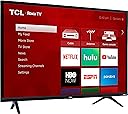
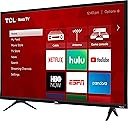
📺 Elevate your streaming game—because your couch deserves the best view!
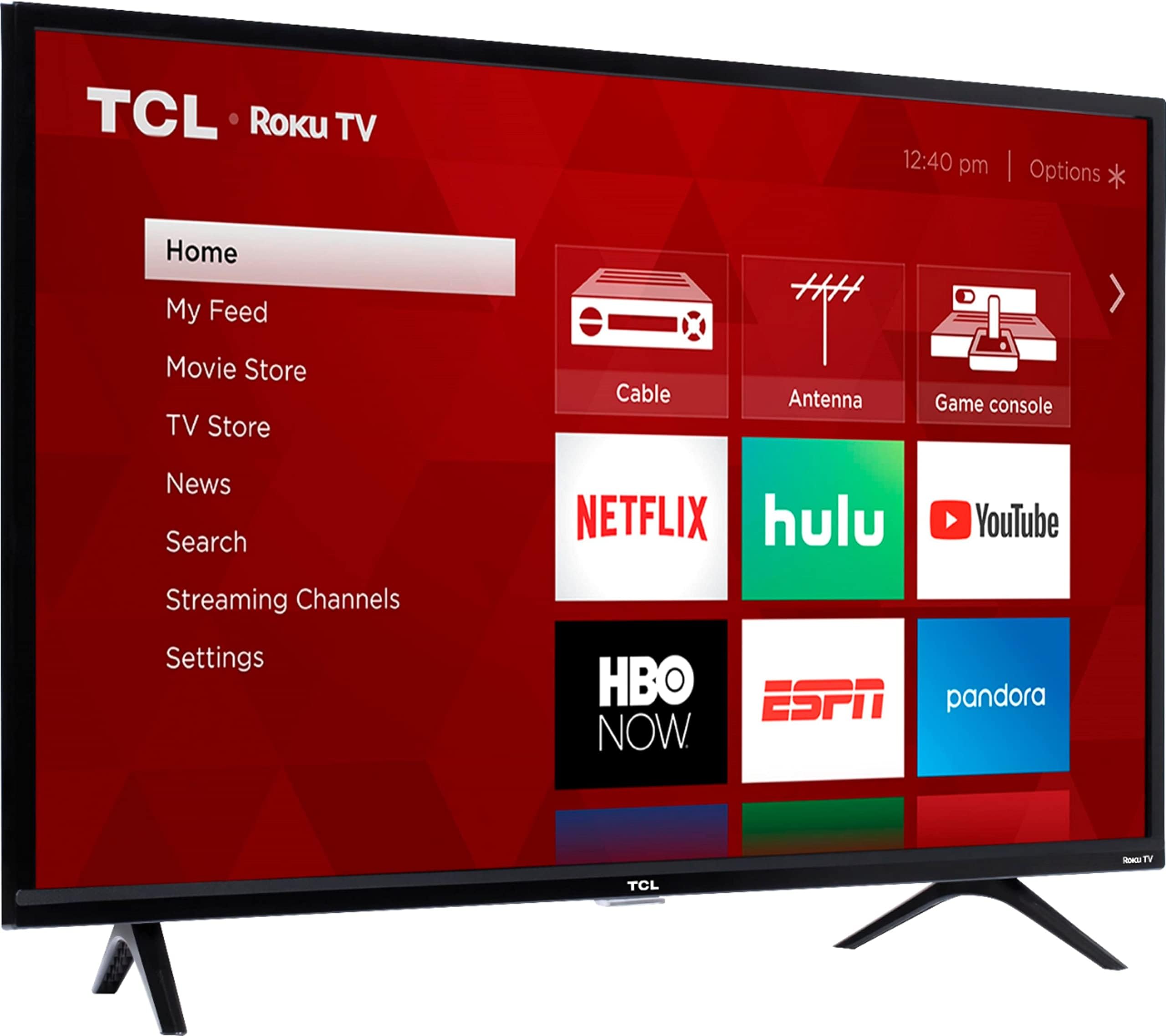
The TCL 40S325 is a 40-inch Full HD Smart LED TV featuring Roku OS for access to thousands of streaming channels and voice control via Alexa and Google Assistant. With 3 HDMI inputs, USB support, and a 60Hz refresh rate, it offers versatile connectivity and smooth picture quality. Designed for modern living, it combines affordability with smart functionality, making it an ideal entertainment upgrade for professionals seeking seamless streaming and multi-device integration.


| ASIN | B07GB61TQR |
| Additional Features | Browser, Chromecast |
| Analog Audio Output Count | 1 |
| Annual Energy Consumption | 92 Kilowatt Hours |
| Antenna Location | Home Viewing |
| Aspect Ratio | 16:9 |
| Audio Encoding | Dolby Digital Plus |
| Audio Input | HDMI, Optical, USB |
| Audio Output Mode | Digital |
| Base Depth | 2.9 Inches |
| Battery Type | 2 AAA batteries for remote control |
| Best Sellers Rank | #111,500 in Electronics ( See Top 100 in Electronics ) #371 in LED & LCD TVs |
| Brand | TCL |
| Built-In Media | Remote Control |
| Color | Black |
| Compatible Devices | Gaming Console, Laptop, Tablet, Smartphone, Speaker, Amazon Alexa, Google Assistant |
| Connectivity Technology | HDMI, USB, Wi-Fi |
| Connector Type | USB |
| Content Sharing Direction | Mobile to TV |
| Contrast Ratio | 20000:1 |
| Control Method | App |
| Controller Type | amazon_alexa, google_assistant |
| Customer Reviews | 4.5 out of 5 stars 39,549 Reviews |
| Display Backlight Configuration | Direct LED |
| Display Backlight Setting | Direct Lit |
| Display Backlight Technology | LED |
| Display Language Options | English, German, French, Spanish |
| Display Refresh Rate in Hertz | 60 |
| Display Size Class | 40 Inches |
| Display Technology | LED |
| Global Trade Identification Number | 00846042009997 |
| HDR Format Supported | HDR10 |
| Hardware Interface | HDMI, USB |
| Has Color Screen | Yes |
| Integrated Surround Sound Format | Dolby Digital Plus |
| Internet Applications | Amazon Instant Video, Hulu, Netflix, Skype, Spotify, Youtube |
| Is Electric | Yes |
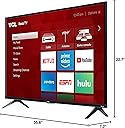
| Item Dimensions D x W x H | 7.2"D x 35.6"W x 22.7"H |
| Item Weight | 13.4 Pounds |
| Item Width | 35.6 Inches |
| Line Voltage | 110 VAC 60 Hz |
| Manufacturer | TCL |
| Mfr Part Number | 40S325 |
| Model Name | 40S325 |
| Model Number | 40S325 |
| Model Series | 3 series HDTV |
| Model Year | 2019 |
| Motion Enhancement Technology | Natural Motion 240 |
| Mounting Type | Wall Mount |
| Number of Audio Channels | Dolby Digital Plus |
| Number of Batteries | 2 AAA batteries required. (included) |
| Number of Component Inputs | 3 |
| Number of Composite-Video Inputs | 1 |
| Number of VGA Inputs | 3 |
| Operating System | Roku OS |
| Parental Control Technology | Built-in device controls |
| Picture Quality Enhancement Technology | Natural Motion 240 |
| Power Consumption | 8 Watts |
| Refresh Rate | 60 Hz |
| Remote Control Technology | Standard |
| Remote Required Battery Quantity | 2 |
| Resolution | 1080p |
| Screen Finish | Flat |
| Screen Size | 40 Inches |
| Signal Format | digital |
| Size | 40-Inch |
| Speaker Description | Dolby Digital Plus |
| Speaker Maximum Output Power | 16 Watts |
| Special Feature | Browser, Chromecast |
| Specific Uses For Product | Private viewing |
| Total Audio Out Ports | 1 |
| Total Number of HDMI Ports | 3 |
| Total USB 2.0 Ports | 1 |
| Total USB 3.0 Ports | 1 |
| Total Usb Ports | 1 |
| Tuner Type | ATSC |
| UPC | 846042009997 |
| VESA Mount Standard | 100 x 100 mm |
| Video Encoding | AVC |
| Voltage | 120 Volts |
| Warranty Description | 1 Year Parts and Labor |
| Warranty Type | Limited |
| Wattage | 8 watts |
| Wireless Technology | Radio Frequency |
E**W
It's amazing the quality you get for the price of TVs these days.
So the past several years I just do everything on my PC, games and shows and movies I'd just watch there I used to have a nice home entertainment setup but not anymore I now have an awesome "gaming room" :) But I decided especially with the pandemic right now and stuck working from home I spend 8-9 working hours sitting in front of that computer desk and in that chair, it would be nice to retreat to something more relaxing. So I decided to upgrade my TV situation so I can lounge on the couch and watch movies and shows. I started looking online and I came across this brand TCL. I researched them and they have made their way up the ranks and are like the 3rd largest TV manufacturer now. Now for the same price (within 10 bucks) I could have gotten the 4K version of this TV but I'm not picky and all my media I have stored is a@ 1080p so at this time I didn't think 4K was needed so I went with this version 49in @ 1080 but it has all the same Smart TV features as the 4K model. It has a built in Roku which I hear is like 50 bucks on its own. This is my first smart TV. First off its a small thing really but I have to say this little remote it comes with is great, its oddly satisfying with the way it clicks. Responsive. I've watched a few movies on it and the picture is wonderful sound is ok, definitely nothing special probably just there to get the job done, and would have been satisfactory on their own, but I hooked up some nice logitech stereo speakers that I used to use on my PC. I would say the only negative about the TV itself would be the very shiny screen which causes lots of light glare. I have blackout curtains so its not an issue for me. The Smart TV allowed me to setup a few channels (youtube, wwe network, and roku media player) The media player is awesome the TV allowed me to attach an external harddrive via usb and I'm able to directly access all my shows and movies I have on them and it plays them flawlessly. I think this TV is absolutely wonderful for the price ($250). Get this one or the equivalent 4K version. You'll love it. Note: If you purchase it online and have it shipped before getting it all setup, get the power cord out and test the TV. The first one was damaged in shipping and the screen was busted (not to mention the delivery driver put it on the neighbors porch...) But amazon was right on it, they got a new one shipped out with 48 hours to me and they had UPS come and pick the broken one up in 24 hours. But this had nothing to do with the TVs quality and I won't punish the score for the TV itself for that issue, not to mention Amazon was super on it.
S**L
Good TV, Excellent Amazon Replacement Policy
First, the "bad" part: I took advantage of a great sale on Prime Day and bought this TV, in part because we wanted a bigger TV in our den, and in part because the home theater system we have has streaming apps that will no longer be supported by Amazon and Hulu. When the TV arrived, the screen was broken. There was a pressure fracture right in the middle of the screen when turned on. A few clicks on Amazon's site, and I had a replacement TV on the way and a pre-paid mailing label. I was mildly inconvenienced by having to drive 5 miles to our local UPS pick-up location. The replacement TV arrived 5 days later (due to the weekend) and was in perfect condition. On to the TV: This is a budget smart TV. The speakers are good but not great. The picture is more than acceptable to me. The price was right. Options for the TV are good. You will need to have a Roku account to get the maximum benefits of this TV. The initial TV set-up is fairly intuitive. I had never heard of HDMI ARC until I bought this TV. Now, when I turn on the TV, it will also turn on my home theater system, put the system in the correct mode, and play through the home theater. If I turn off the home theater, the TV will then turn on its own speakers. Simple, but neat tech. My only complaint about this TV: It doesn't default to the last video setting when you turn it off and back on. My DirecTV Genie remote will turn the TV on and off (plus control the volume), but if I plop down in my chair and turn the TV on with the Genie remote, I will still need to have the TCL/Roku remote in hand to select satellite TV. Edit: I found the setting within the menu that allows the TV to automatically turn on the satellite TV. Last tidbits: Legs are easy to attach (watch! They have a front and back). Sleep timer requires you to go into the menu, rather than just pressing a single remote button like on my other TCL televisions. The IR receiver in located near the little white light in the middle underside, and you have to hold the remote towards that location; I don't know if the IR beam is narrowly focused, or if the receiver isn't very sensitive. 3 HDMI ports. If you are looking at the TV as though viewing it, the power cord and cables will come out towards your right side.
N**L
Great TV at a bargin price
A very fine 40“ 1080 p TV for a small price. I have owed this TV for about a week and have been pleased with the picture for movies, sports and network TV. If you a looking for a basic TV with a great picture this is it. Moreover I can control the on and off, volume and channels all through the Alex app. And Roku is seemlessly built in. If your a cord cutter like I am this a great upgrade. Roku TV alone gives you at least 50 channels and good free movies. Now add the Roku app to your phone and you never need to find you remote again. The Roku on thid TV is probably one of the best features. Delivered to my door in four days with out any issues. Thanks Amazon and UPS. My only negative comment is that getting this TV to work with Alexa is going to require patience. It is good AI after you figure it out but it is not intuitive. In short Alexa will control this device but Roku wants an honorable mention when you say the command: "Alexa, channel 3.1 on Living Room TV." Alexa will respond. "Tuning to 3.1 on Roku". So understand you are controling the TV but it wants to tell you you are using the Roku software. This is really no different from any other device but my smart plugs don't annouce "turning on your lamp through Kaza". BTW Kaza is a brand of smart plug. (best plug in my opinion-pun intened) So I share all of this as it is really cool when it works. When controlling the TV fuctions such as on and off and volume the TV says nothing about Roku. But tell it to go to Channel 27 it wants credit but keep in mind your talking to Alexa and she has apprently agreed to allow her smart friend Roku to take some credit for some of her smart AI functions. In closing... Buy it! Thanks TLC for making a good product at a decent price!
T**N
Picture Quality, USB, Remote
I haven't had this set up and working for longer than a few days. When it comes to ROKU remote it's a relief to go down to one remote as the volume buttons are on the side. Also, if you already have a ROKU account the sign-in is easy. Once it registers the WIFI it already has on you, it's a fast process. If you're a newcomer to ROKU, you should know though a credit card (for any ROKU purchased apps) are required, if you're not doing any purchases thru ROKU you can pass on this page. They may not want you to know that, but it's easy. I have no CC with them and never have. I did need the computer for my email to confirm my new device (this TV) but otherwise that was it. No code required for me. When it comes to Blu-Ray/DVD players these types of devices are auto scanned thru HDMI setup. However now I needed to contact customer service (the info wasn't in the sparse manual) and that person was helpful and polite and I reached a human being in about two minutes. You have options but I did fine with a phone call. If you have a hard drive you want to add thru USB port you have to go into the ROKU MAIN PAGE 'SEARCH' FUNCTION for ROKU MEDIA and then you can add the HDD or SSD that way. There is a quirk with this as it will automatically tune to your hard drive, and I didn't need that. Options are available for instant access. But I might have to replug the hard drive in if I want to access it. Also I can tell you it was a clean hard drive and no option to format it so if you're looking for recordability, this TV doesn't have it. As it was, I added the hard drive and it froze on that added device, there was no option to get me off that screen. So then I was pushing the HOME (main) button for ROKU and it was doing nothing. I couldn't get out of where I was. I finally was pushing the star button about a dozen times and then the ROKU froze up to a blank screen and restarted itself. That should not happen when you have merely added a new device. Now, when it comes to the picture quality, first off you have five settings available for picture brightness-dark. IMO the picture quality isn't as good as any other TV I've had. The image seems soft, not sharp. That is the disappointment. But this isn't my main TV. UPDATE: The TV has a problem with turn on/turn off. You can push the remote button upwards of 20 times from various distances and locations in the room and it won't work. Eventually, for turning off, it's down to unplugging it. But that's for turning it off. That doesn't turn it on. Why doesn't the TV have a manual ON/OFF switch? Fortunately for me I have a universal remote on hand and the code for this TCL ROKU TV is 6171. It works.
J**N
I'll never buy another TV that doesn't have ROKU or FireTV built into it.
I can't say enough good things about this TV. So simple to use, so many features, so many free apps. They just did almost everything right. I was worried that the remote would be a problem not having the numbers, but I never use them anyways. So i'm just left with a remote that is easy to use because it only has the buttons i actually need. The menus are just so much more smooth and easy to use than the smart TV this is replacing. I love that you can customize the imputes and label them as whatever you want. I like that the for buttons on this remote are Netflix, Hulu, Amazon Prime, and SlingTV. These seem like the most popular ones. I'd be nice if you could customize these somehow, but since we can't i'm glad they picked good ones. If you buy a Roku from walmart they always have really weird buttons here for services that nobody uses. There's so many features i didn't even know about. Like it lets you pause live over the air TV if you plug in a thumb drive. I didn't even know this before ordering, and was blown away how easy this was to setup. I love the price, we paid $249.00 for the 49 inch in April 2019, this is cheaper than buying a 49 inch dumb TV and a roku and it's even better just hang it built into the TV. Here's my complaints. - There's no hole for a kensington lock. - The remote doesn't have a microphone like some roku remotes - I think the remote uses IR not bluetooth, so it has to be pointed at the TV to use - The remote doesn't have a headphone jack like some roku remotes. - I don't like that they make me link a credit card to my roku account - It's only 1080p, not 4k - There are ways to link it to a Google Home, but it's not user friendly to setup or use. But these are nitpicky complaints. Still giving it 5/5 stars cause it's great and nothing beats it at this price point.
R**N
CAN'T BEAT THIS T.V. FOR THE PRICE!!
Received this product today. It was in EXCELLENT QUALITY when I received it. Easily un-boxed and able to set-up. All items were present. I have to say this was the quickest set-up I've ever had for any type of device (T.V, PC, Laptop, Phone, etc.). Although I did a bit of research before I purchased this device through Amazon. Then after I ordered it and while I was waiting for delivery I did a bit of reading on this site (reviews & Q&A's) just to have an "edge" when it came time to set it up. When all was said & done it probably was an hour to hour and a half from opening the box to setting back down on the couch after all was done. Once you read through all the Q&A's, and about 75% of them are questions that have been asked two to three times, you'll have ALL of your questions answered so once your t.v. is delivered you have a plan of action and push right through that set-up. Here are the biggest "complaints" that are non-sense when dealing with a ROKU t.v.: A. It doesn't COST A PENNY TO SET UP A ROKU ACCOUNT and activate your T.V...if for some reason you come across a site or a phone call demanding payment in order to activate your t.v...hang up or whatnot, and reevaluate (i.e. make sure you have the correct website typed in or the correct phone number dialed in). You can activate your roku t.v. with a "free" roku account. You don't even have to put in a credit card. B. You get what you pay for...Yes, while that is true in every aspect of life you can get a good deal without having to pay out the butt. I believe this is one of those times!! C. This item DOES NOT COME WITH A WALL MOUNT. If you want to wall mount it you buy the mount yourself. If you want to specifications of what size wall-mount to buy they are all in the directions that come with the t.v. While I didn't wall mount it (I just used the stands that come with the set) If I wanted to all I had to do was either read through the Q&A's (as that question has been asked over 20 times) or just read through the "directions" booklet provided with the T.V. D. If you want to use your phone as your "roku remote" all you have to do is d/l the app from your store (G-Play or apple) and you're good to go. No, the roku remote doesn't have numbers on it and yes it does have volume control on the side of it. Just remember, both your phone and your T.V. have to both be on the same wi-fi connection in order for your phone to work as the remote, if not, then it's a NO-GO!! E. If you have satellite, cable, etc...YES, it works with this T.V., along with Wi-fi. The model I have doesn't work with Ethernet or bluetooth, but TCL does have models that do work with Bluetooth & ethernet. Be a bit proactive, it'll save you a bunch of time in the end! As I stated earlier, it didn't take any time at all for me to set this up from beginning to end. Take a bit of time and do some research!! This set is great quality and you are easily able to adjust it to your liking in the settings menu. Every aspect of this set is adjustable. I couldn't be happier with the amount I paid for it!!! Try it, YOU WON'T BE DISAPPOINTED!!! In the pictures below, one of the pics is the front of the set and the other is a side shot showing the thickness of the set along with the fact that there aren't a million plugs coming from the back area.
R**E
Best Roku based HDTV for the money. Period.
This is a fantastic HDTV, and the bargain price is an added bonus. If you're familiar with Roku, this television has the Roku operating system built into the television. That means that a separate streaming box or streaming stick is unnecessary. Just connect the TV's wifi to your home wifi network, and you're good to go (this model does NOT have an ethernet port and is wifi only). I attached an external antenna to the TV when I received it, and scanned for over the air local channels, and was able to get over 50+ HD TV channels, which is perfect for cord cutters. I've found that the picture is outstanding with streaming content (Netflix Amazon Hulu Vudu), over the air signals, and average for cable television channels. Remember that the picture quality depends on your content source. A weak or diminished wifi signal will produce a weak picture. I read so many reviews that claim an HDTV has a lousy picture and they send the TV back or give it a one star review. All too often the consumer is unaware that a crappy picture can't be blamed on the TV. The television might be too far from the wifi router, or your home network could be overwhelmed and the wireless signal is too slow or diminished, or your over the air (OTA) signal needs a boost (and an amplified antenna). I can rave about the value and quality of this HDTV for hours and I'd bore you to death. This is my second TCL Roku HDTV, and when I'm ready to upgrade to 4K, I'm going to buy the TCL 55R617. If streaming is new for you, or you aren't familiar with the Roku platform, ask questions. Use Youtube instructional videos and amazon reviews to learn, and don't be afraid to ask questions. You'll be a streaming champ in no time! Especially if you buy this TV. You can't go wrong. I highly recommend this HDTV.
R**N
Nice, affordable, smart tv!
Super easy to set up. The only configuration we have to tweak is hooking satellite tv receiver up with the Roku—might have to use both remotes in order to choose channels from our dish satellite. My husband and I spent more time attaching the screen to our stand than actually setting things up to play the tv. We already had Roku so it was a matter of resetting password and following prompts from the screen. Some things to consider: 1. Make sure your stands or wall mounts fit the hardware! We had purchased this tv to replace a Toshiba HiDef that was about 10 yrs old. I have bracket mounts showing right now. Will conceal with some florals at the top of the mount. 2. You may need speaker system for sound. I did find settings a bit tricky to find. Knowing how to navigate smart tv functions is a must—TCL doesn’t clarify the settings features with the tv in their user manual. I simply hunted for proper screen settings—the black end screen bars can be stretched to fit the full screen. 3. We probably could have gotten the 50 inch tv to better fit our stand—the width of the screen is quite narrow on this model. We were not sure how this tv would fit on our tv stand. Otherwise, so far so good! My husband and I appreciate the affordability of this smart tv. Just wished we had gotten a little bigger one for our stand. This one is very nice for the money—our satellite channels are really beautiful pictures!! For a starter smart tv, this one is an excellent buy! Might add that Amazon was very prompt in processing our order and shipment that came today about 2 hours ahead of its scheduled delivery time with UPS.
Trustpilot
1 month ago
1 week ago